What Are Service Locations?
A Service Location is the place where events or appointments registered in the schedule take place, such as branches, offices, or salons. On the eAgenda platform, your company can manage one or more Service Locations independently.
Step by Step: Managing Locations
In the dashboard, click on Account → Manage Locations;
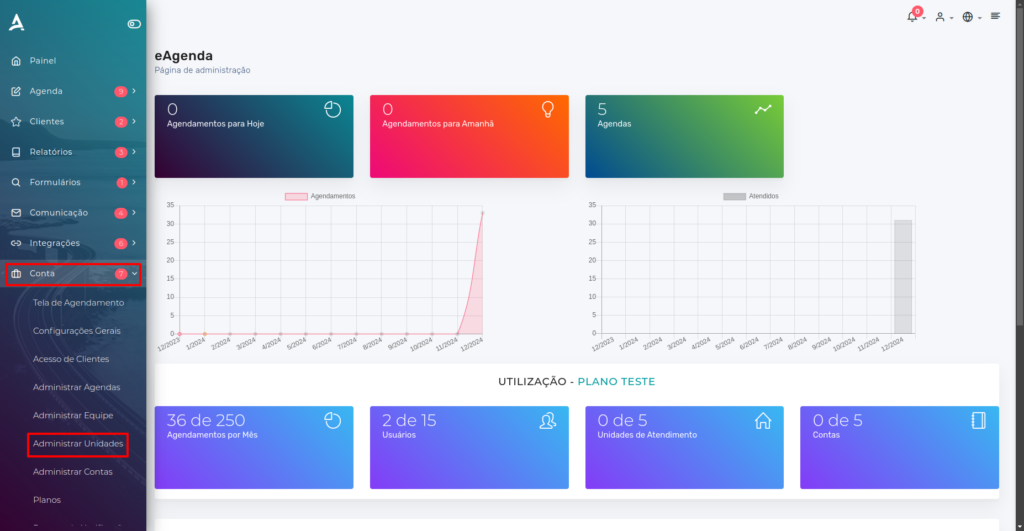
Now simply click on Create Location. Each location has its own list of schedules, an exclusive booking link, and can be customized with its respective address. This facilitates the separation and organization of schedules by location, ensuring a more practical and efficient experience for both administrators and clients.
Basic Information
After clicking Create Location, you will need to fill in some basic information about the location.
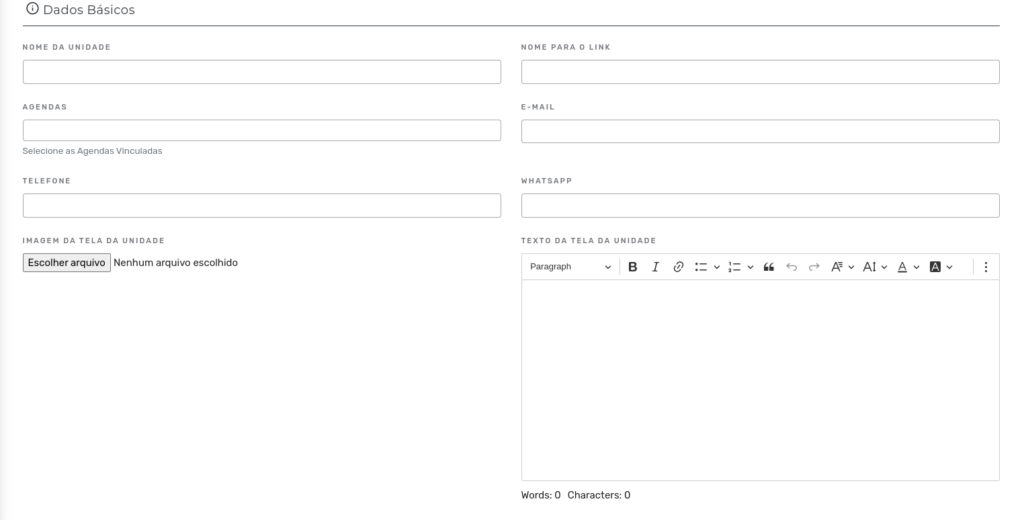
After filling in these fields, you will find other essential fields to configure the location.
Address
In this step, you will need to provide the address details for the service location.
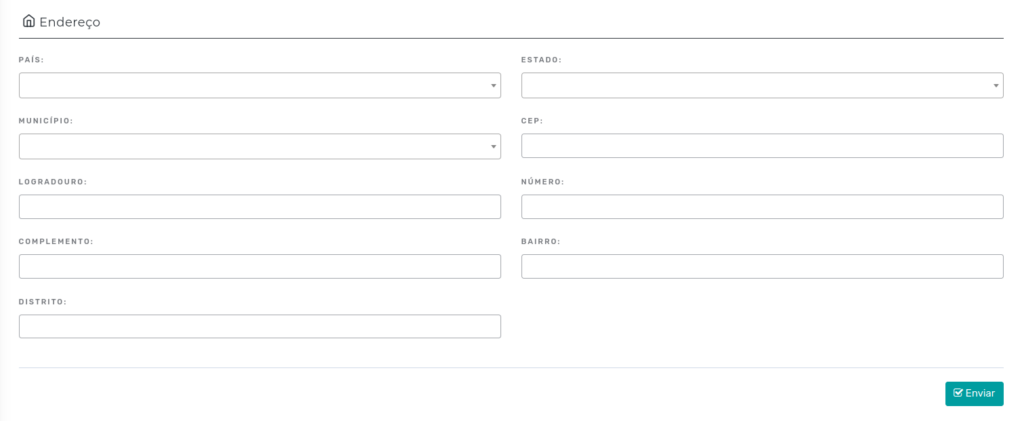
After filling in the fields, click Submit.
Conclusion
Let us consider the following example: a group of physiotherapists who work at two different clinics. In this case, it is a company with two Service Locations. On the eAgenda platform, it is possible to organize and link each physiotherapist’s schedules to their respective Service Locations, ensuring efficient and separate management for each site.
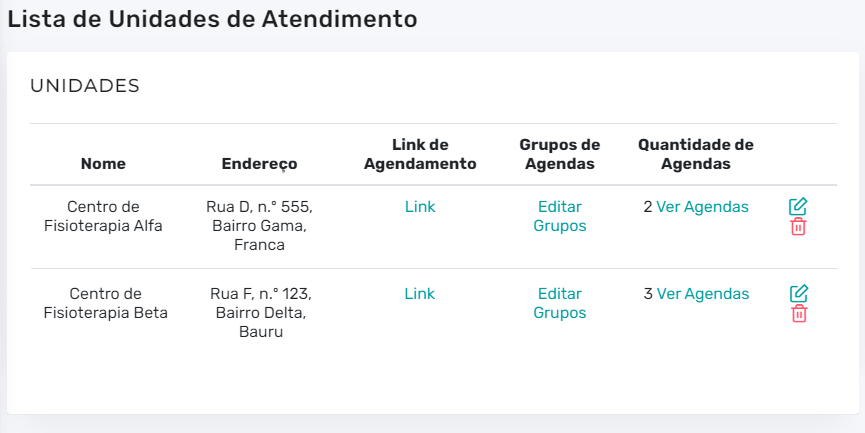
In summary, in this tutorial you learned how to create a Service Location. You can now organize and manage appointments across different locations and their respective schedules. Take the opportunity to explore our Blog for answers to your questions, or visit our YouTube channel for more content and tutorials.
Mupi Systems offers various technological solutions for all types of businesses. Discover our platforms that bring innovation to the market.