How to Configure Companion Attendance in Scheduling
Having companions is quite common in special situations. A great example is the bridal gown fitting, which usually takes place in the company of close and important people for the bride, making this moment even more meaningful and emotionally charged.
To avoid overcrowding and ensure that the team can provide quality service, proper organization is essential. With this in mind, the eAgenda system allows you to configure a maximum number of participants per time slot, including the number of allowed companions.
This feature contributes to more efficient calendar management, improves the customer experience, and optimizes the routine of the involved team.
Step by Step: People Limit per Time Slot
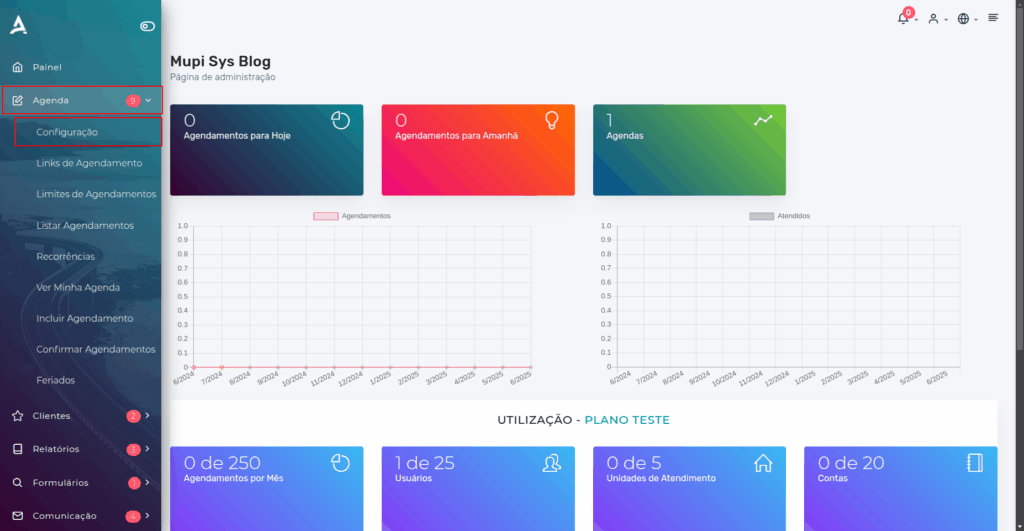
In the side menu, click on Calendar → Settings
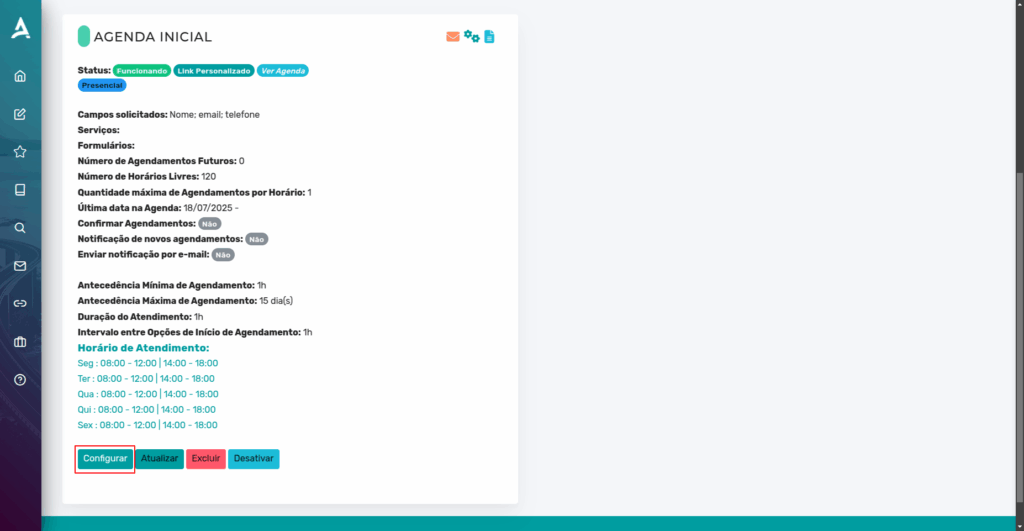
After following the previous step, you will be redirected to the Calendar Settings page. Then, click Configure on the calendar you wish to adjust.
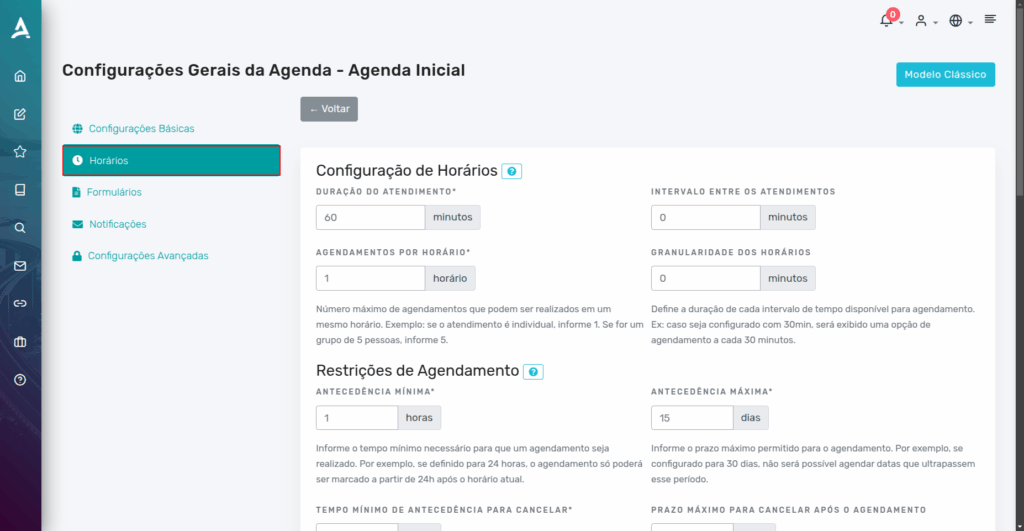
In the calendar settings, go to the Time Slots tab.
Then, locate the Appointments per Time Slot option.
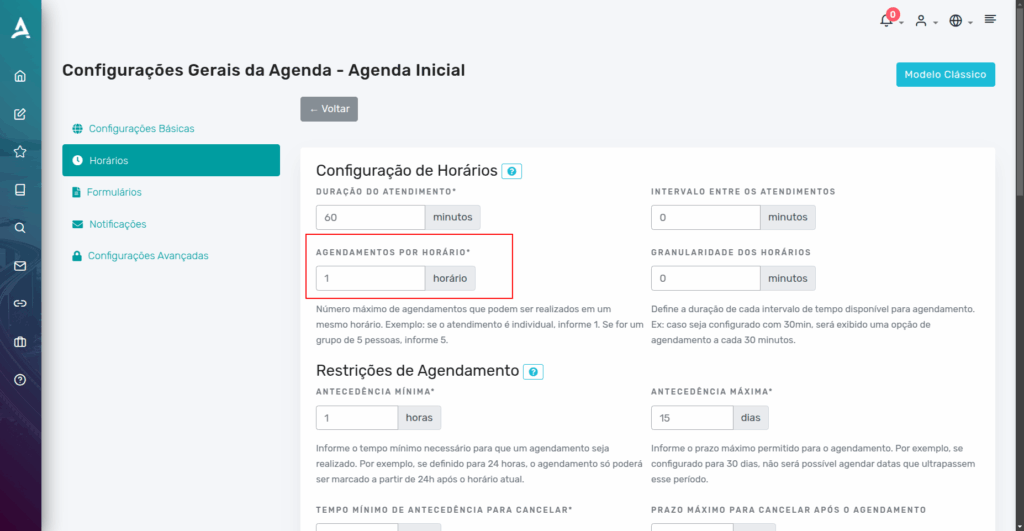
- If the service is individual (one customer per time slot): enter (e.g., “1”).
- If there are multiple professionals available: enter the number corresponding to the number of people who can be served at the same time (e.g., “10”).
- If the service is group-based, such as classes or joint sessions, you should enter the participant limit per time slot, for example, “5”.
Important: you will need to enable the simultaneous appointments feature, since in this case, all 5 people will be together with a single person in charge.
Configuring the Companion Limit
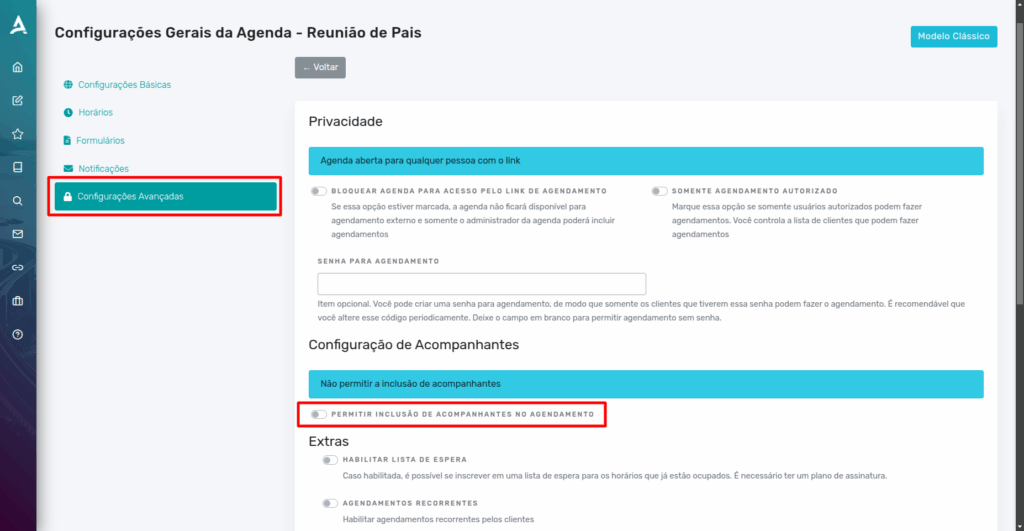
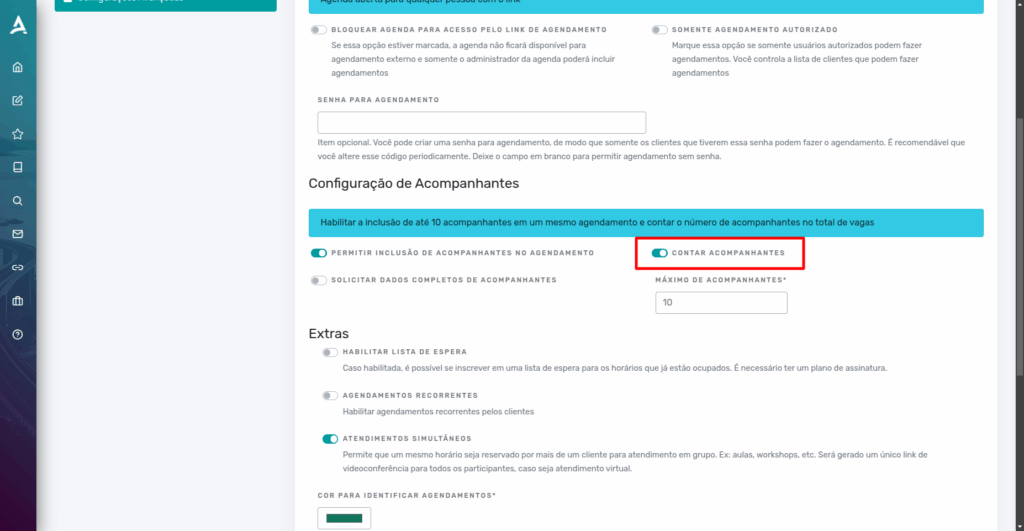
To set companion limits for an appointment, you need to access the Advanced Settings in the calendar configuration. In this area, locate the section called Companion Settings, where you can manage all parameters related to this feature.
Before any configuration, it is essential to enable the option that allows companions to be included at the time of scheduling. Only after this activation will the system display the options to define the desired rules.
Among these rules, you can configure the maximum number of companions allowed per appointment, ensuring that capacity control and service organization are respected. This feature is especially useful for group appointments, events, or situations where the customer may be accompanied by family members, friends, or other participants.
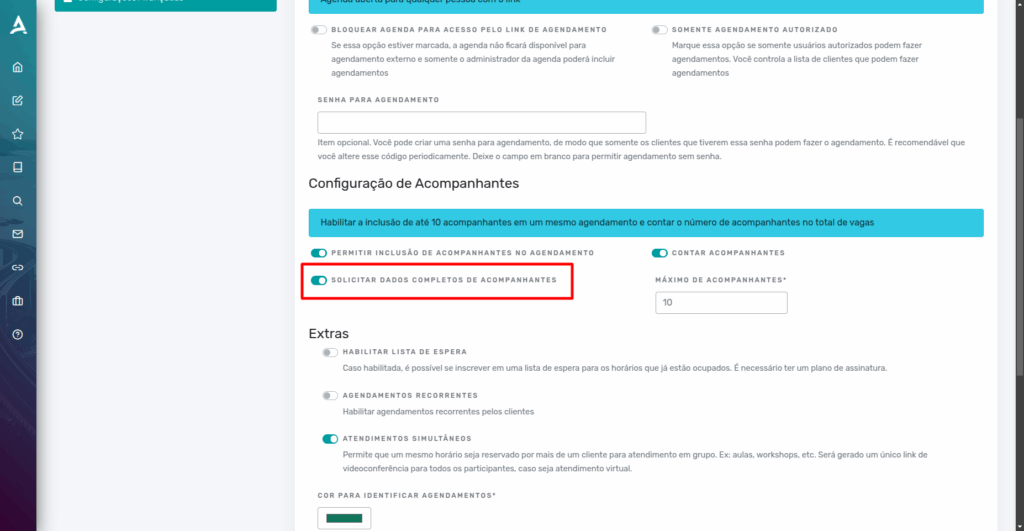
1. Request Full Companion Details
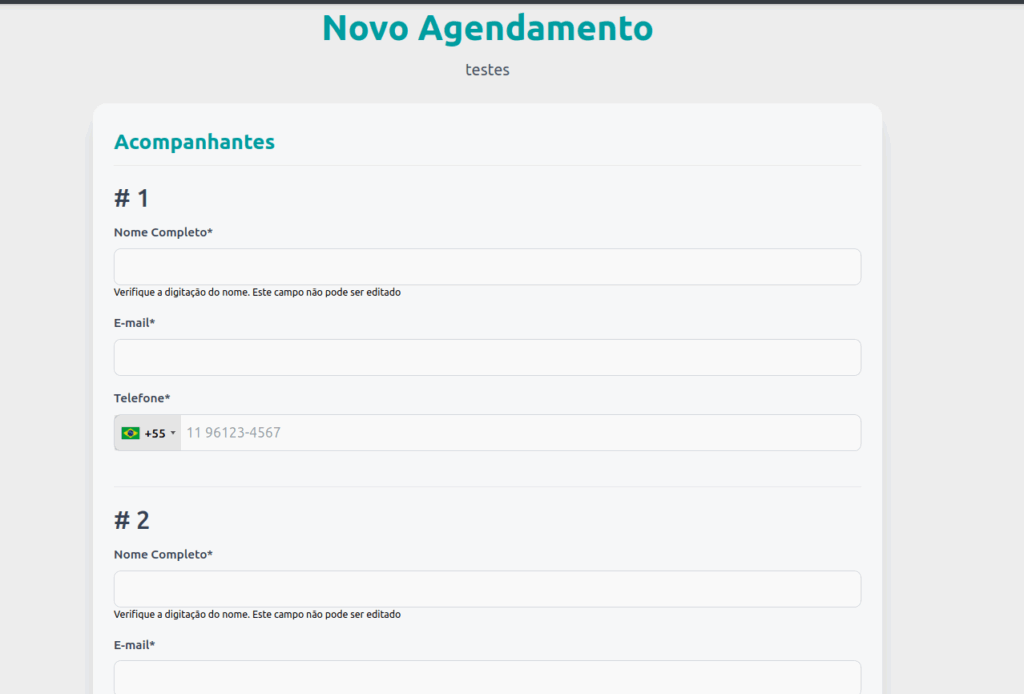
When this option is enabled, during the scheduling process, the customer will be asked to provide the number of companions who will accompany them. Additionally, the system will require filling in essential information about each companion, such as full name, date of birth, and other data that may be relevant to the service provided. This feature is especially useful for group or family appointments, ensuring greater control, organization, and security in the registered information. This way, it is possible to better plan service capacity and offer a more efficient and personalized experience for everyone involved.
Example:
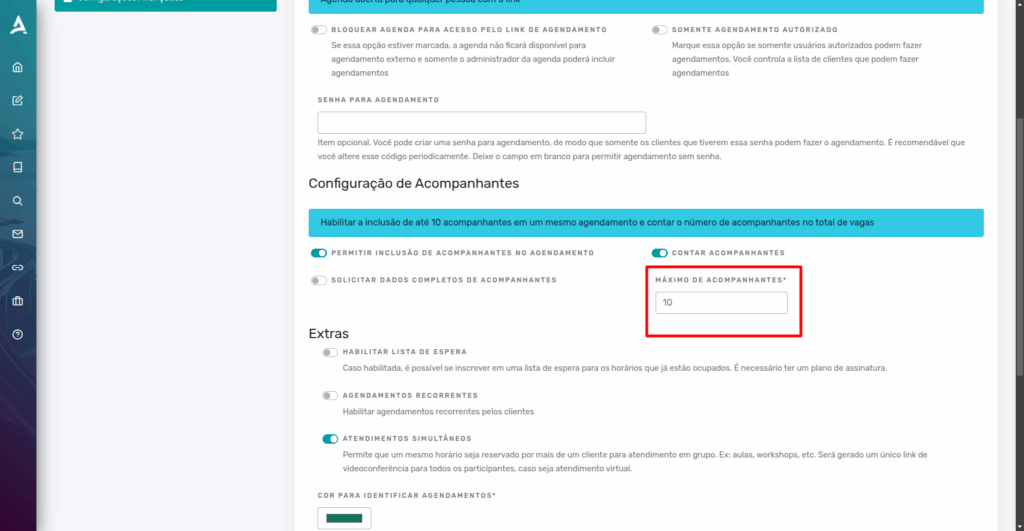
2. Maximum Number of Companions
Here, you define the maximum number of companions allowed per appointment. This setting helps maintain control over the number of people present during the service.
3. Count Companions
When this option is enabled, the system counts companions toward the total limit of people allowed for that time slot. For example: if the space accommodates up to 20 people and a customer schedules with 5 companions, only 14 spots will remain available for other appointments or companions. This prevents overcrowding and ensures that everyone present receives adequate service.
Conclusion
In summary, in this tutorial you learned how to configure the maximum participant limit per time slot in eAgenda. We showed how to access the calendar settings to adjust the number of simultaneous appointments and enable the companion feature.
Additionally, you saw how to request full companion details during scheduling, set the maximum allowed, and choose to count them toward the total people limit per time slot. These settings help prevent overcrowding, improve service organization, and ensure a more efficient and safe experience for customers and staff. Finally, additional support sources and content were provided to deepen your use of the platform.
Mupi Systems offers complete and innovative solutions for companies across various segments. Explore our platforms and discover how we can help grow your business.
Contact Us or Learn More
WhatsApp: [Click here to send us a message] eAgenda Platform: [Explore the tool] Our Company: [Mupi Systems – Innovative Solutions] Email: [contato@mupisystems.com.br] Tutorials and Documentation: [Access our guides and tutorials]