How to Share the Scheduling QR Code
In eAgenda, one of the most effective ways to make sharing even more modern and convenient is by using QR Codes. With them, anyone can access your scheduling page directly with just one click, whether from a smartphone, tablet, or other mobile device. Additionally, QR Codes allow you to share your links in a versatile way — on social media, messaging apps, emails, or even on physical materials such as business cards, flyers, and posters. This way, you expand the reach of your calendar, facilitate customer interaction, and turn scheduling into a fast, intuitive, and accessible process.
Step by Step: Sharing the QR Code
Open the Side Menu and click on Calendar → Scheduling Links;
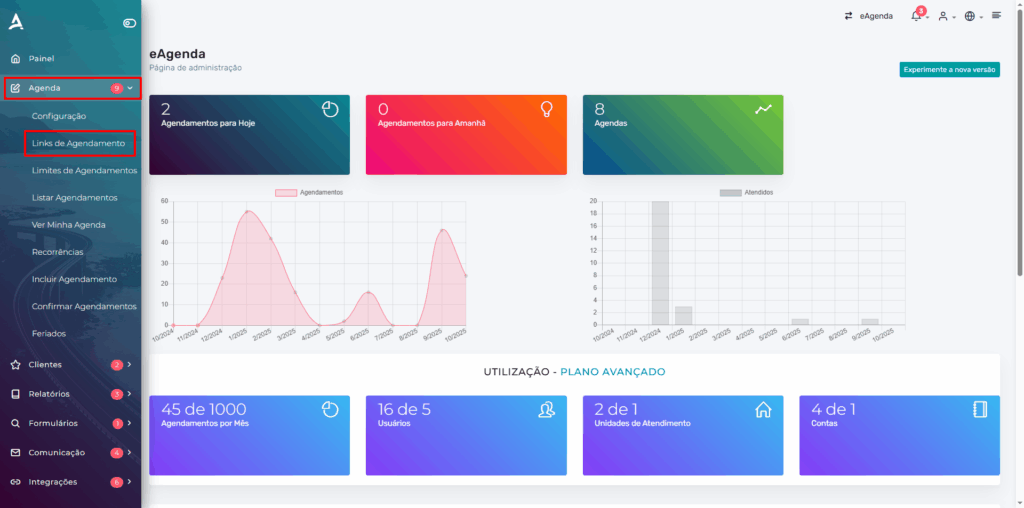
1. Main Link
After completing the previous step, you will be redirected to the Scheduling Links screen. There, you will find the main link, which corresponds to the scheduling home page. This link is the most recommended for sharing on social media, WhatsApp, and other channels, as it displays all your available calendars.
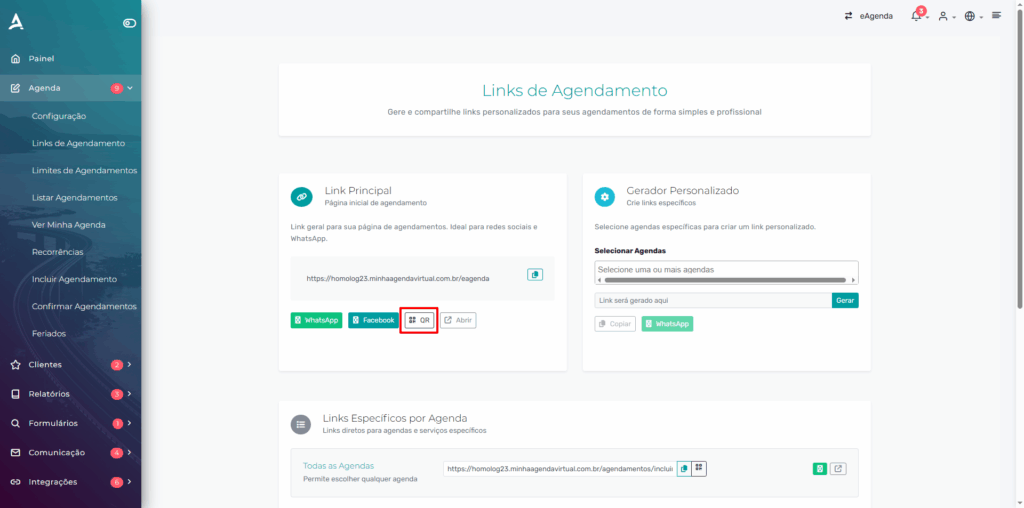
To share the QR Code for the main link, simply click the ‘QR’ button. The system will automatically generate the code image, which you can save and send to your customers or use in promotional materials.
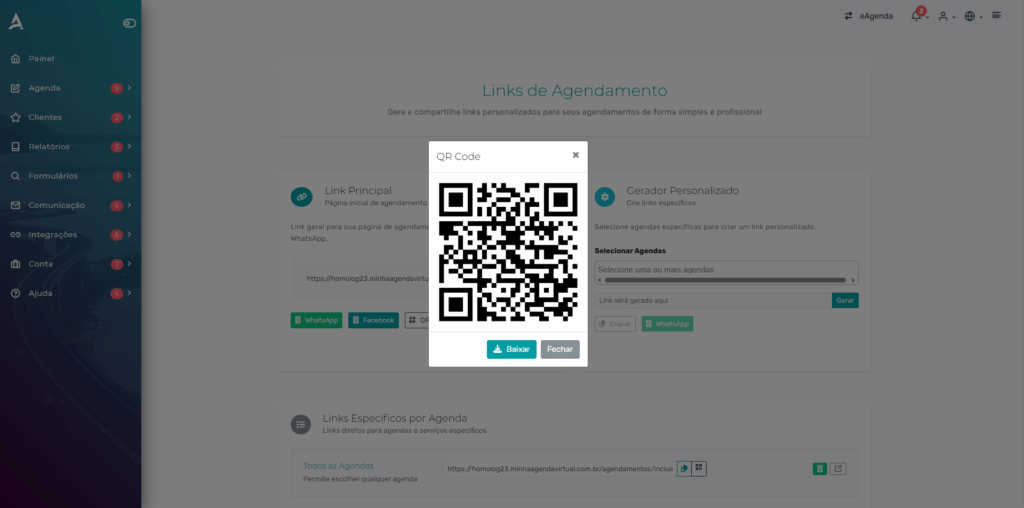
2. Calendar-Specific Links
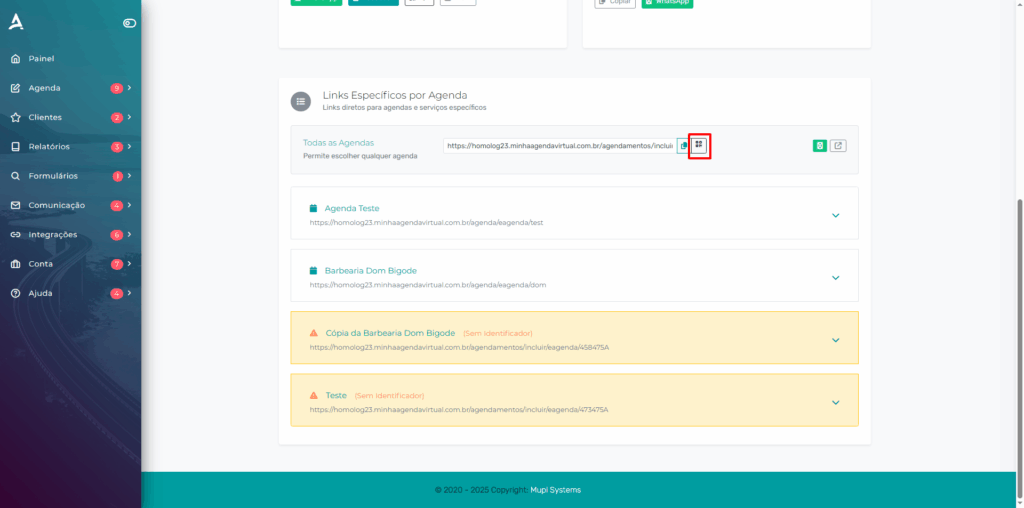
In the Calendar-Specific Links section, simply click the QR Code icon, located next to the copy link icon for the calendar.
Conclusion
In summary, in this tutorial you learned how to share your scheduling links in a practical and efficient way using QR Codes. You learned how to generate and share both the main link, which gathers all your calendars and is ideal for sharing on social media, WhatsApp, and other channels, and the calendar-specific links, which allow you to direct your customers to specific time slots and services. With this feature, you make it easier to access your calendar, make the scheduling process more agile, and improve your customers’ experience, while also expanding the reach and visibility of your service in a modern and intuitive way. Take the opportunity to explore our Blog and get your questions answered.
Mupi Systems offers various technology solutions for all types of businesses. Explore our platforms that bring innovation to the market.
Contact Us or Learn More
WhatsApp: [Click here to send us a message] eAgenda Platform: [Explore the tool] Our Company: [Mupi Systems – Innovative Solutions] Email: [contato@mupisystems.com.br] Tutorials and Documentation: [Access our guides and tutorials]