Generating an API Token and Checking the Account Slug in eAgendas
The eAgenda and Minha Agenda Virtual platforms offer the ability for the administrator to generate a token, enabling integration and use of the API. This resource is essential for automating processes, ensuring greater efficiency and security in communication between systems.
Generating the API Token
Access the Integrations Screen
- In the side menu, click on Integrations → API.
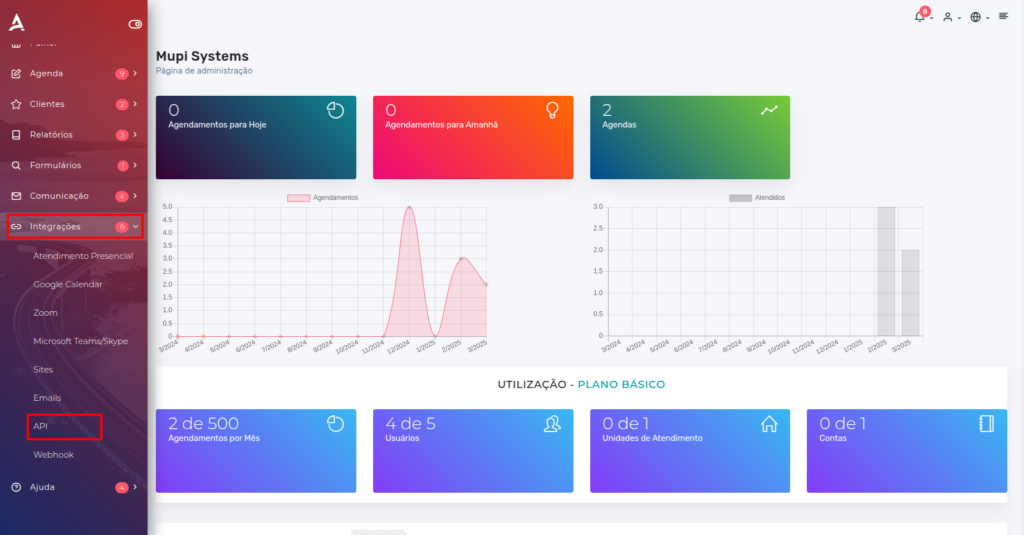
- You will be redirected to the API Token screen.
Generate the Token
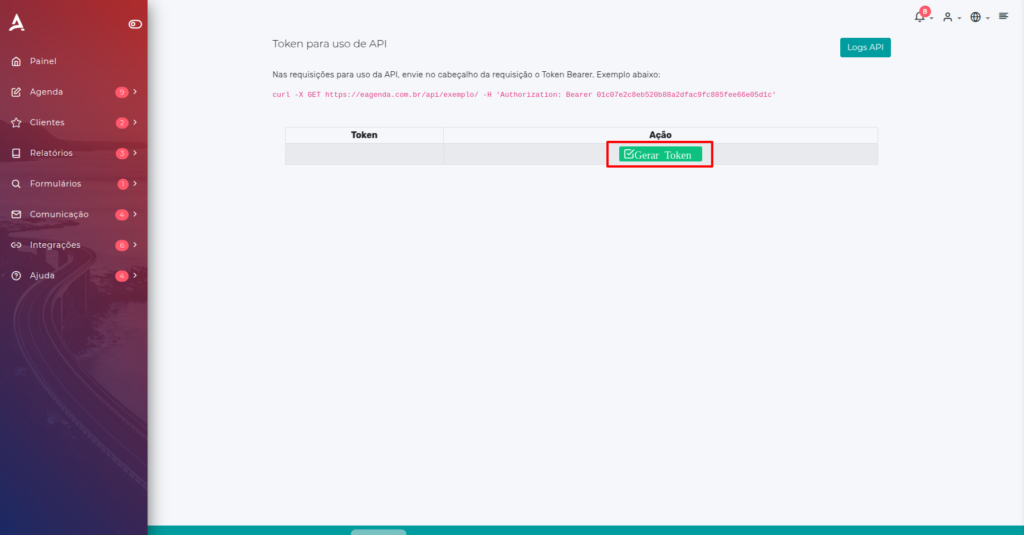
- In the API Token section, click the Generate Token button.
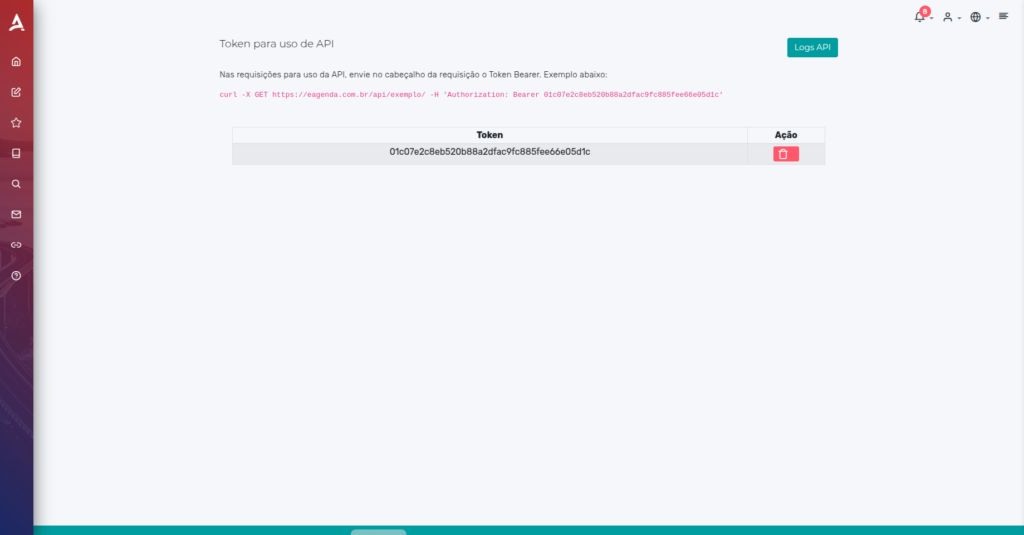
After generation, the token will be displayed on the screen. Make sure to copy it and store it in a secure location, as it will be needed for future integrations.
How to Check the Organization Name (Slug)
The Slug is a unique identifier for your organization and may be needed for advanced configurations. To find it, follow the steps below:
Access Account Settings
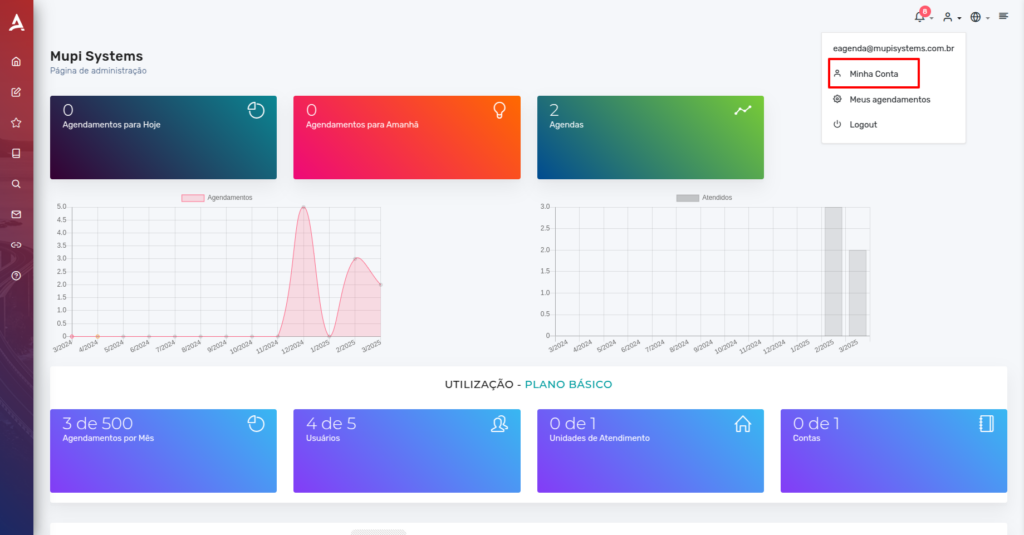
- On the main dashboard, click the profile icon (avatar) in the upper right corner.
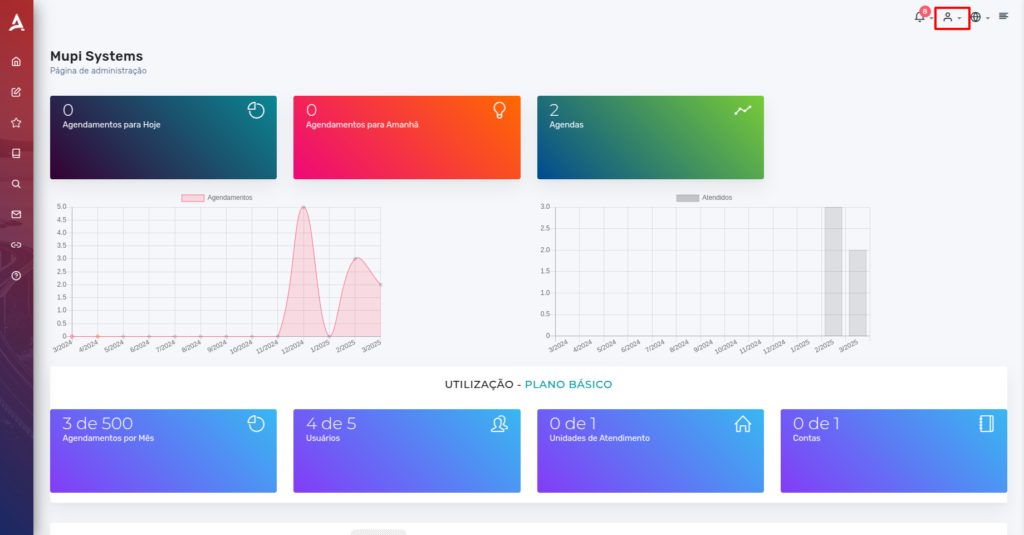
- Then, select My Account.
Locate the Slug
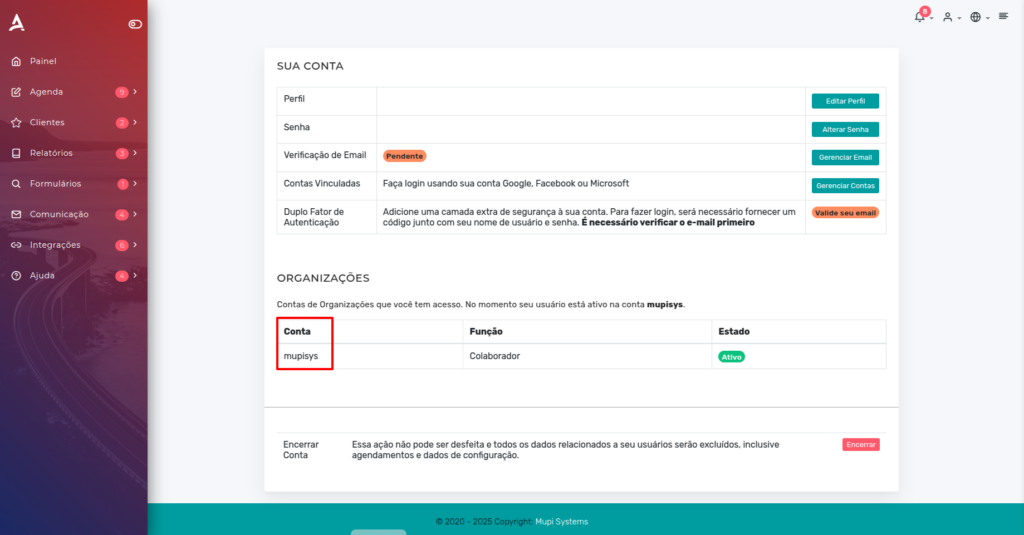
- You will be redirected to the Your Account section.
- In the Organizations tab, look for the Account (Slug) section. The displayed value will be the unique identifier of your organization.
Conclusion
In this post, we covered how to generate your API Token and how to find the Slug of your account in eAgenda and Minha Agenda Virtual. Take the opportunity to explore our Blog and get answers to other questions, or visit our YouTube channel.
We hope this post has been helpful and we are available to answer any questions!
Mupi Systems offers various technology solutions for all types of businesses. Explore our platforms that bring innovation to the market.