How to Configure Multi-Service Scheduling
Both eAgenda and Minha Agenda Virtual offer the ability to configure multiple services in a single appointment, providing more flexibility and convenience in the booking process.
With this feature, clients can select more than one service in the same appointment, according to their needs, which allows them to optimize their time, avoid multiple bookings, and centralize all services in a single confirmation. Each service can be configured with a specific duration and individual price, ensuring more precise schedule control, better time management, and greater clarity in billing.
In this tutorial, you will find the complete step-by-step guide to configure this feature in your account, exploring all available options and learning how to make the most of the benefits that multi-service scheduling can offer your business and clients.
Step by Step: How to Configure Multi-Service Scheduling
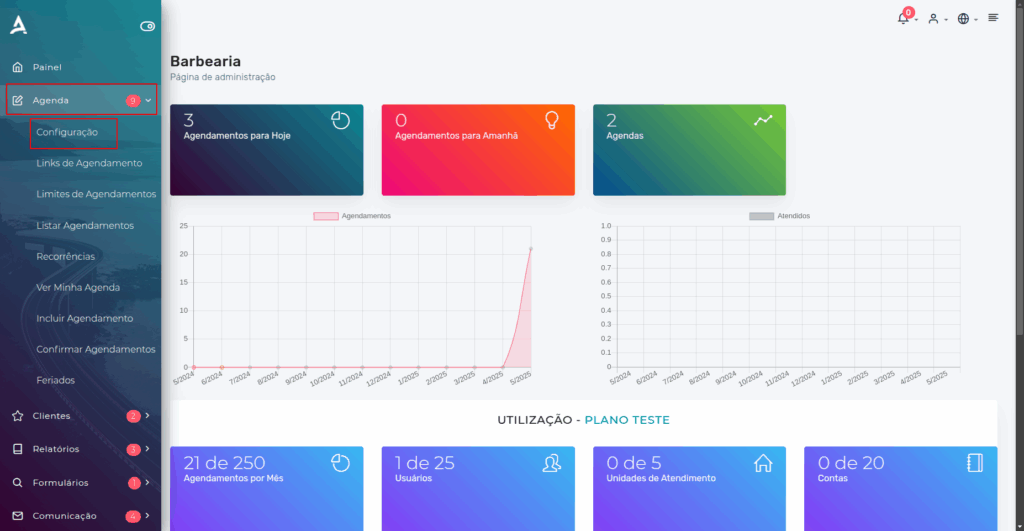
Open the Side Menu and click on Agenda → Configuration;
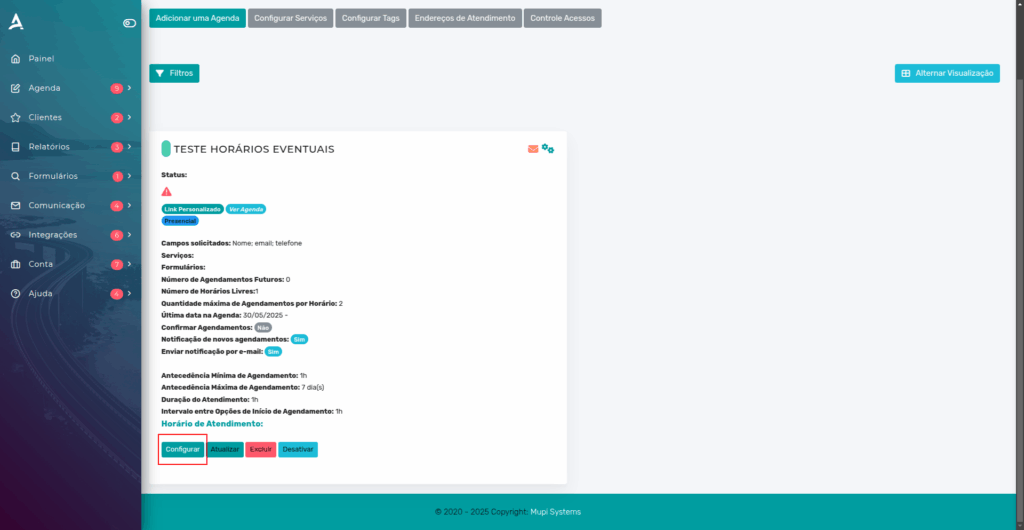
After clicking Configuration, the Schedule Configuration screen will appear. Find the desired schedule and click Configure below it.
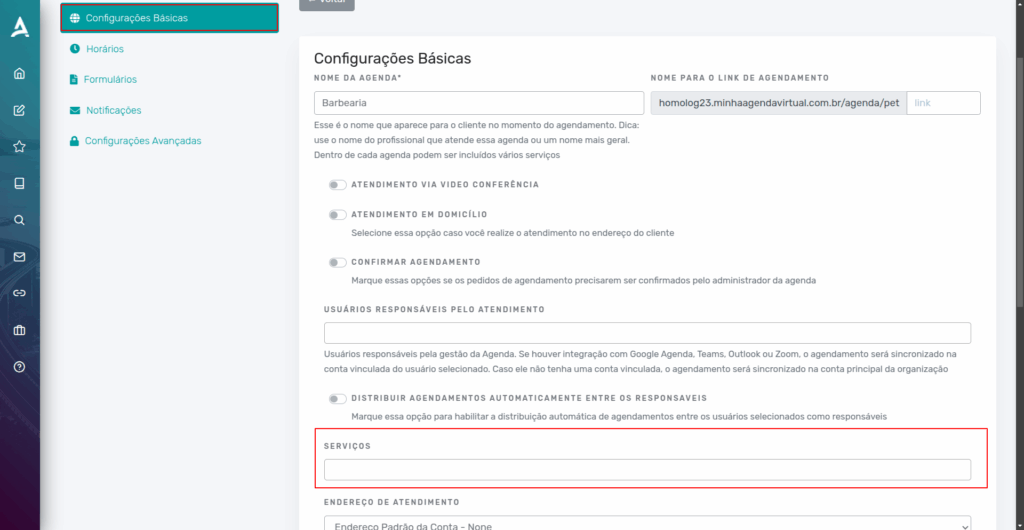
The page will redirect to the General Schedule Settings. In the Basic Settings tab, locate Services.
Next, select the services that will be part of this schedule.
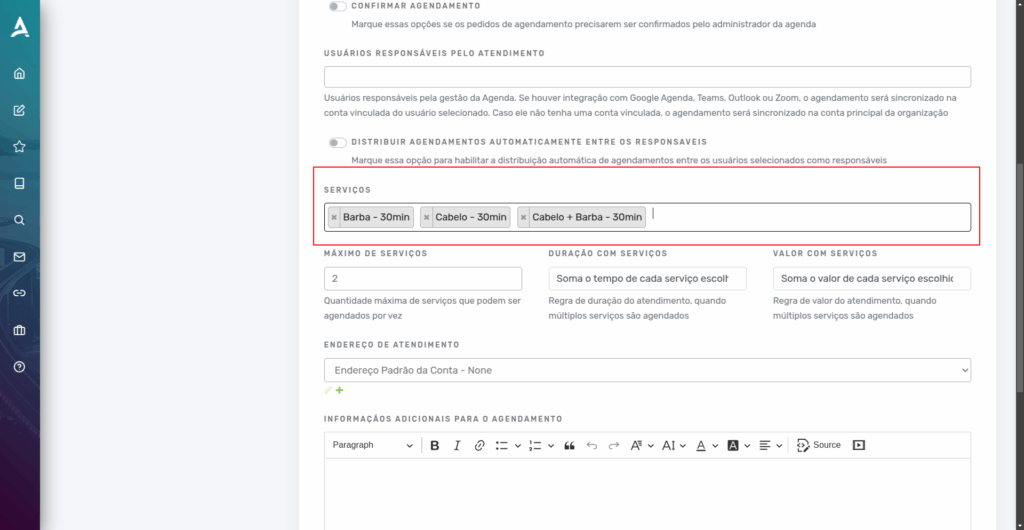
After selecting the desired services, you need to configure the maximum number of services the client can select at the time of booking.
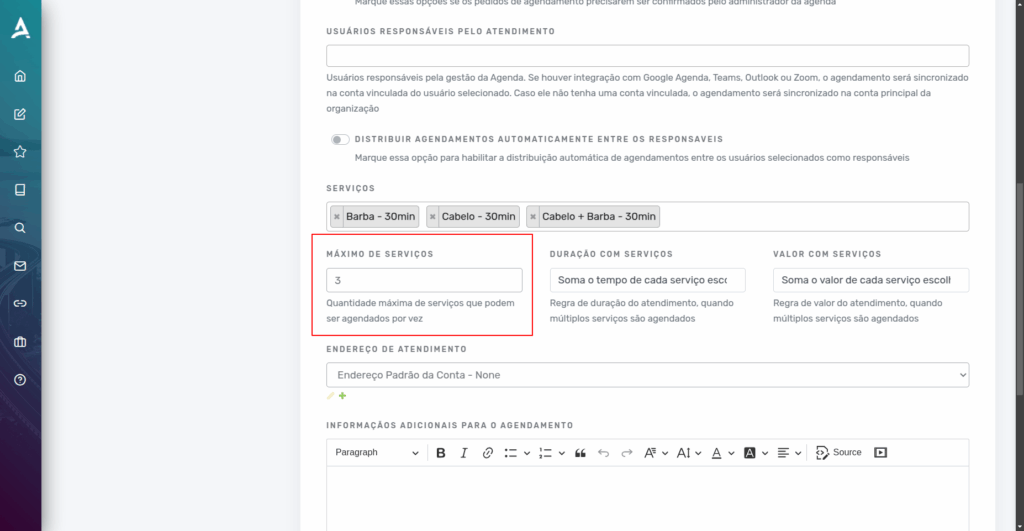
Under the Duration with Services option, you can select:
- Sum the Time of Each Selected Service.
- Consider the Time of the Longest Service.
Under the Value with Services option, you can select:
- Sum the Value of Each Selected Service
- Consider the Service with the Highest Value
- Consider the Default Schedule Value
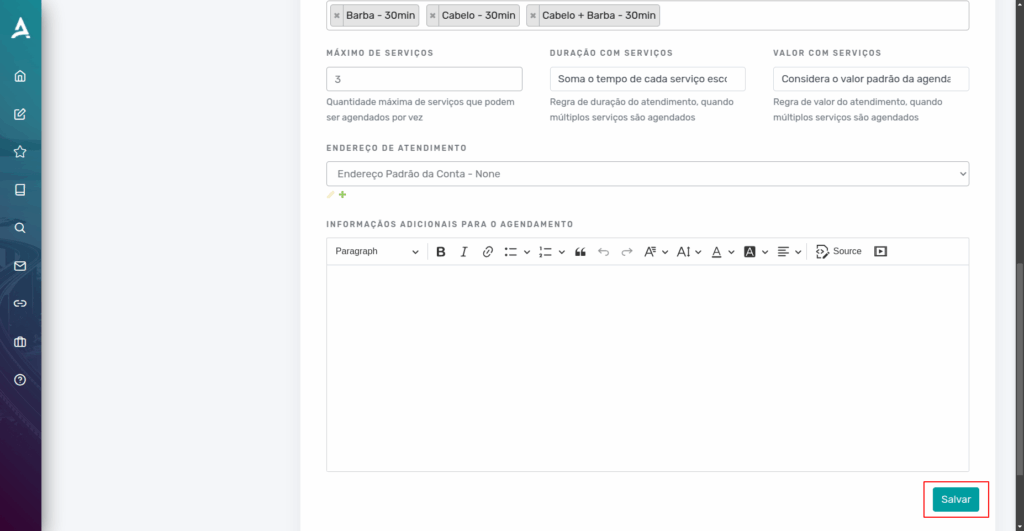
After configuring according to your needs, simply click Save.
Conclusion
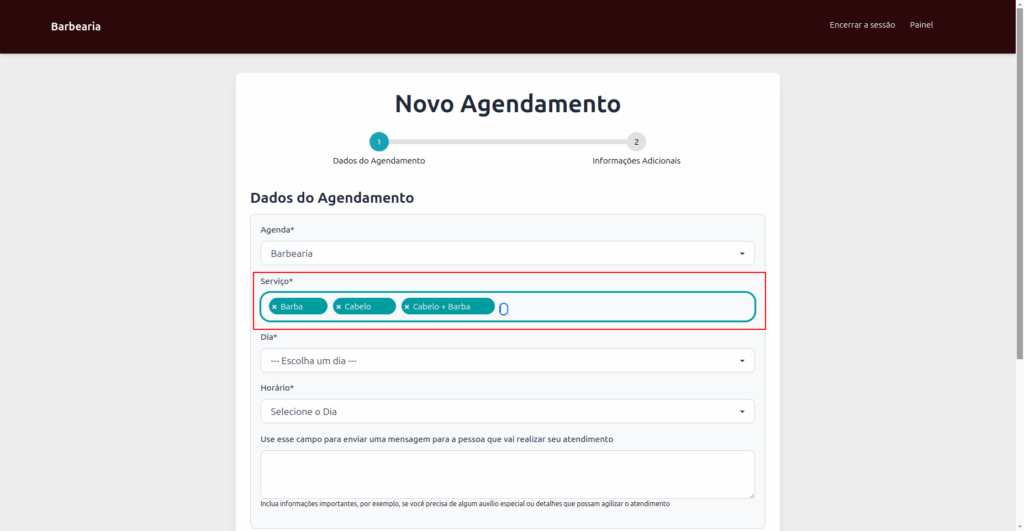
Note that after saving the changes, whenever a client tries to make an appointment, they will be able to select more than one service according to their needs.
In summary, in this tutorial you learned how to configure the multi-service scheduling feature on the eAgenda and Minha Agenda Virtual platforms, enabling your clients to select more than one service in a single appointment.
Throughout this content, we demonstrated how to define the available services in the schedule, set the maximum number of services allowed per appointment, and configure the duration and value calculation rules, whether by summing the selected services or based on specific criteria, such as the longest time or highest value among them.
This feature provides more flexibility in managing appointments, optimizes schedule organization, facilitates billing control, and significantly improves the client experience by centralizing all services in a single booking in a practical and efficient way.
Mupi Systems offers a range of technological solutions for all types of businesses. Discover our platforms that bring innovation to the market.
Get in Touch or Learn More
📞 WhatsApp: [Click here to send us a message] 🌐 eAgenda Platform: [Discover the tool] 🏢 Our Company: [Mupi Systems – Innovative Solutions] 📧 Email: [contato@mupisystems.com.br] 📚 Tutorials and Documentation: [Access our guides and tutorials]