Appointment Confirmation Options
The eAgenda and Minha Agenda Virtual platforms allow the administrator to choose between automatic or manual appointment confirmation. In this post, we will explain how to configure this setting and demonstrate how it works in practice.
Automatic Appointment Confirmation
First of all, it is important to understand that in automatic confirmation mode, appointments are immediately confirmed. In other words, the calendar administrator does not need to take any action — customers simply make the appointment.
This is the default configuration when creating a new calendar, and it is useful when you have a continuous flow of appointments and services. As new appointments are made, they will automatically appear in List Appointments — View My Calendar, already with the Confirmed status.

Manual Confirmation
On the other hand, with manual confirmation, it is the calendar administrator who confirms the appointments. In other words, when a customer makes a new appointment, it is as if they are requesting the service, meaning the procedure is only definitively completed when confirmation is given.
To activate this setting, simply enable the Appointment Confirmation button on the calendar settings page.
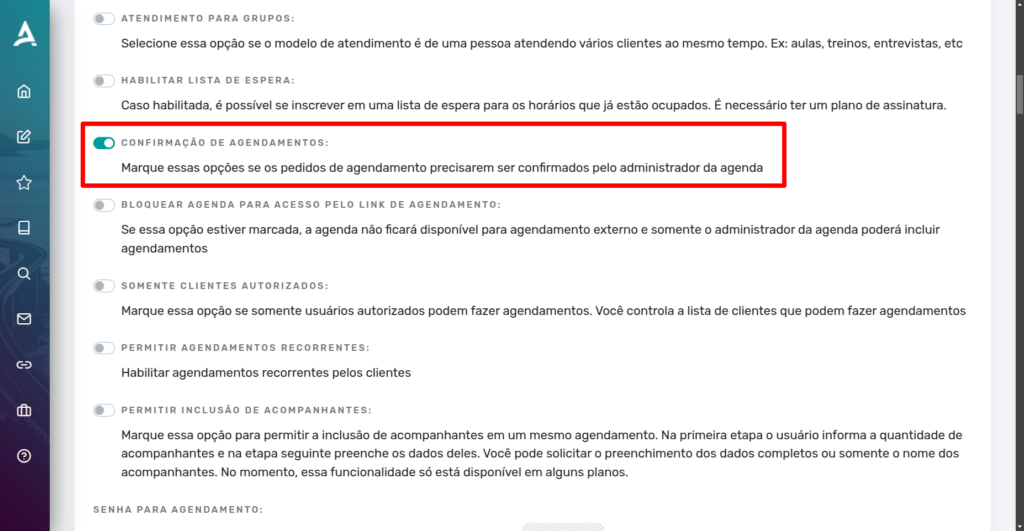
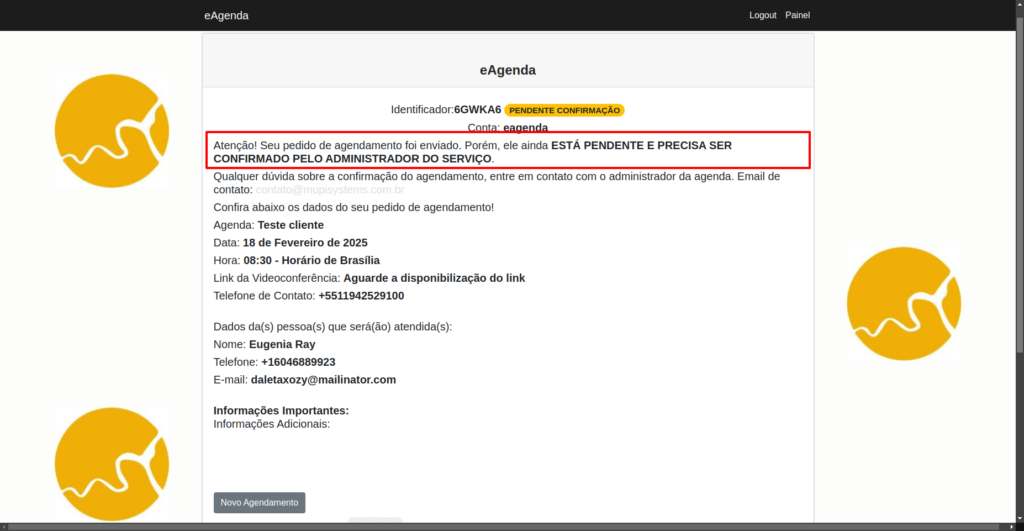
If this option is enabled, all appointments made must be manually confirmed by the calendar administrator.
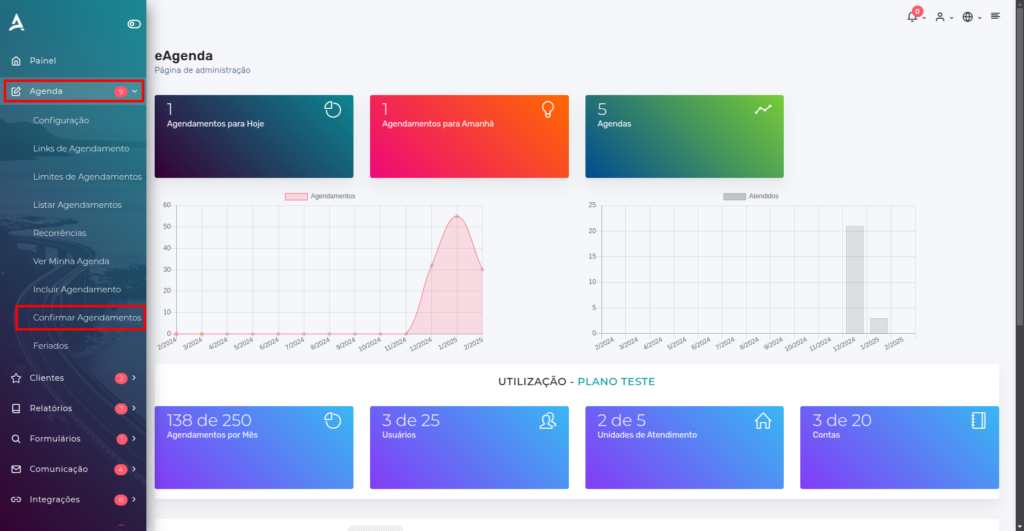
To confirm an appointment, simply access the side menu and click on Calendar → Confirm Appointments.
Then, you will be redirected to the Appointments to Confirm list. On this screen, you can Confirm, Decline, Cancel, or Edit appointments. Additionally, you can also view the appointment Receipt.
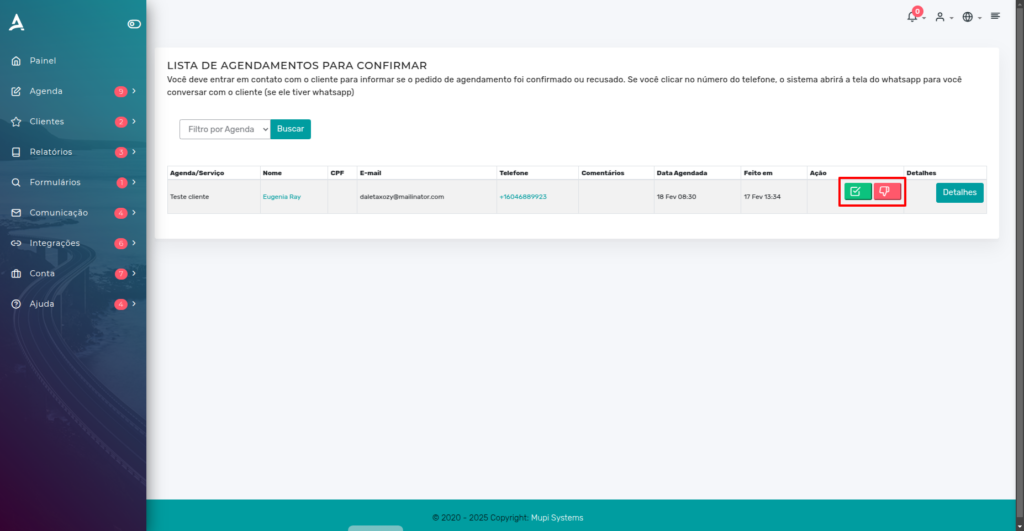
But remember: the administrator must contact the customer directly to inform them of the appointment status. If the customer has WhatsApp, simply click on the phone number provided and the platform will redirect you to a conversation with the customer.
Conclusion
In this post, we demonstrated two appointment confirmation methods: automatic or manual. Both methods are simple to configure — simply enable or disable the appointment confirmation button. The choice should be made according to the calendar administrator’s needs, in order to promote the best usability of the platform.
Take the opportunity to explore our Blog and get your questions answered, or visit our YouTube channel.
Mupi Systems offers various technology solutions for all types of businesses. Explore our platforms that bring innovation to the market.