How to Configure Holidays in eAgendas
The Holidays feature allows you to automatically block your calendar on important dates, such as national and state holidays, ensuring it is always up to date without the need for manual intervention.
Step by Step: How to Enable Holiday Settings on Your Calendar
On the main dashboard, access the side menu and click on Calendar → Settings.
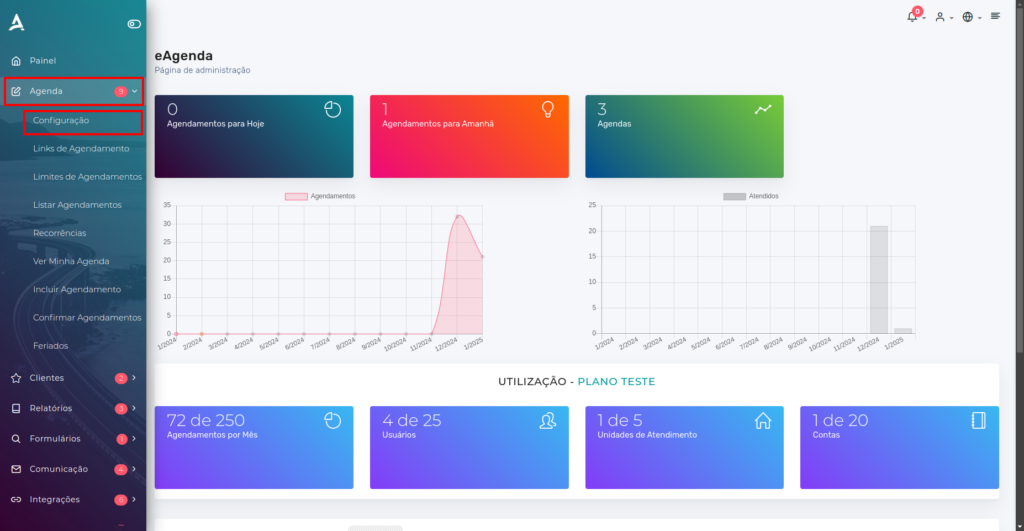
You will be redirected to the Calendar Settings page. Click Configure on the desired calendar.
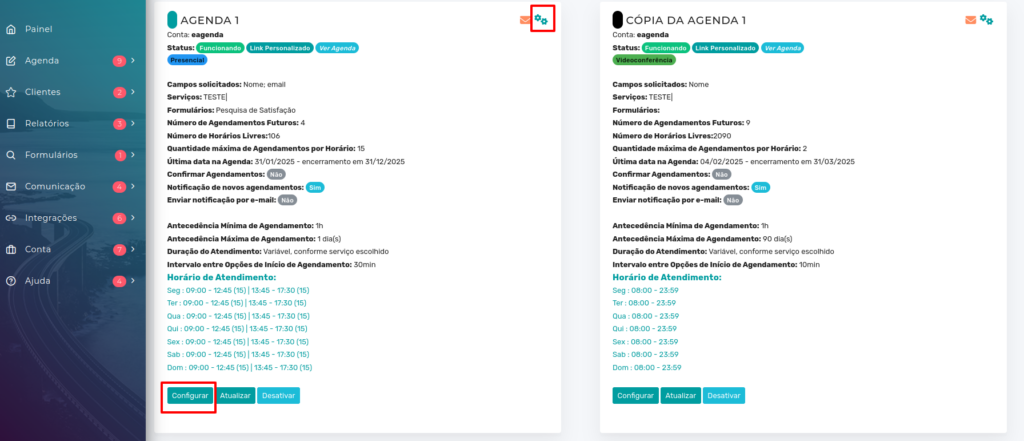
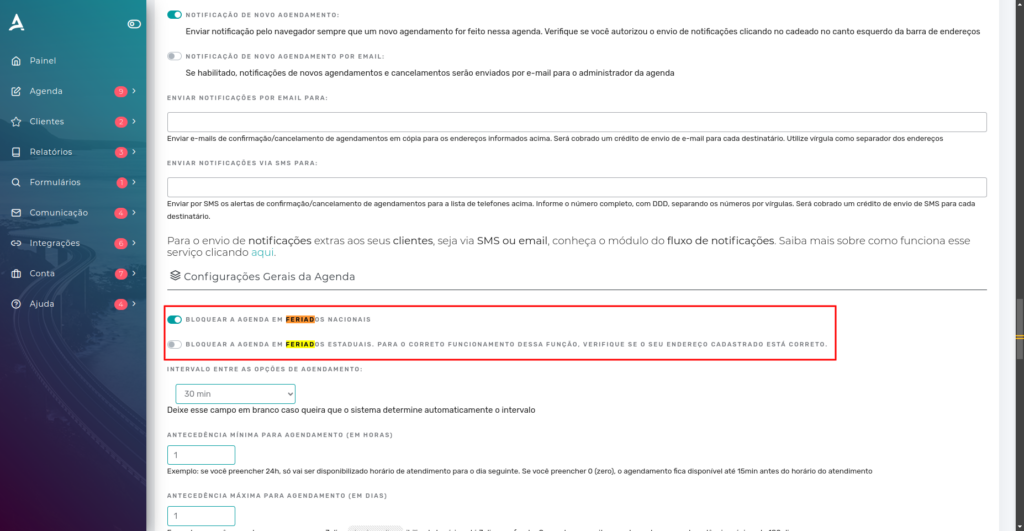
After clicking Configure, you will have access to all calendar settings. To make searching easier, press CTRL + F and look for the options Block calendar on national holidays or Block calendar on state holidays.
Once you locate the options, enable them so that holidays are automatically blocked on your calendar:
- National holidays: will be defined based on the country configured in the account.
- State holidays: will be based on the address registered in the account.
Step by Step: Adding a Custom Holiday
Access the side menu, click on Calendar → Holidays.
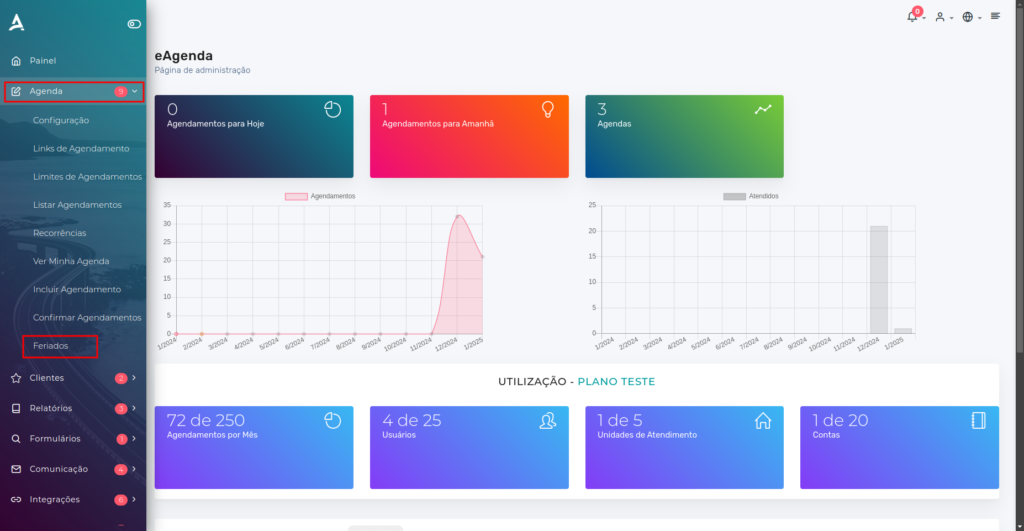
After following the previous steps, you will be redirected to the Holiday List tab.
Holiday List
On this tab, you can access the Holiday Settings for your Active Calendars, view the List of existing holidays, and add a New Custom Holiday.
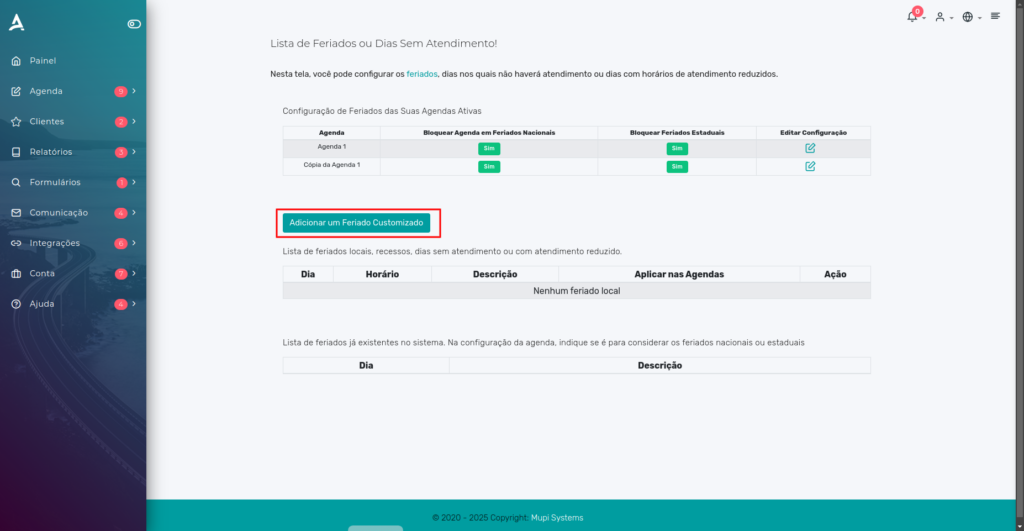
To include a specific date as a holiday, click Add a Custom Holiday.
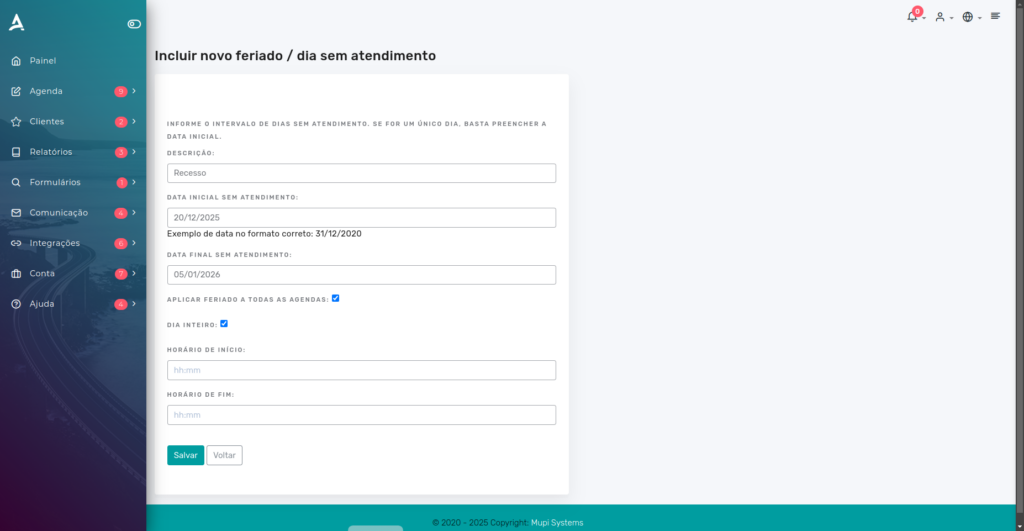
You can define the holiday period according to your needs, choosing the start and end dates, applying the action to all calendars or specific ones, and determining whether it will be the entire day or a specific time period. After filling in the required fields, simply click Save.
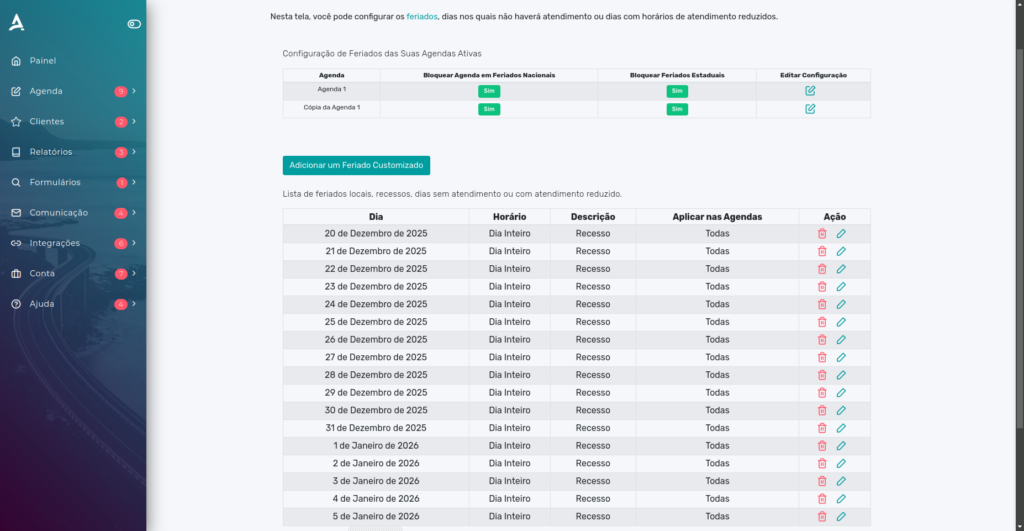
After saving, you can view the list of days on which your calendar will be blocked due to custom holidays.
Conclusion
In summary, in this tutorial you learned how to configure national and state holidays, as well as how to customize holidays on specific dates. Take the opportunity to explore our Blog and get answers to other questions, or visit our YouTube channel.
Mupi Systems offers various technology solutions for all types of businesses. Explore our platforms that bring innovation to the market.