How to Change the Scheduling Screen Display
Both the eAgenda platform and Minha Agenda Virtual offer the ability to customize the display model for days and times that your clients see on the scheduling screen. This feature allows you to adapt the interface according to your business needs, providing a more intuitive and efficient experience.
In this post, we will explore the different models available and explain how to choose the one that best suits your workflow and service profile. This way, you can configure your schedule in the most practical and effective way possible.
Step by Step: How to Switch Between List and Calendar View
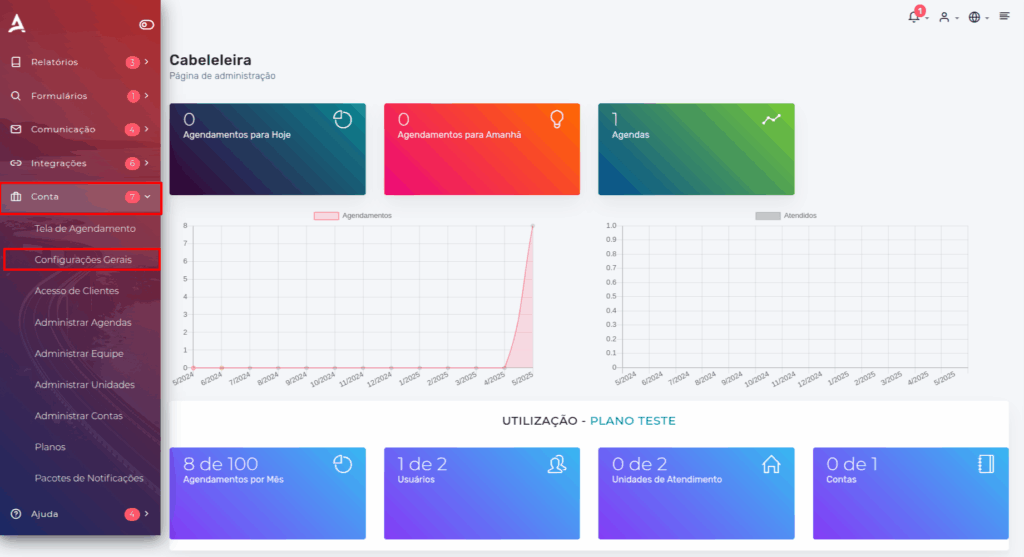
1. Open the side menu and select “Account” → “General Settings”.
In this tab, click on “Scheduling Screen Display”. Then, locate the “Schedule Screen Model” section and select the desired option: Day and Time List (Default) or Calendar.
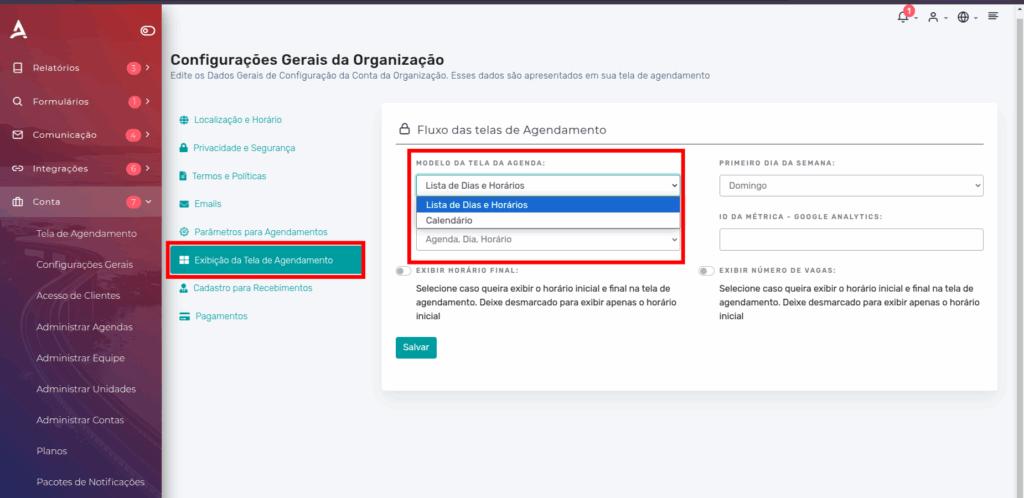
Display Model: List (Default)
In the list display model, the client first sees a list of available days for scheduling. After selecting a date, a list of available times for booking the service is displayed.
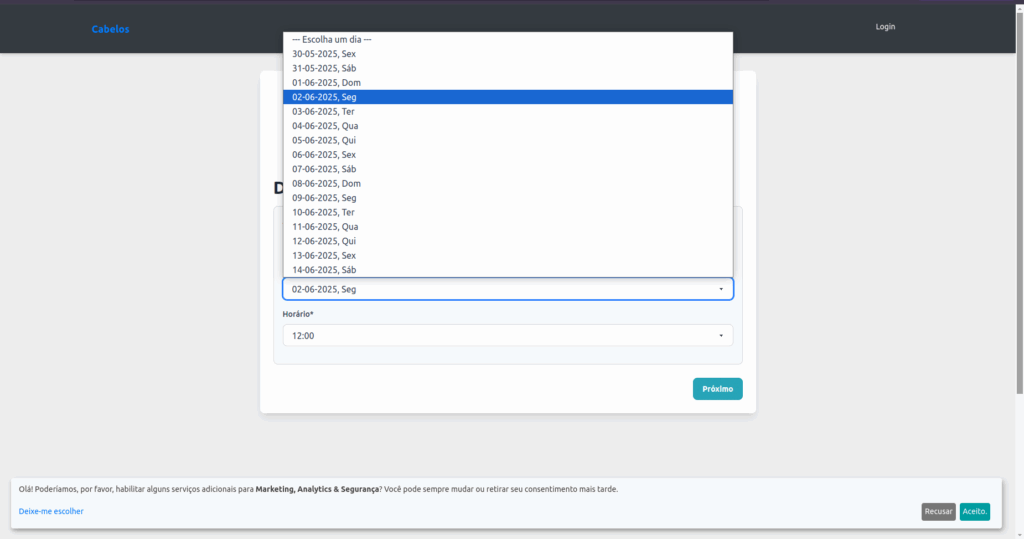 List of available dates for scheduling
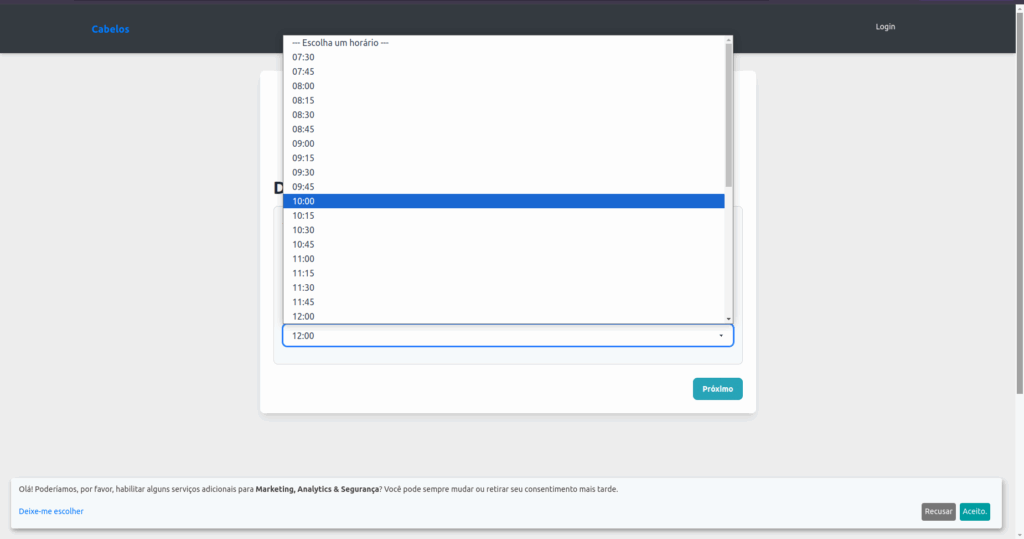 The list of available times for the selected day.
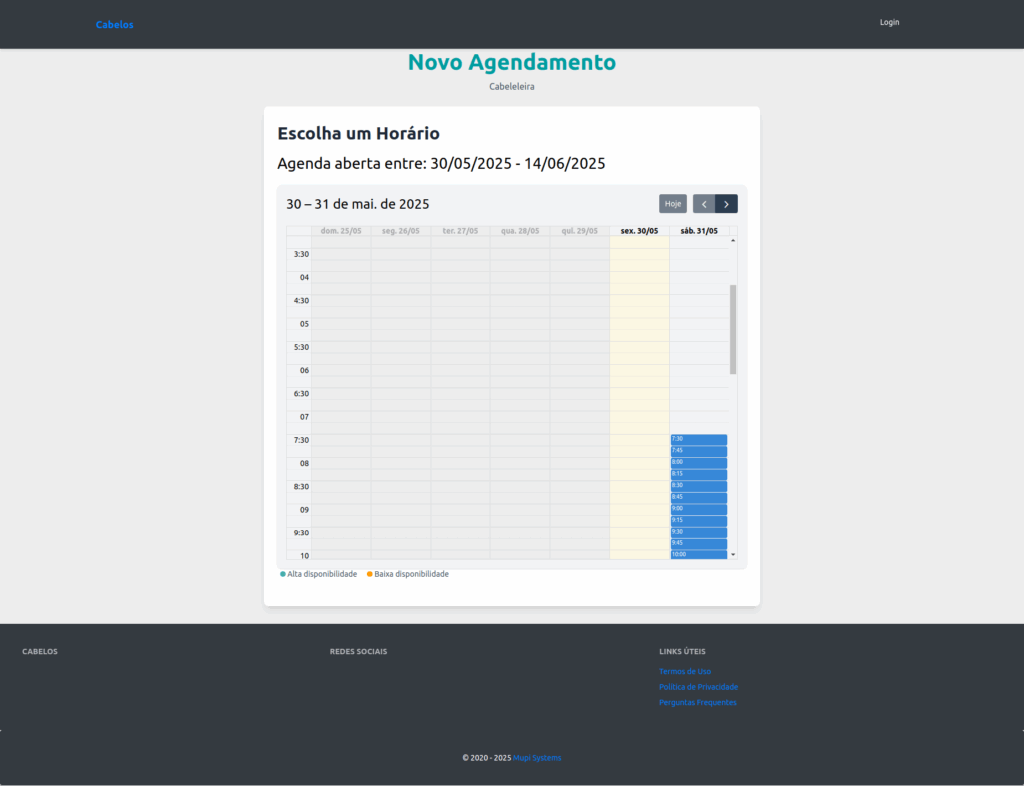
Display Model: Calendar
In the “Calendar” model, the client not only selects the desired date but also has access to an overview of available days and times in the schedule. This feature makes it easier to choose a time that fits their availability. The interface offers a more dynamic and visual experience, allowing the client to quickly identify open time slots and complete the booking more practically and efficiently.
Conclusion
In this tutorial, you learned how to change the scheduling screen display. Now you can choose between the “Day and Time List” or “Calendar” models, offering even more flexibility and convenience to your clients.
Take the opportunity to explore our Blog, where you can find more tips and clear up other questions, or visit our YouTube channel for exclusive content.
Mupi Systems offers innovative technological solutions for all types of businesses. Discover our platforms and find out how we can help your business grow.
Get in Touch or Learn More
We are happy to help! Access our official channels:
 WhatsApp : Click here to send us a message
 eAgenda Platform : Discover eAgenda
 Our Company : Mupi Systems – Innovative Solutions
 Email : contato@mupisystems.com.br
 Tutorials and Documentation : Access our guides and tutorials