How to Create Satisfaction Surveys on eAgendas
We would like to introduce a powerful feature to help with data collection and satisfaction surveys, essential for better understanding the client experience and improving the services provided. With this tool, you can easily create and manage customized forms, such as the scheduling form, and integrate satisfaction surveys in a simple and practical way.
Step by Step: How to Create Satisfaction Surveys
In the side menu, click on Forms → Manage Forms.
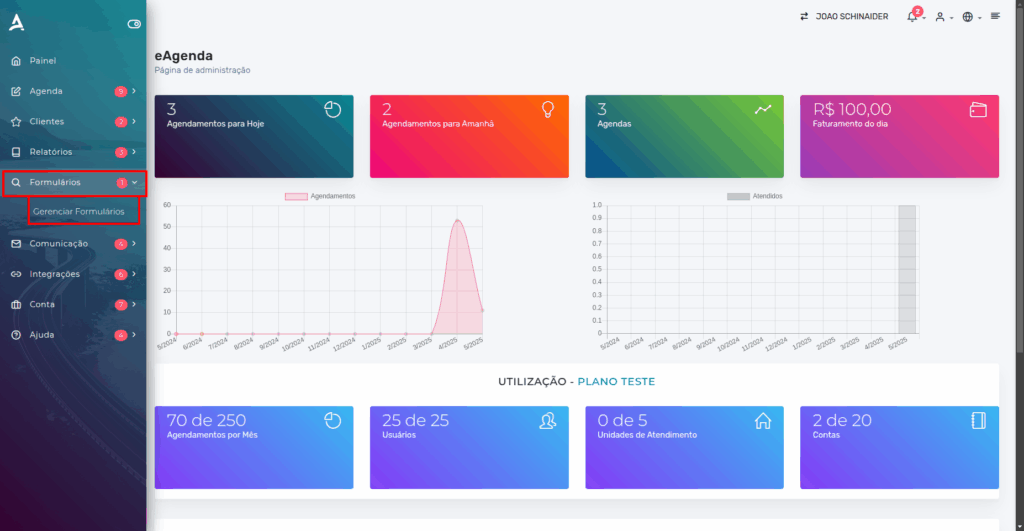
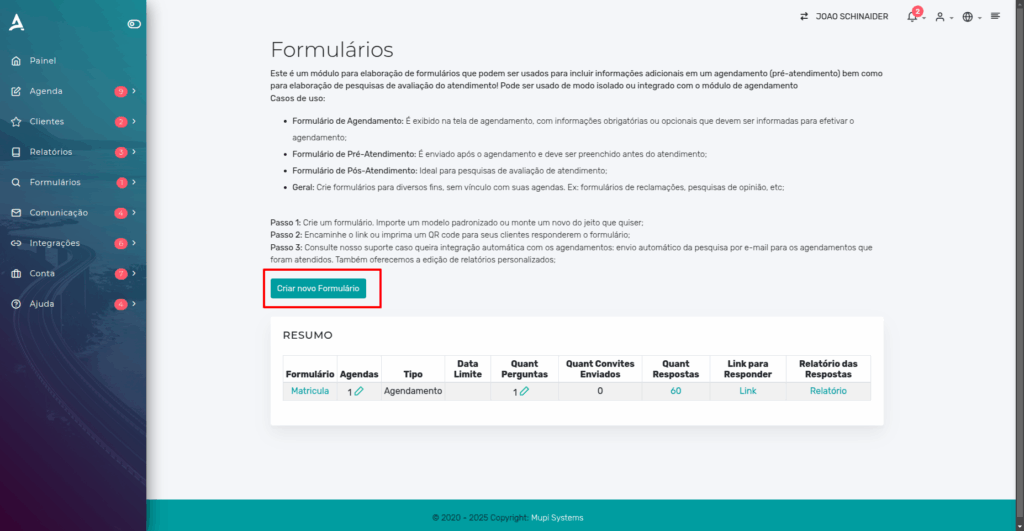
In the Manage Forms tab, you will find options to edit your existing forms or create new ones. Click Create New Form.
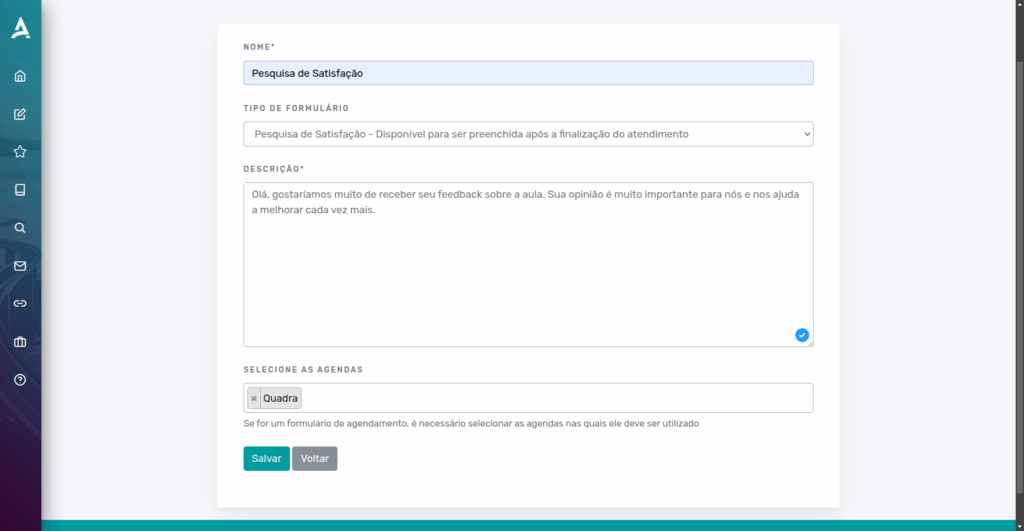
When creating a new form, you will find various field options and specific settings to customize your satisfaction survey. These options allow you to define questions and response types that meet your needs, ensuring efficient and relevant data collection. With these tools, you can create a survey that captures the most important information, providing valuable feedback from your clients to continuously improve the services provided.
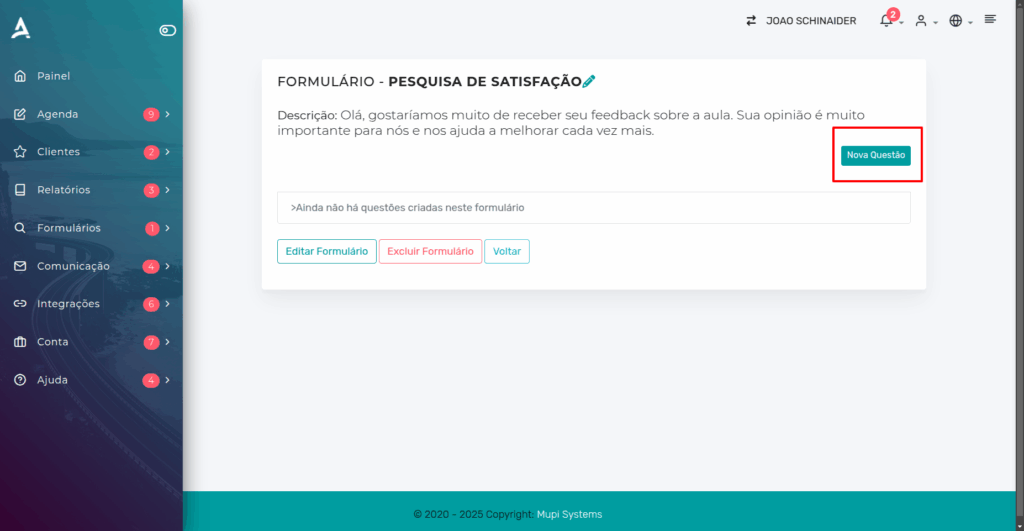
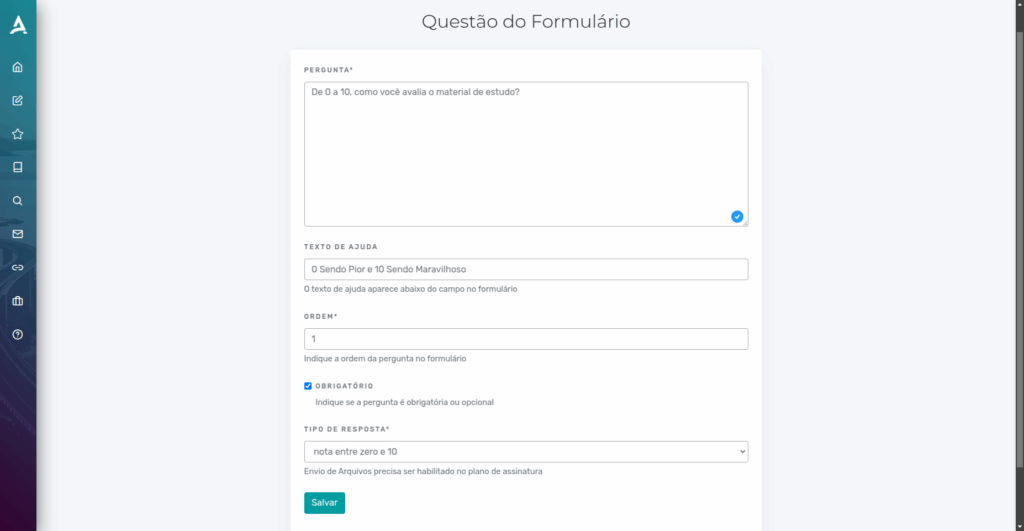
After Saving the previous settings, the next step is dedicated to creating the questions for our form. Click New Question.
At this stage, you can define questions that seek the most relevant information for your satisfaction survey. Choose clear and objective questions that allow you to obtain precise feedback from your clients. Additionally, use different response types to enrich data collection. This step is crucial to ensure that the information collected is useful, enabling you to improve your services and more effectively meet your clients’ needs.
Now let’s show you how to use them in your appointments.
Need other fields? Create a scheduling form by clicking here and link it to this schedule. If you already have the form created, you can select it from the list below.
Additional Forms
If you need additional fields, you can create a scheduling form by clicking here and linking it to your schedule. If you already have the form created, simply select it from the list below:
- Scheduling Form
- Additional Forms
Remember that the Pre-Service Form must be completed by the day of the appointment.
Now, we would like to introduce a highly efficient feature for data collection and the creation of satisfaction surveys, essential for understanding your clients’ needs and implementing improvements in the services provided.
The Pre-Service Form must be completed by the day of the appointment. This form is essential for collecting initial information that may be relevant to the service, allowing your team to offer a more personalized service suited to the client’s needs.
The Scheduling Form ensures that the appointment can only be made after completing the questionnaire. It is used to collect important data, such as preferences and initial client information, essential to ensure efficient service.
The Service Form is intended for the team’s internal use. It allows the collection of crucial information, such as medical conditions or other specific data, ensuring that the service is carried out effectively and safely.
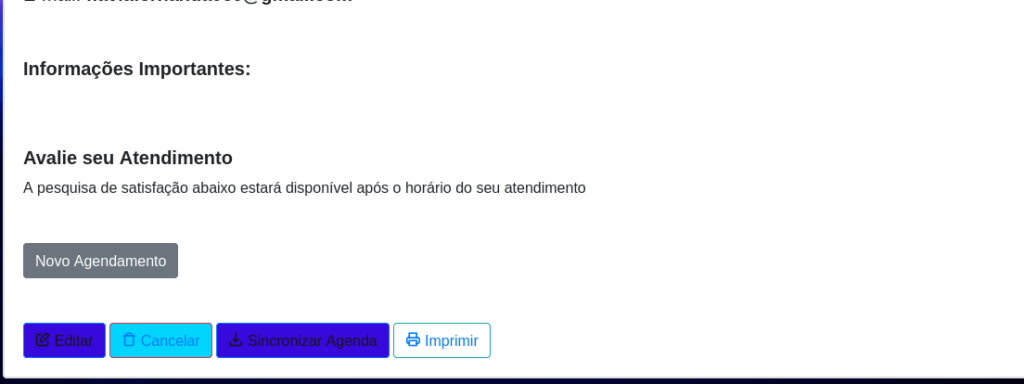 During the appointment, if the schedule manager chooses to include the satisfaction survey, the user will be informed about the survey through this message.
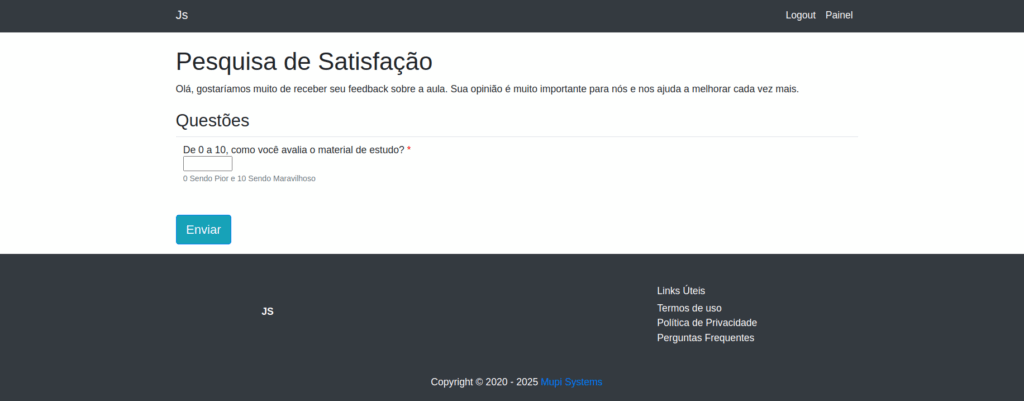
Conclusion
In summary, in this tutorial you learned how to create satisfaction surveys simply and effectively. Now you are ready to obtain valuable feedback from your clients and use this information to improve your services or products. Also take the opportunity to explore our Blog and clear up any questions that may arise. Use these tools to optimize your communication and strengthen your relationship with your clients. Learn more about solutions on our Blog or watch our videos on YouTube.
Mupi Systems offers a range of technological solutions to optimize the client experience for any type of business. Discover our innovative platforms and take your company to the next level.
Get in Touch or Learn More
We are happy to help! Access our official channels:
📞 WhatsApp : Click here to send us a message 🌐 eAgenda Platform : Discover eAgenda 🏢 Our Company : Mupi Systems – Innovative Solutions 📧 Email : contato@mupisystems.com.br 📚 Tutorials and Documentation : Access our guides and tutorials