Exploring the Simplified Model in eAgendas
eAgenda offers two distinct approaches for calendar configuration: the Classic Model, which centralizes all settings on a single page, and the Simplified Model, designed to provide a more intuitive and efficient experience. The latter organizes features in a clear and segmented way, making it easier to find and edit desired settings. Ideal for those who value practicality and usability, the Simplified Model is the perfect choice for optimizing your calendar management.
Simplified Model: The Intuitive Experience
The Simplified Model was developed with a focus on usability and speed. Unlike the Classic Model, which presents all options on a single screen, the Simplified Model divides features into well-defined sections, allowing you to navigate smoothly and quickly find what you need. This approach makes the configuration process more dynamic and accessible, especially for users who seek simplicity without sacrificing robust features.
Main Sections of the Simplified Model
1. Basic Settings
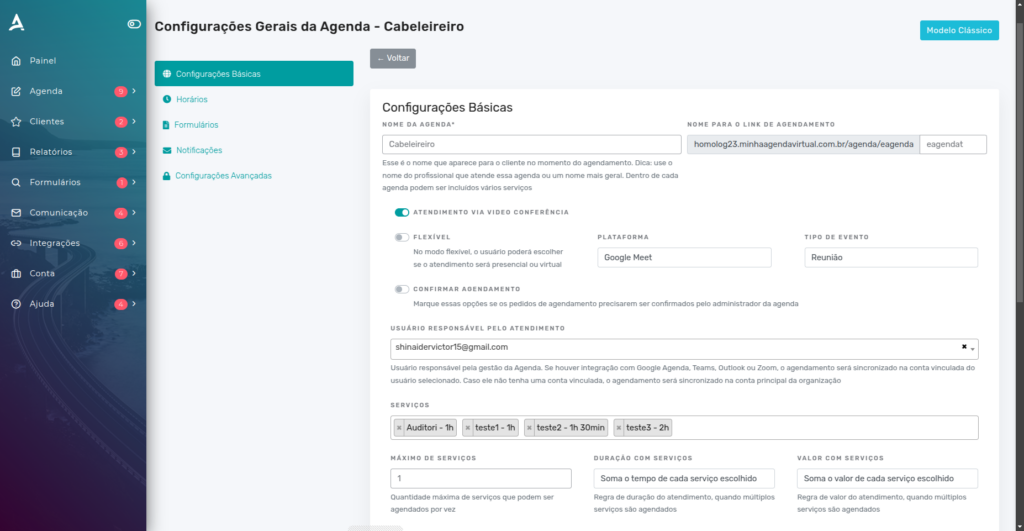
In the Basic Settings section, you will find all the essential fields to configure your calendar. Here, you can define information such as:
-
Calendar Name: The title that will identify your calendar.
-
Custom URL: The unique web address for accessing your calendar.
-
Service Type: Choose between in-person or video conference appointments.
-
Available Services: List the services offered and link them to your calendar.
-
Service Units: Select the units where this calendar will be available for scheduling.
-
Service Address: Enter the physical or virtual location where appointments will take place.
-
Scheduling Instructions: Add specific guidelines for your customers.
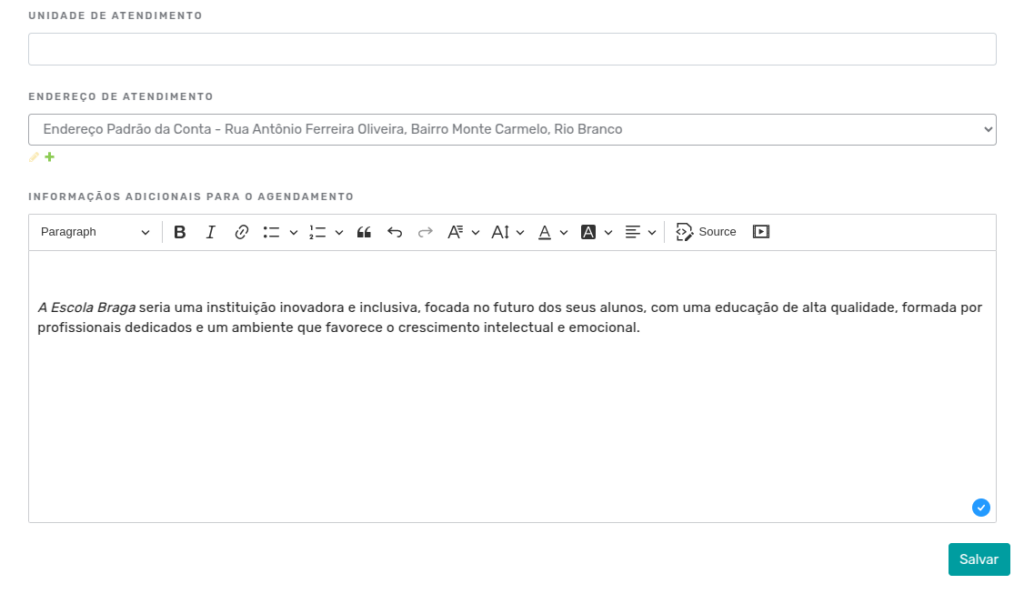
These fields are essential for structuring your calendar in a clear and professional manner.
2. Time Slots
The Time Slots section allows you to configure the available periods for appointments. Here, you can adjust:
-
Appointment Duration: Set the average time for each session.
-
Maximum Appointments per Time Slot: Define how many customers can be served simultaneously.

Scheduling Restrictions
In the Scheduling Restrictions section, you will have full control over booking rules:
- Minimum and Maximum Advance Notice: Set deadlines for future appointments.
- Cancellation Deadline: Determine until when customers can cancel appointments.
- Opening and Closing Dates: Define the period during which your calendar will be accessible.
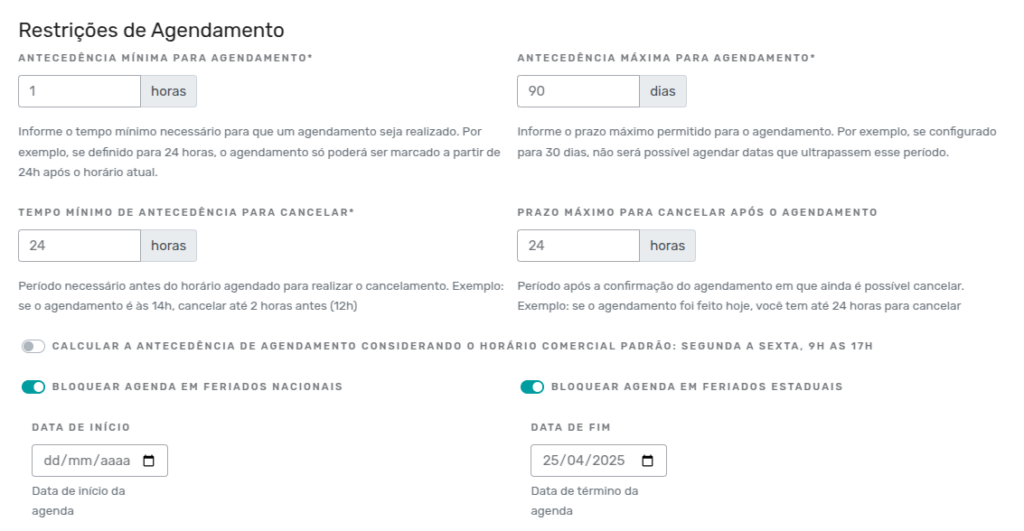
These restrictions help avoid conflicts and ensure efficient scheduling management.
Time Table
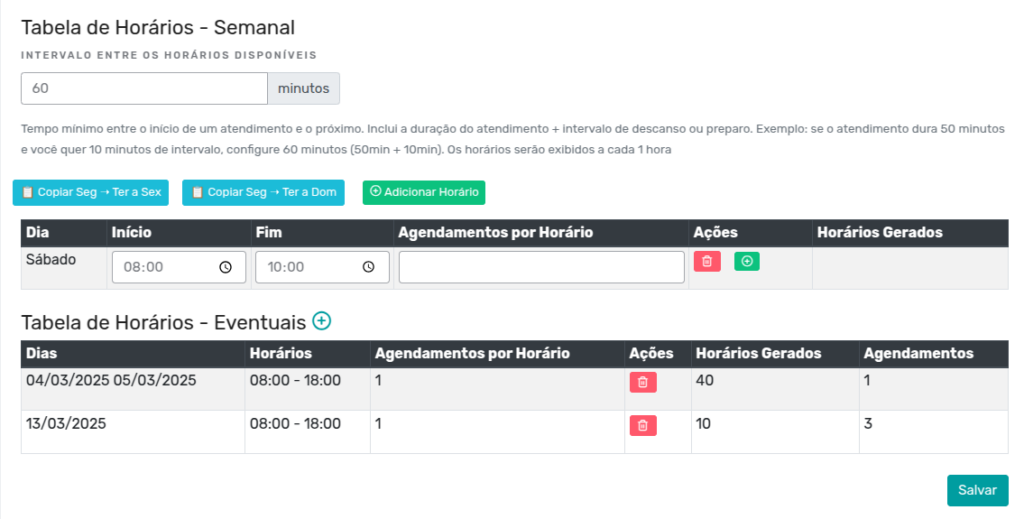
In the Time Table section, you can configure the interval between available time slots, as well as the days of the week and their respective service hours.
- Time Table: Customize the intervals and the days of the week when your calendar will be available.
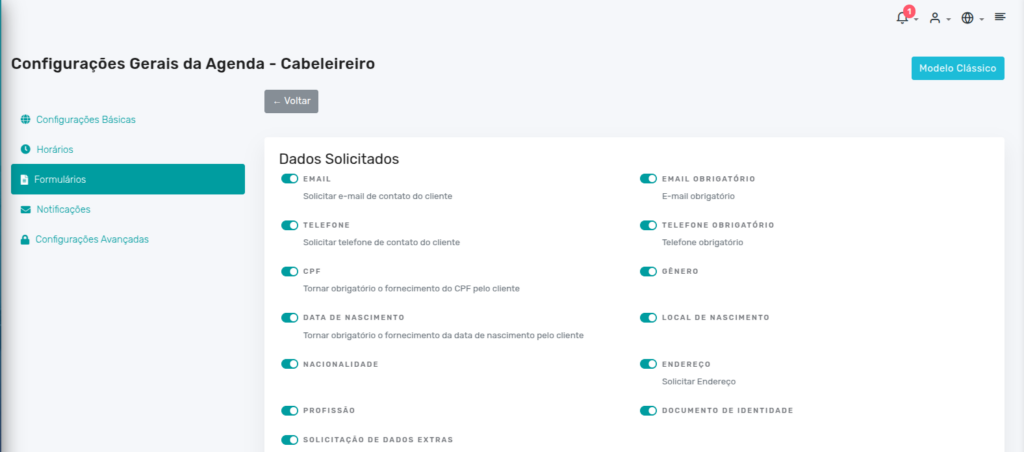
4. Forms
The Forms section allows you to customize the information requested during scheduling. You can:
Requested Data
In the Requested Data section, you can enable or disable the fields that will be requested for scheduling.
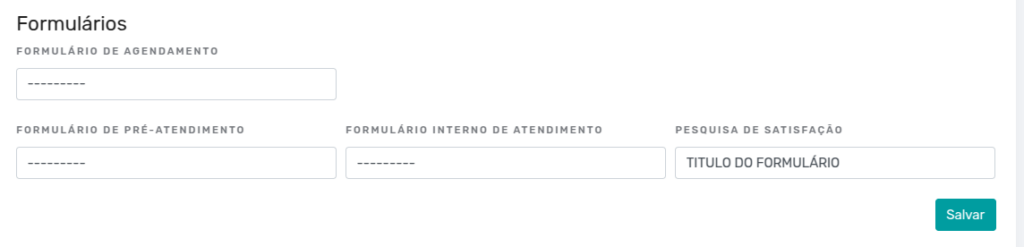
Additional Forms
In the Forms section, you can select additional form fields such as:
-
Service Form
-
Pre-Service Form
-
Internal Service Form
-
Satisfaction Survey
Scheduling Limits
- Set limits for recurring or special appointments.

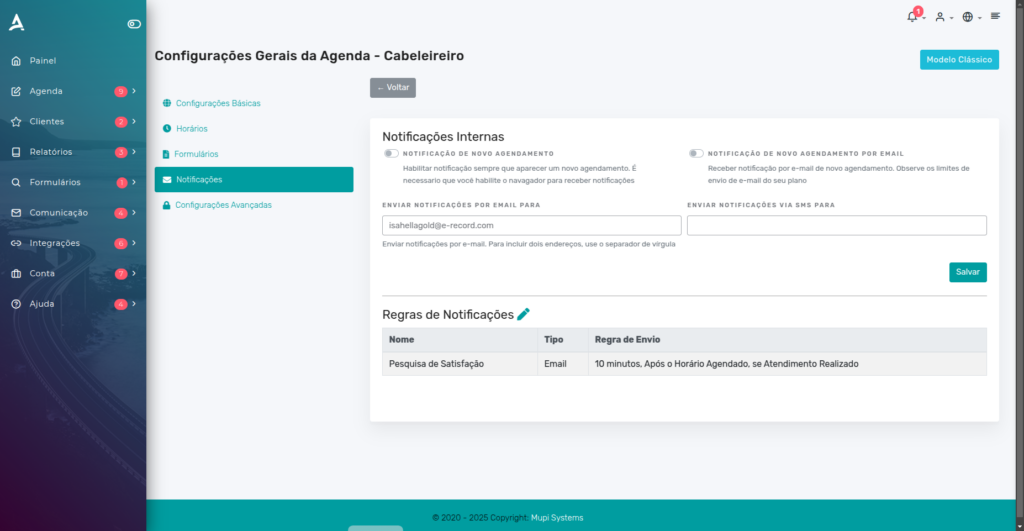
5. Notifications
In the Notifications section, configure automatic alerts for new appointments. You can:
- Define who will receive the notifications (e.g., the responsible team).
- View and adjust the alert sending rules.
6. Advanced Settings
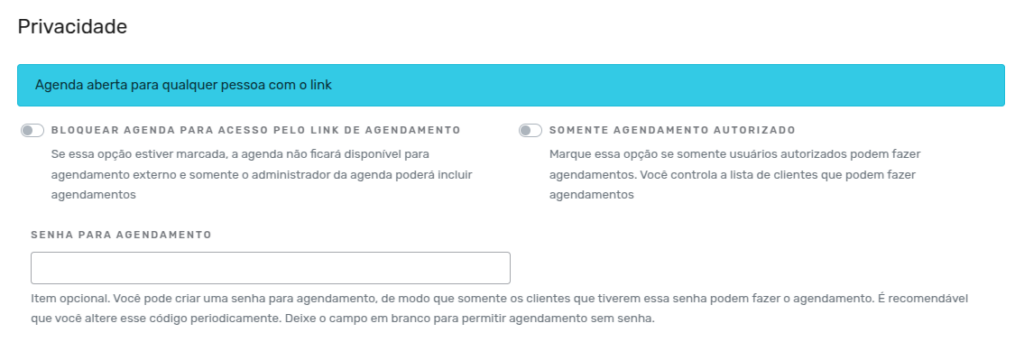
The Advanced Settings section offers additional resources to customize your calendar.
Privacy
- Privacy: Restrict calendar access to internal appointments only.
Companion Settings
- Companion Settings: Allow customers to include companions in their appointments.

Extras
- Extras: Configure options such as waitlist, recurring appointments, simultaneous appointments, and more.
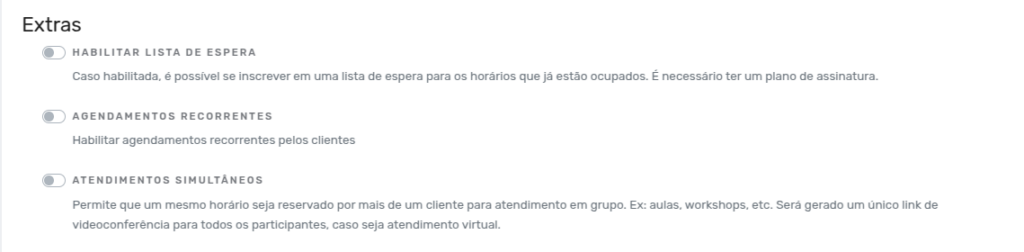
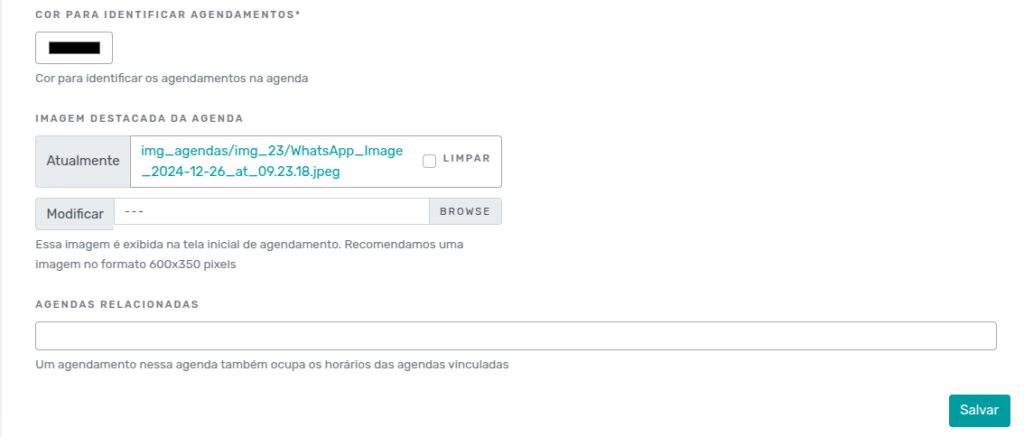
In the Extras section, you can also configure the calendar color, the featured image, and linked calendars.
Conclusion
The Simplified Model of eAgenda is a powerful and accessible tool, designed to simplify scheduling management without compromising quality and efficiency. With an intuitive interface and well-organized features, it meets both basic and advanced needs of professionals and businesses.
If you want to learn more about our solutions and have your questions answered, visit our Blog or subscribe to the YouTube channel of Mupi Systems. We are available to clarify any questions and help you make the most of our innovative platforms.
Mupi Systems is a reference in technology solutions for various sectors, offering platforms that drive businesses and promote digital transformation. Explore our solutions and discover how we can help your company reach new heights of success.