Appointment Receipt in eAgendas — Automatic Confirmation
Our platform is constantly evolving, bringing more practicality and features to make your eAgenda even more efficient and technologically advanced. One of the features already available is the receipt (ticket), which displays the scheduled times with the respective time zone of the appointment.
Whenever a new appointment is made, a receipt is automatically generated. This receipt contains information such as date, time, address, identification code, and the details of the person being served.
New Appointment
After sharing the scheduling link and having the customer fill in the data, they will receive a scheduling receipt, from which they can make a New Appointment, Edit, Cancel, Sync with their Calendar, or Print.
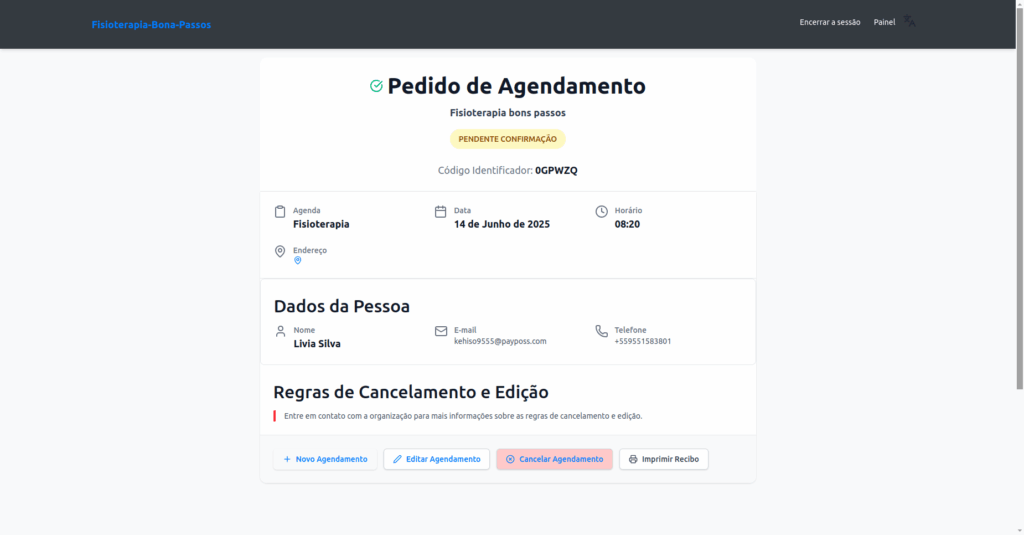
Add Appointment
Let’s illustrate how the receipt is generated and what information it contains.
When adding a new appointment, a green banner will appear with the message “Appointment Successfully Registered”, along with the Receipt button, which allows you to access the details of the completed appointment.
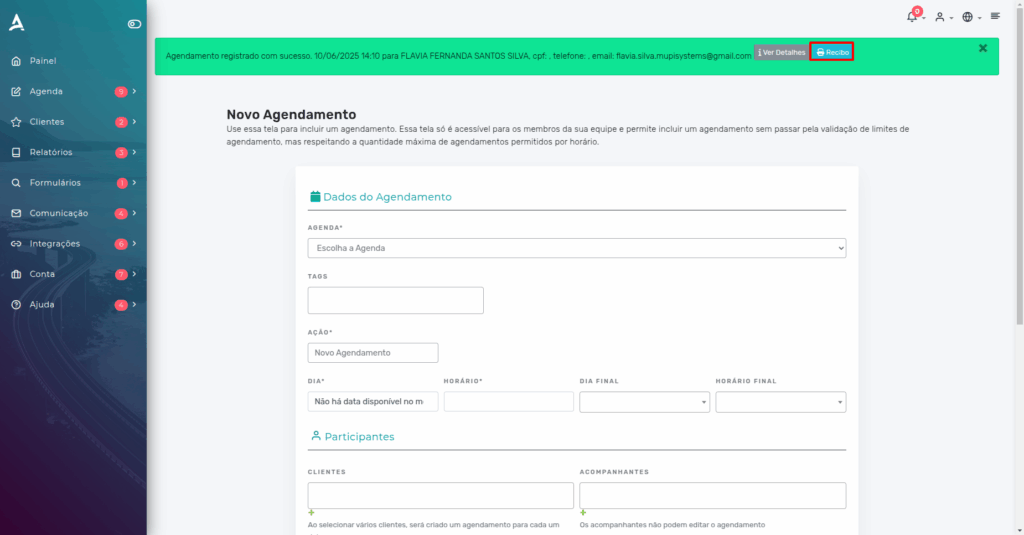
Click the Receipt button to be redirected to the confirmation page.
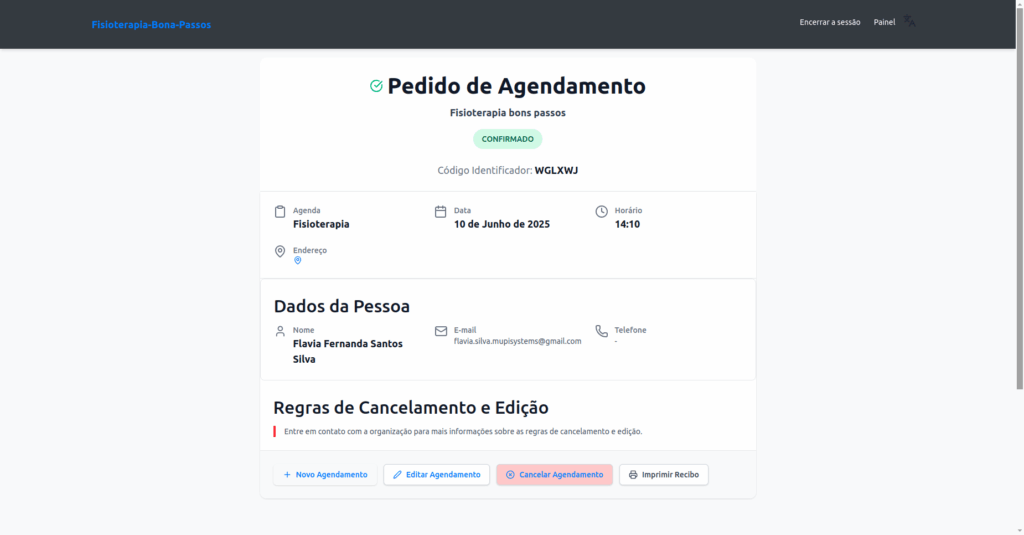
If needed, you can Edit, Cancel, or Print it as a guide for your customer.
This is just one of the many features the eAgenda platform offers to optimize your team’s performance. Try it out and take advantage of all the benefits of a virtual calendar to drive your company’s growth! Take the opportunity to explore our Blog and get your questions answered.
Mupi Systems offers various technology solutions for all types of businesses. Explore our platforms that bring innovation to the market.
Contact Us or Learn More We are available to help! Access our official channels: WhatsApp: Click here to send us a message Plataforma eTalentos: Conheça o eTalentos Our Company: Mupi Systems – Innovative Solutions Email: contato@mupisystems.com.br Tutorials and Documentation: Access our guides and tutorials esse pra usar no eTalentos