How to Generate a Custom Calendar Link
In eAgenda, you can create a custom link that includes only the calendars you want to share, making the management of your schedules much more organized and targeted. This feature is especially useful for professionals or companies that have multiple calendars and need to segment which ones will be made available to different audiences or services.
With custom links, you can concentrate only the relevant calendars in a single link, avoiding confusion and making it easier for your customers to quickly find the time slots that truly interest them. Additionally, this option provides greater control over the sharing of your calendars, allowing you to share strategically and efficiently — whether on social media, messages, emails, or physical materials — always offering a practical and professional experience for those scheduling your services.
Step by Step: How to Generate a Custom Link
This option allows you to create a link with specific calendars. For example, if you have calendars A, B, and C, but want to share only calendars A and B in a single link, you can use the custom link generator for this.
To generate a custom link, the calendars must have Identifiers configured beforehand.
How to Configure an Identifier for the Calendar
To configure your calendar’s identifier, follow the steps below:
In the side menu, go to Calendar > Settings.
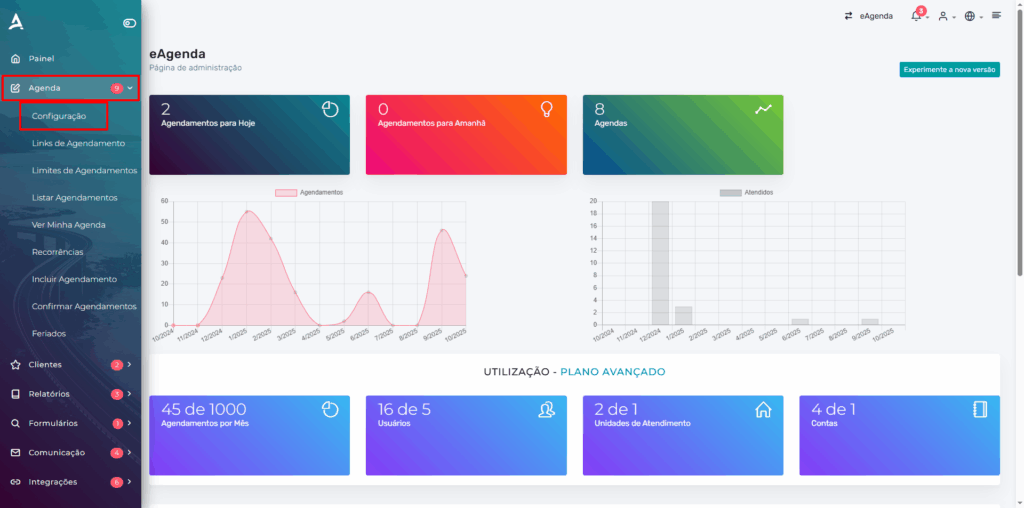
On the calendar settings screen, locate the desired calendar and click Configure.
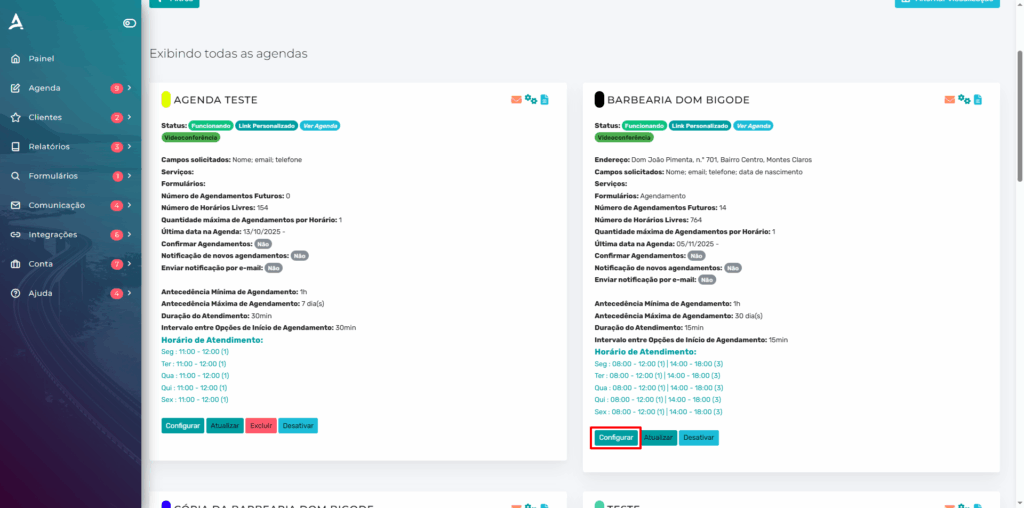
You will be redirected to the selected calendar’s settings screen. Go to the Basic Settings tab and in the Scheduling Link Name field, define the calendar identifier.
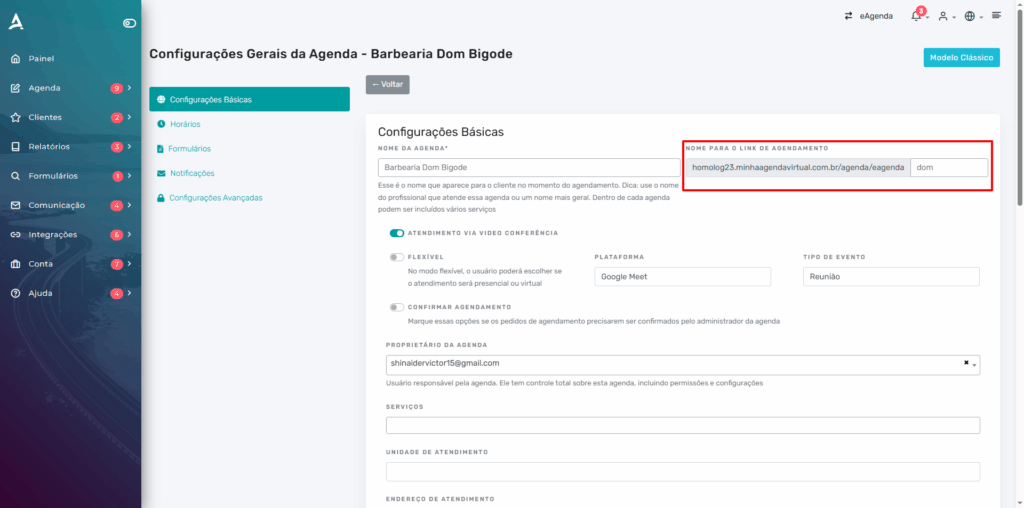
Done! Now you can create a custom link.
How to Create a Custom Calendar Link
Go to the side menu and click on Calendar > Scheduling Links.
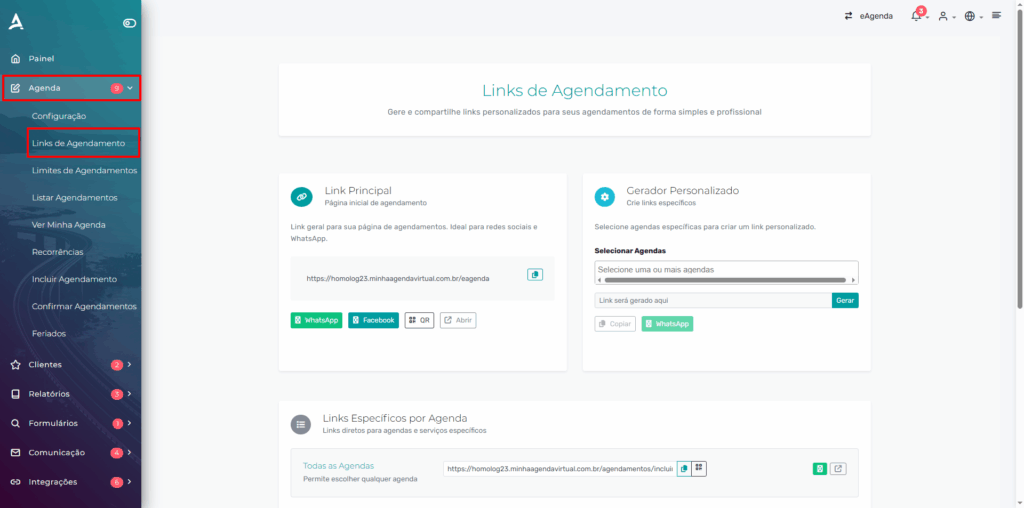
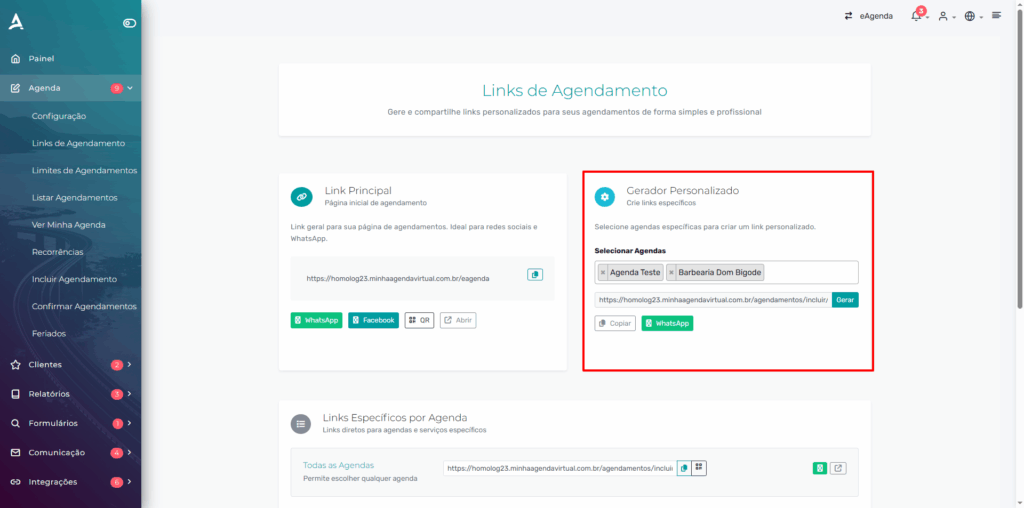
In the Custom Generator section, select the desired calendars and click Generate, then simply copy the custom link.
Conclusion
With eAgenda, creating custom links for your calendars becomes a simple, fast, and highly efficient process. This feature allows you to share only the relevant time slots for each audience or service, avoiding confusion and offering a more organized and professional experience for your customers.
By configuring calendar identifiers and using the custom link generator, you gain full control over how your schedules are shared, whether on social media, messages, emails, or physical materials. This way, you optimize calendar management, increase scheduling convenience, and ensure your customers quickly find the time slots that truly interest them.
Ultimately, using custom links not only facilitates communication with your customers but also adds value to your service, making the entire scheduling process more agile, organized, and professional.
Mupi Systems offers various technology solutions for all types of businesses. Explore our platforms that bring innovation to the market.
Contact Us or Learn More
WhatsApp: [Click here to send us a message] eAgenda Platform: [Explore the tool] Our Company: [Mupi Systems – Innovative Solutions] Email: [contato@mupisystems.com.br] Tutorials and Documentation: [Access our guides and tutorials]