How to Switch Between Accounts on eAgendas and eAgendas
eAgenda and Minha Agenda Virtual offer a practical feature that allows you to easily switch between accounts and sub-accounts without needing to log out of the platform. This feature was developed to make navigation more efficient, providing a faster, more intuitive, and productive experience for users who manage multiple profiles or service units.
I — Step by Step to Switch Accounts
Access the Profile Menu
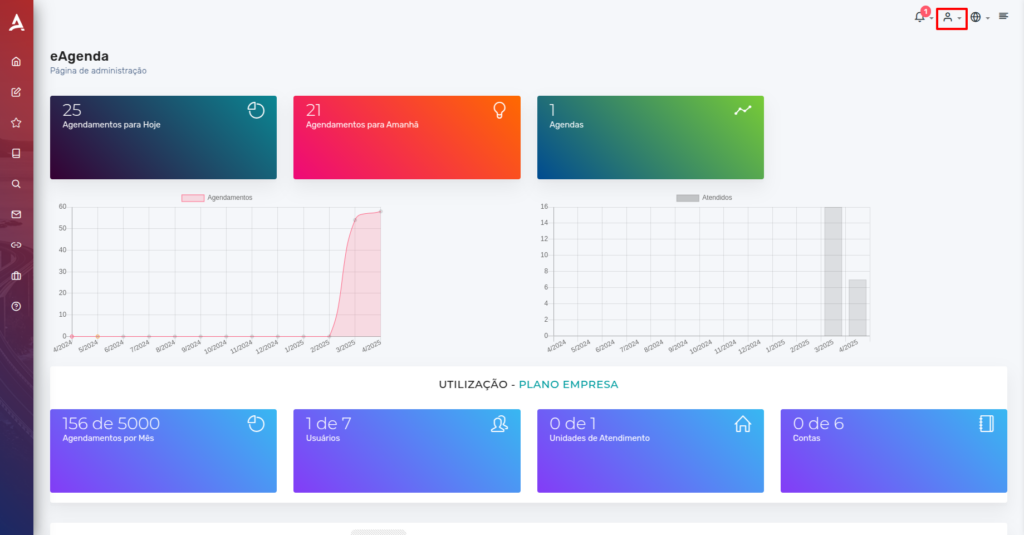
In the upper right corner of the screen, click the profile icon (character).
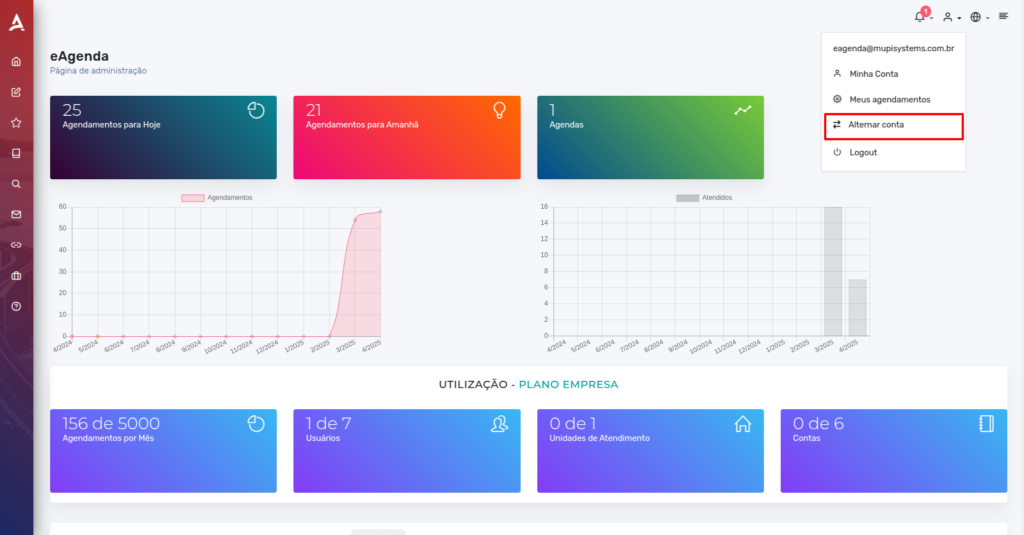
In the menu that appears, choose the Switch Account option.
Account Selection
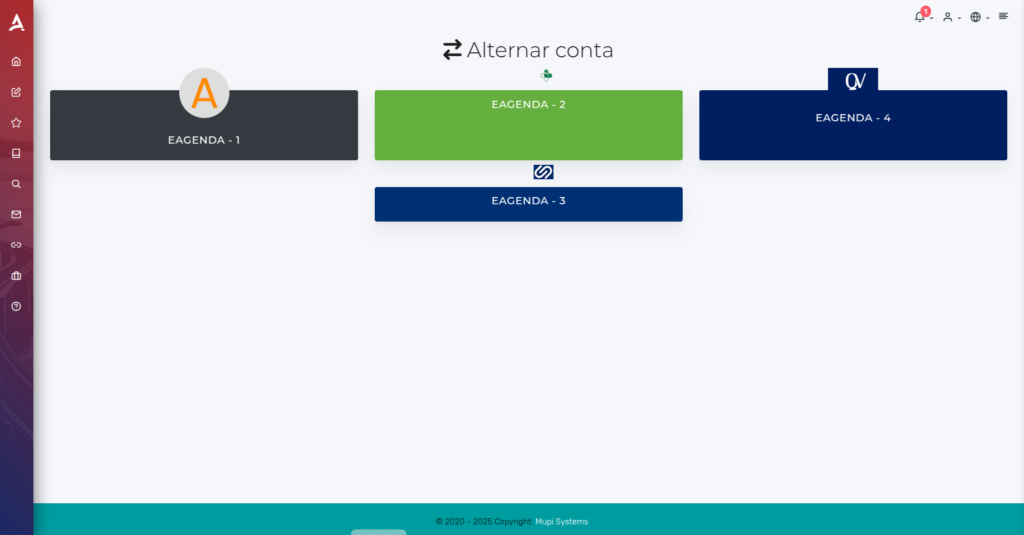
You will be redirected to the Account Selection screen, where you can click on the account or sub-account you want to switch to. Done! The change will be made automatically.
II — Conclusion
In summary, in this tutorial you learned how to switch between accounts on eAgenda. Take the opportunity to visit our Blog and clear up other questions, or access our YouTube channel.
Mupi Systems offers a range of technological solutions for all types of businesses. Discover our platforms that bring innovation to the market.