How to Change Your Registration Email on eAgendas and eAgendas
On eAgenda and Minha Agenda Virtual, you can update your registration email whenever needed, ensuring that your contact information is always correct and up to date. Keeping your email updated is essential to receive important notifications about your appointments, platform communications, and other relevant information.
In this tutorial, you will find a detailed step-by-step guide to make this change simply, quickly, and securely, without complications. With this procedure, you will have full control over your data, ensuring that all communications are correctly delivered to your new email address.
Step by Step to Change Your Registration Email
Access Profile Settings
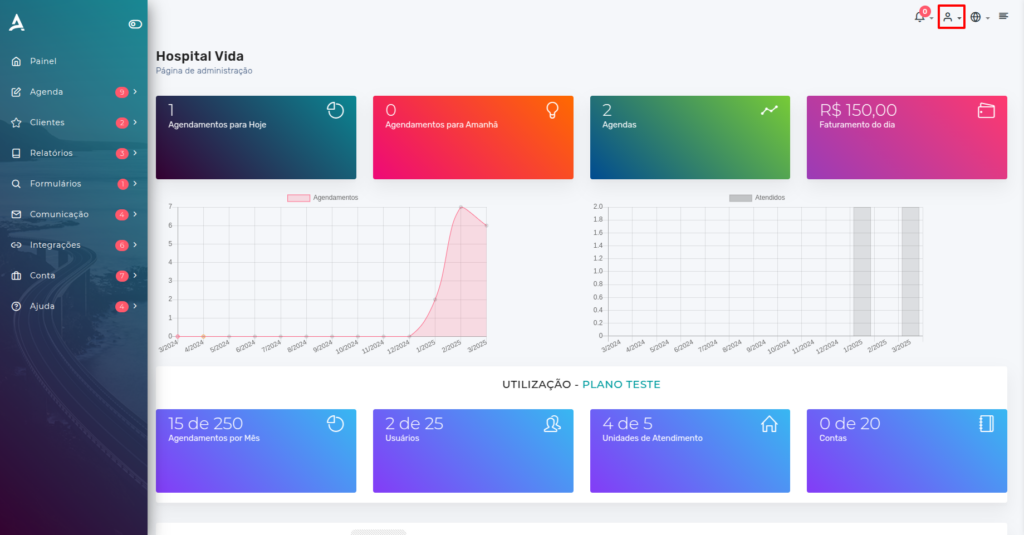
On the home panel, click the Profile icon (represented by a character figure) located in the upper right corner of the screen.
My Account
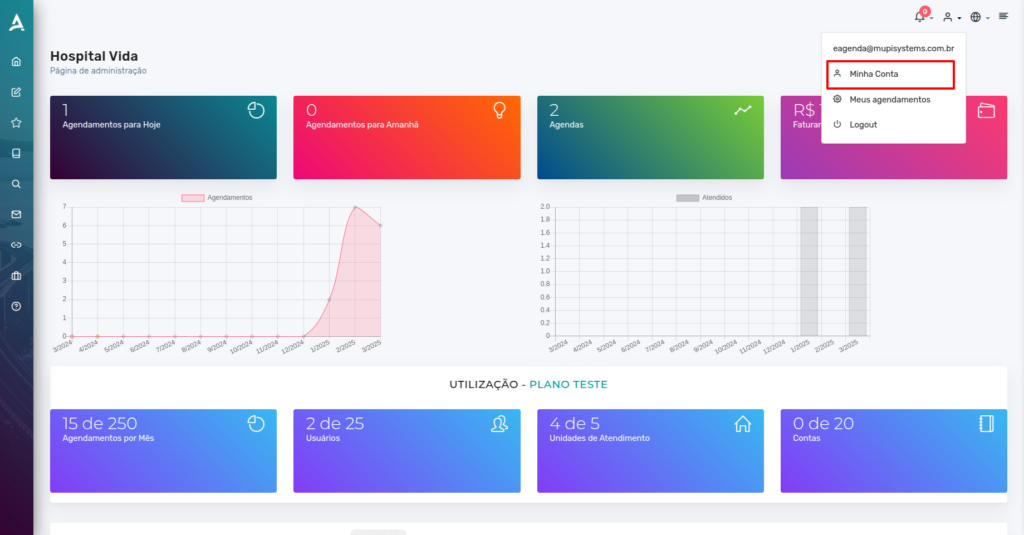
Next, in the menu that appears, locate and click the My Account option. This section contains all the information and settings related to your profile, allowing you to manage personal data, preferences, and, in this case, change your registration email securely and conveniently.
Edit Your Profile
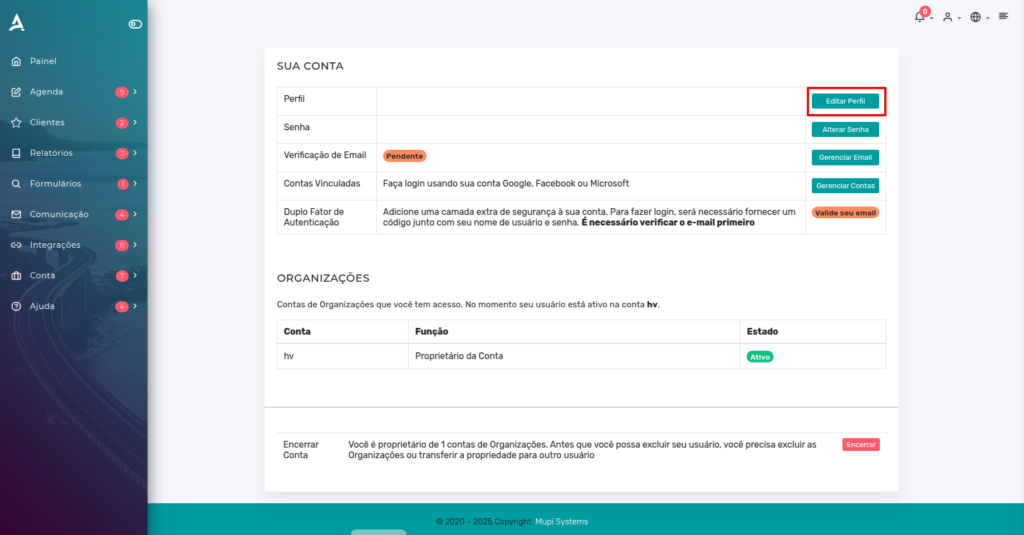
After clicking My Account, you will be automatically redirected to the Your Account section, where all information and settings related to your profile are centralized.
Within this tab, locate the area titled Profile, which contains the registered personal data. To update your email or other information, click the Edit Profile button. This action will allow you to make the necessary changes in a practical and secure way, ensuring that your data is always up to date and correct.
Change the Email
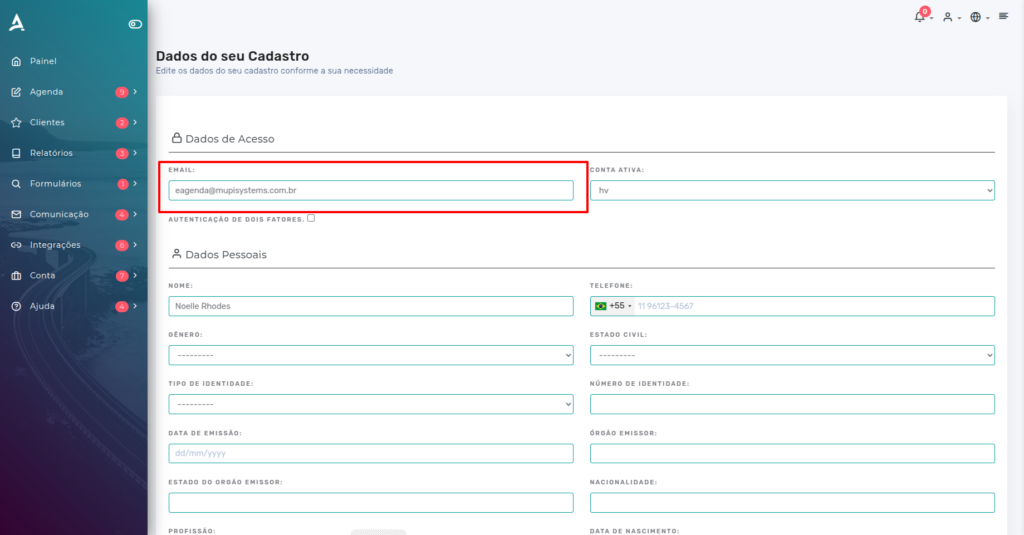
You will be directed to the Registration Data page, where all your personal information is stored.
On this screen, locate the email field and enter the new address you wish to use. Make sure to type the email correctly to ensure that all future notifications and communications are sent to the updated contact.
Conclusion
In this tutorial, you learned how to update the registered email on the platform simply and securely. Now you know how to access your profile settings, go to the “My Account” section, and use the “Edit Profile” option to change your email address. Keeping your email updated is important to ensure that you receive all important notifications and communications correctly.
Take the opportunity to visit our Blog and clear up other questions, or access our YouTube channel.
Mupi Systems offers a range of technological solutions for all types of businesses. Discover our platforms that bring innovation to the market.