How to Send the Scheduling Link to Your Clients
In this tutorial, we will teach you how to send the scheduling link to your clients. With this feature, they can access all your calendars or a specific one, choosing the most convenient day and time quickly and easily. This way, there is no need to call, send messages, or travel to the service location. This solution provides more convenience and agility for your clients, while also optimizing the scheduling process for your business.
Step by Step:
- On the dashboard, click Calendar → Scheduling Links;
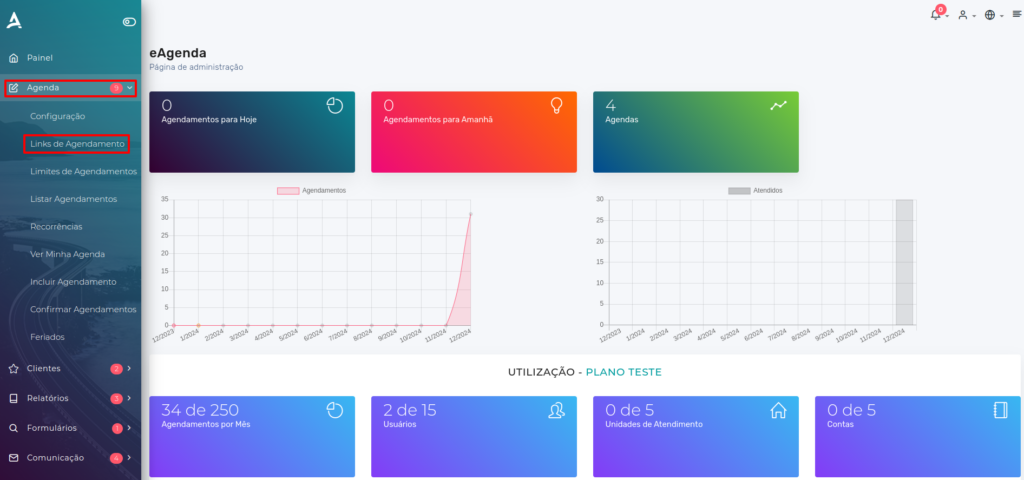
On the next page, you will have access to the shareable links for your calendars. The following will be available:
- The link to the Calendar Presentation Screen (Landing Page), which gathers all options in an organized way.
- The direct link to all calendars, allowing the client to filter and choose the desired calendar.
- Specific links for each service or calendar, allowing direct access to the desired service without needing to choose a calendar first.
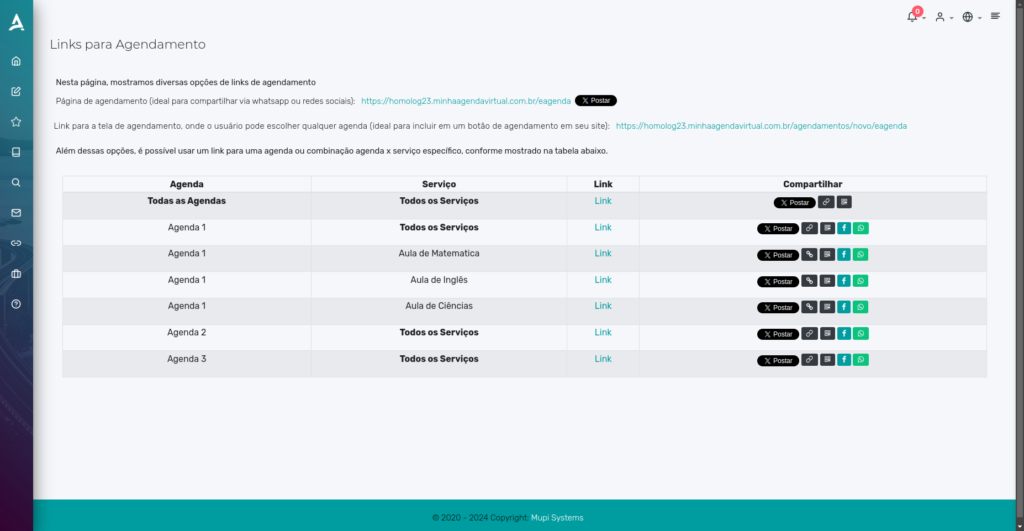
- Copy Link: Click the button to copy the link directly to your clipboard, making sharing easy.
- Social Media: Choose the desired social network and you will be redirected to the site, with the message and scheduling link already prepared for sending.
- QR Code: Generate and print a QR code, allowing the client to access the link by scanning the code — ideal for physical deliveries.
Extra Tip
The custom link is a simple and direct way to share your calendar with the client, allowing them to make their appointment in a practical and fast way.
- On the dashboard, click Calendar → Settings → Custom Link;
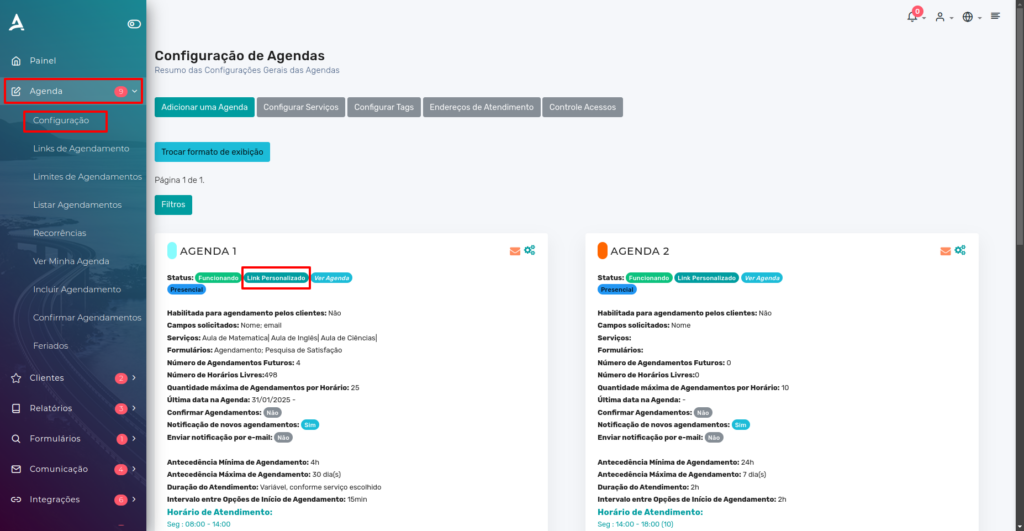
When clicking the link, the client will be automatically directed to the corresponding calendar, speeding up access to the desired service.
In summary, in this tutorial you learned how to create and share your calendars with your clients in a practical and efficient way. Take the opportunity to visit our Blog to answer your questions, or check it out on YouTube.
Mupi Systems offers a range of technology solutions for all types of businesses. Discover our platforms that bring innovation to the market.