How to Create and Manage Subaccounts in eAgendas
In eAgenda, you can maintain more than one account using the same subscription, without any link or interference between them.
This feature is especially useful for cases where the data, appointments, or information for each account need to be kept completely independent, ensuring security, privacy, and organization.
This way, you can manage multiple departments, business units, or professionals within the same subscription, with full autonomy and without the risk of changes made in one account affecting the others.
Step by Step: How to Create and Manage a Subaccount
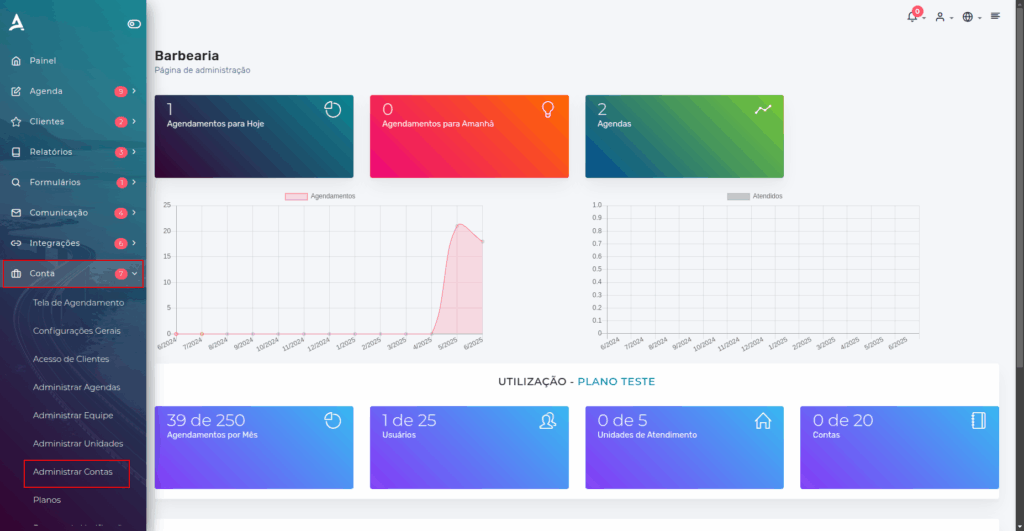
In the side menu, click on Account → Manage Accounts.
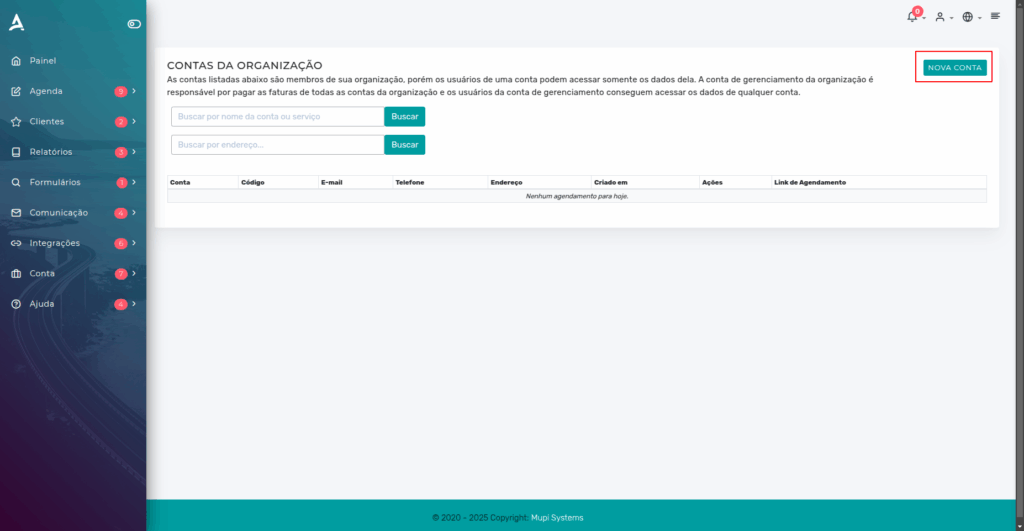
After the previous step, you will be redirected to the Organization Accounts screen. Then, locate and click the “New Account” button.
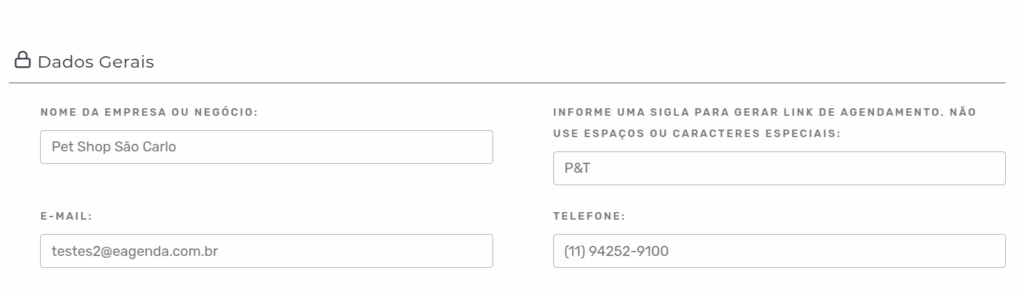
Next, you will need to fill in the new account’s details.
General Information
Enter the full address of the new organization.
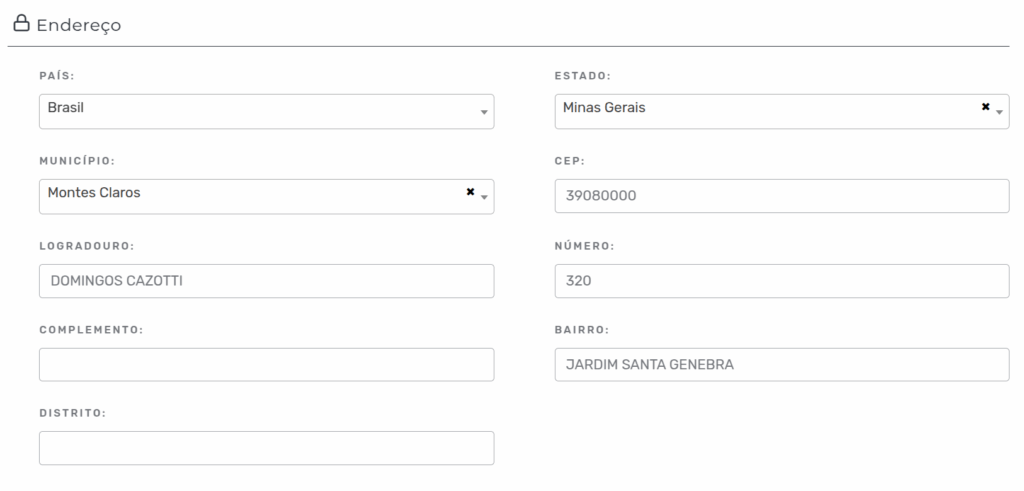
Address
Fill in the fields with the new organization’s address.
Account Administrator
In this section, you can:
- Choose an existing administrator; or
- Create a new profile, setting: Name, Email, and Password.
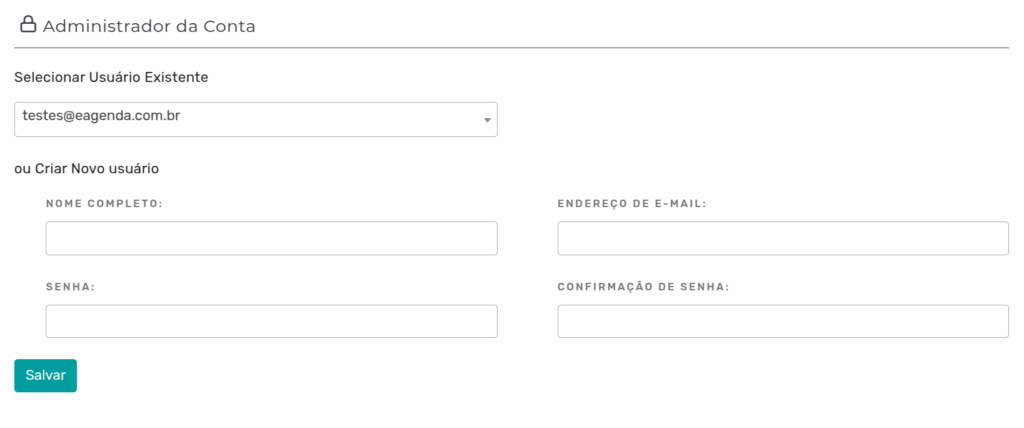
After filling in all the required fields, click “Save”. Done! The new account is created and ready to use.
You can also learn how to switch between accounts easily: [Click here].
Editing Organization Data
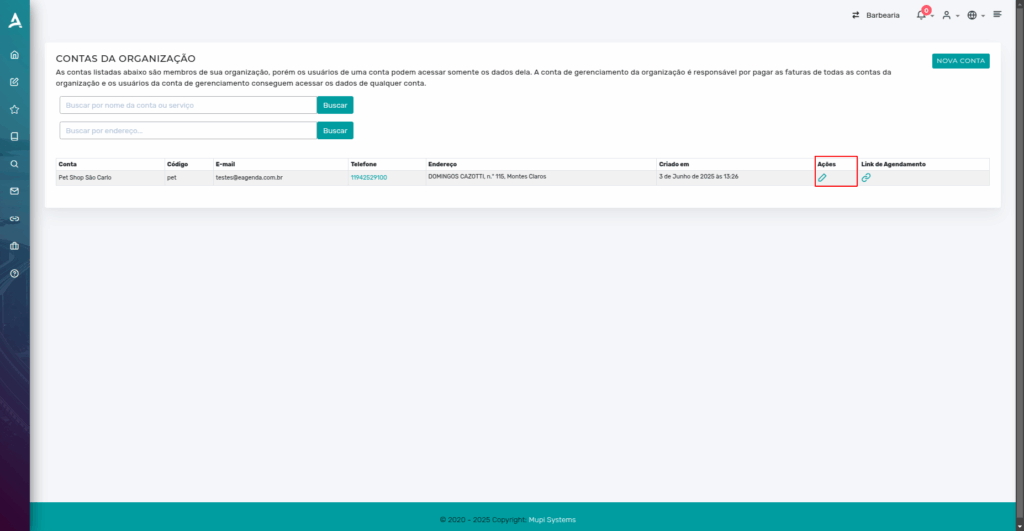
To edit the data of a created account:
- Locate the desired account on the Organization Accounts screen.
- In the “Actions” column, click the corresponding icon to edit.
- Make the necessary changes and save.
Conclusion
In this tutorial, you learned how to create and manage multiple accounts in eAgenda, using the same subscription, in a completely independent and secure way.
This feature is ideal for those who need to separate data, appointments, or information between different departments, units, or professionals, ensuring much more organization, privacy, and autonomy.
As we saw, the process is simple, fast, and efficient, allowing full control over the created accounts.
Mupi Systems offers various technology solutions for all types of businesses. Explore our platforms that bring innovation and efficiency to the market!
Contact Us or Learn More
We are available to help! Access our official channels:
WhatsApp: Click here to send us a message eAgenda Platform: Explore eAgenda Our Company: Mupi Systems – Innovative Solutions Email: contato@mupisystems.com.br Tutorials and Documentation: Access our guides and tutorials