How to Integrate with Mercado Pago and Automate Payments
In eAgenda and Minha Agenda Virtual, you can automate the entire billing process by integrating the platform with Mercado Pago. With this feature, customers can schedule and pay simultaneously, in a practical and secure way.
In addition to providing more convenience for those scheduling, this automation also facilitates financial and operational control for the person responsible for the appointments, since bookings are only confirmed after payment validation. This prevents unconfirmed reservations, optimizing time and ensuring greater security in the process.
How to integrate eAgenda with Mercado Pago
1. Payment Registration
In the side menu, click on Account > General Settings.
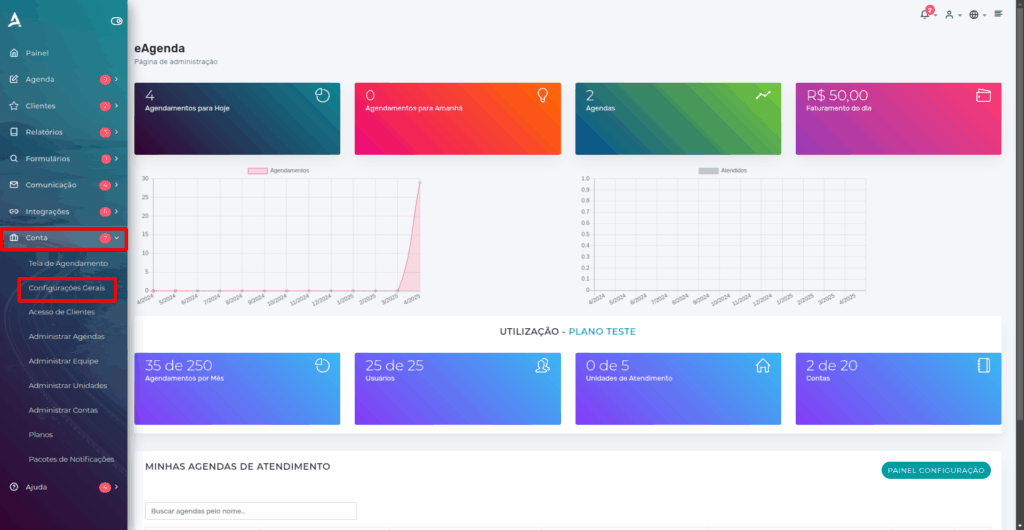
Then, go to the Payment Registration tab.
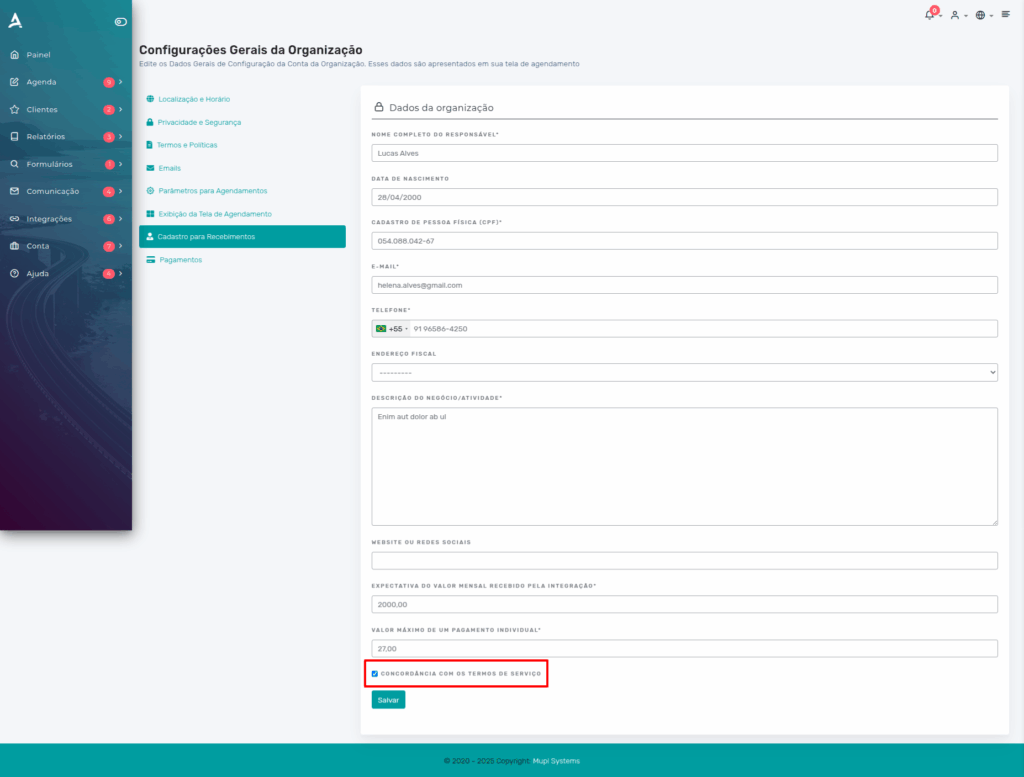
Remember to accept the Terms of Service — without it, integration with Mercado Pago will not be possible.
Fill in the fields according to your needs and click Save.
2. Payment Settings
After completing the previous step, still in Account > General Settings, go to the Payments tab.
1. Payment method
- In this field, select the option Automatic Payments via Mercado Pago.
2. Cancellation rule
- In this field, you can select the automation option Automatically cancel after X hours if there is no payment, thus setting the deadline for cancellation in the Cancellation Deadline field.
- Another option is Manual Approval/Cancellation, if you prefer to check and manage the appointment manually.
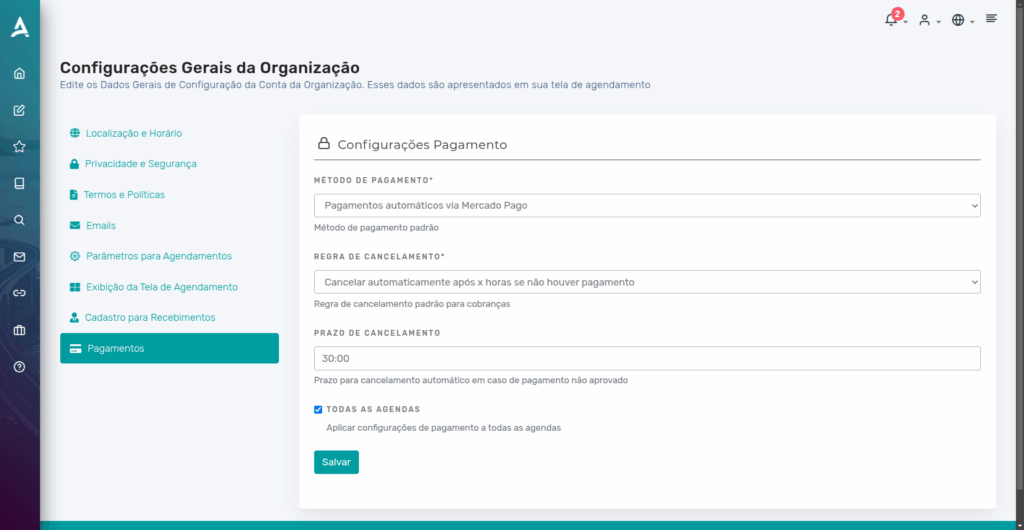
Then, simply click Save.
3. How to Integrate with Mercado Pago
Access the side menu, and then click on Integrations > Mercado Pago.
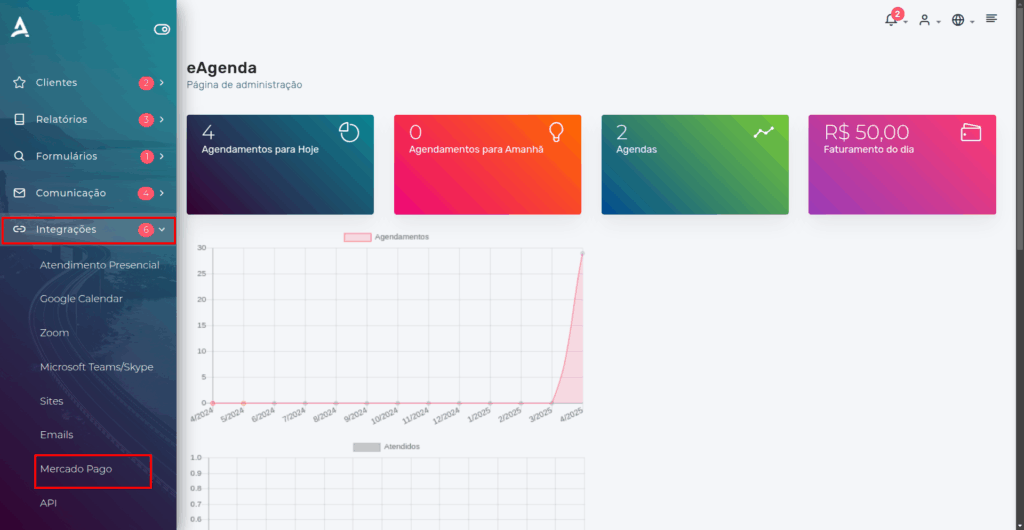
Next, you will need to Authorize the integration of the organization with a Mercado Pago account.
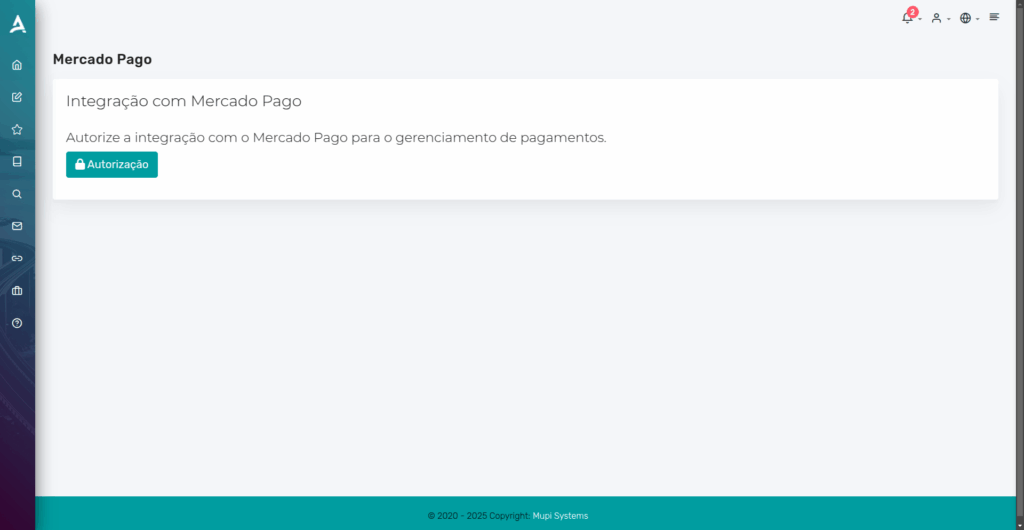
After clicking Authorization, you will be redirected to the Mercado Pago page, where you will need to log in.
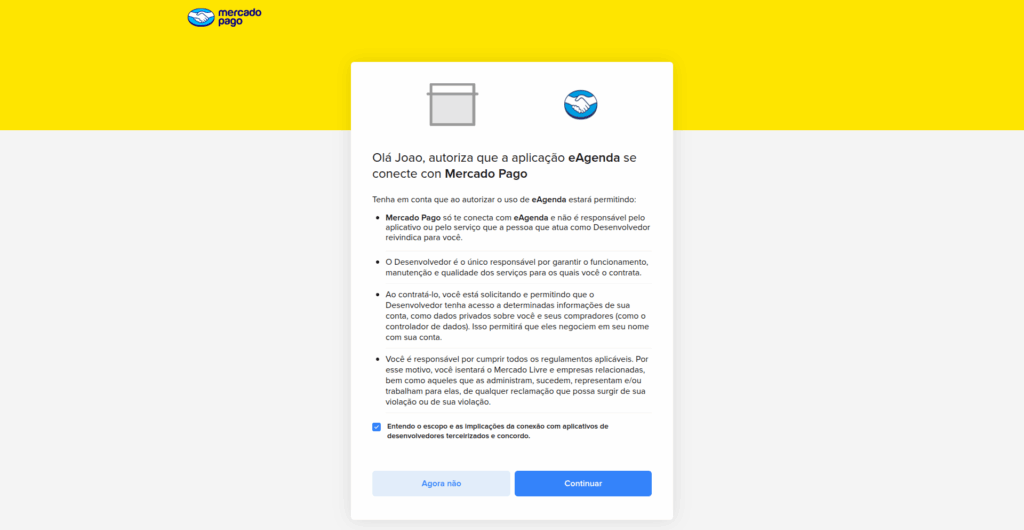
After logging in, simply click Continue.
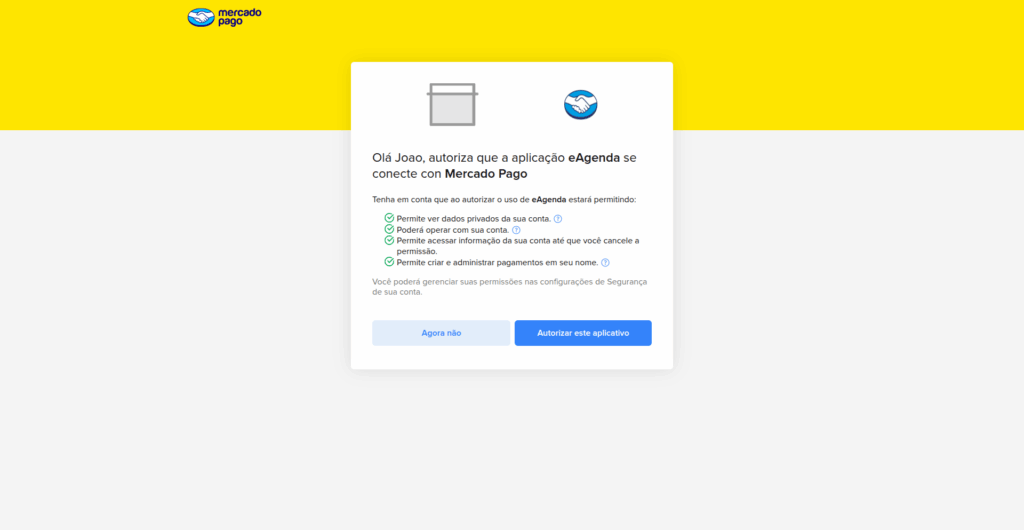
Then, click Authorize this Application.
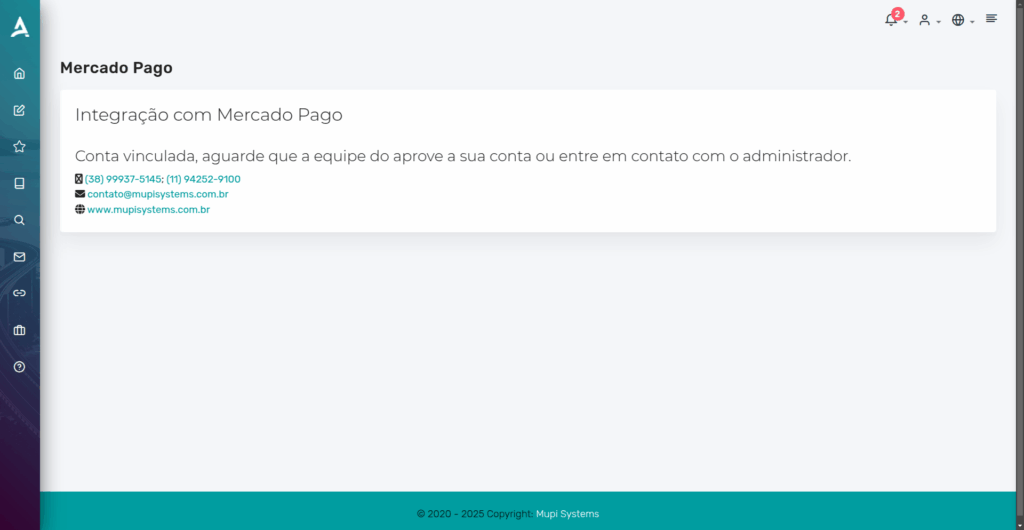
After completing the authorization, simply wait for the responsible team to approve the integration.
Conclusion
You learned how to automate the billing process in eAgenda and Minha Agenda Virtual by integrating the platform with Mercado Pago. Now, your customers can schedule and pay at the same time, in a practical and secure way. Additionally, you gain more financial control, since appointments are only confirmed after payment.
In this tutorial, you saw how to set up the Payment Registration, adjust the Payment options, and authorize the integration with Mercado Pago. Take the opportunity to explore our Blog and get answers to other questions, or visit our YouTube channel.
Mupi Systems offers various technology solutions for all types of businesses. Explore our platforms that bring innovation to the market.