How to Embed the Scheduling Form on Your Website
In this tutorial, we will show you how to embed the eAgenda scheduling form directly on your website. This integration offers several advantages, such as allowing your clients to book appointments directly on your site without needing to visit our domains. Additionally, since it is hosted on your own website, it maintains your company’s visual identity even while using our platform’s form. This solution optimizes the user experience and centralizes appointments in a single environment.
Step by Step to Embed the Form
1**.** Open the Side Menu and click Integrations → Sites;
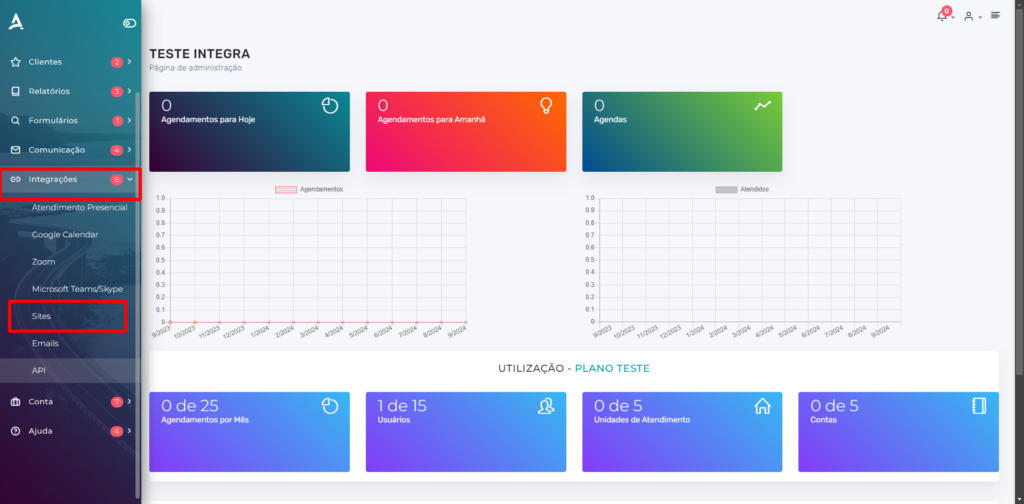
It is important to note that, to embed the scheduling form directly on your website, this feature must be included in your contracted plan. Without this addition, the form integration with the website will not be available.
2**.** On the next screen, the general iframe will be provided, which allows you to choose any schedule, or the individual iframe for each schedule.
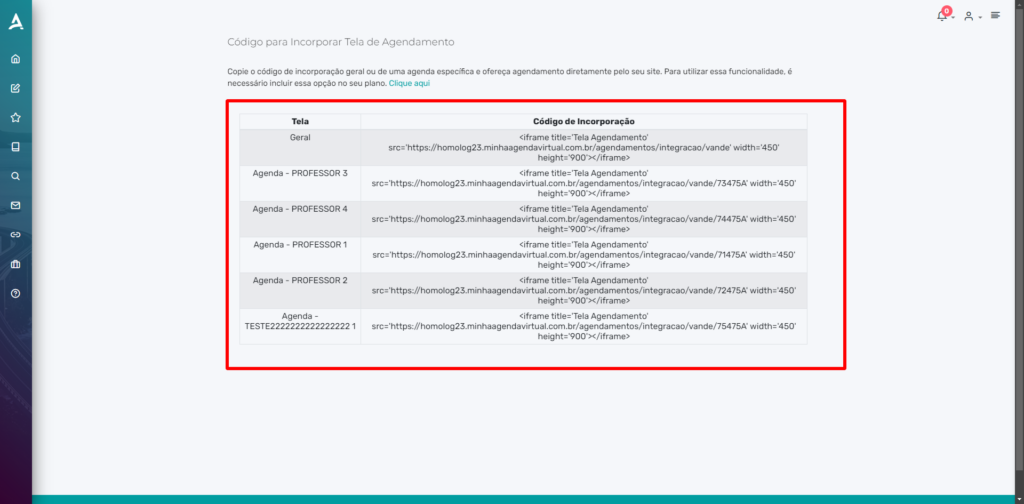
After copying the desired iframe, simply insert it into your website’s source code to directly integrate the scheduling form. If you have a team responsible for website maintenance, just send them the copied iframe and request its inclusion in the HTML.
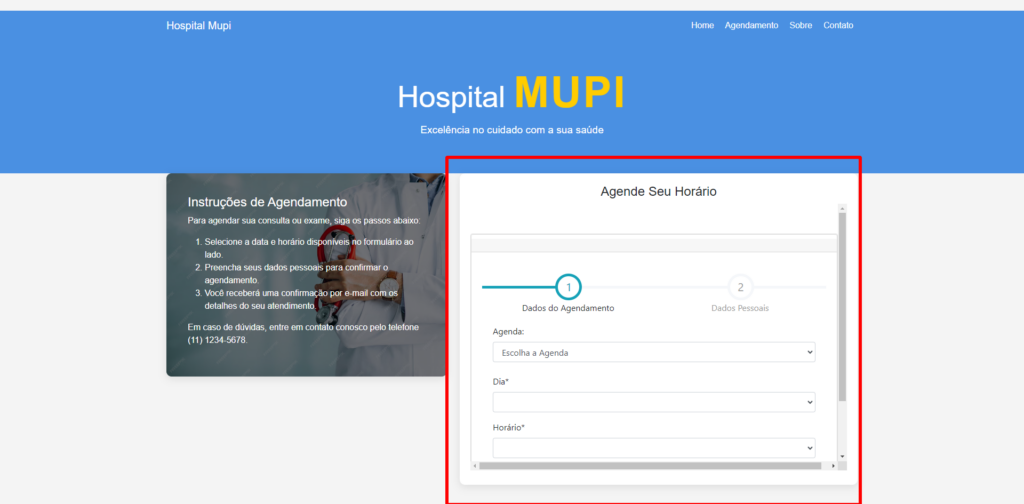
How to Enable the Scheduling Screen Embedding Feature in Your Plan
Please note that the form embedding feature has an additional cost of R$ 10.00 per month on your plan. This amount will be added to the total plan cost after the feature is activated.
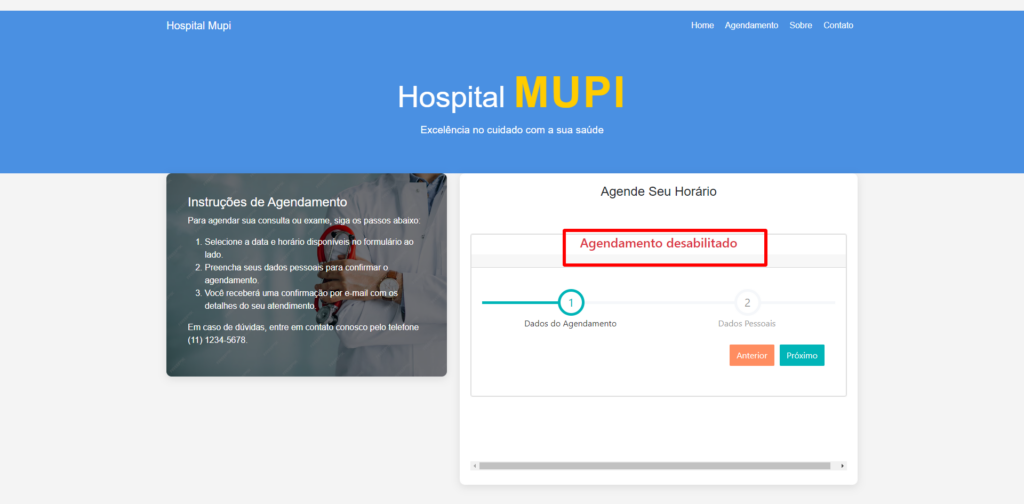
If the message “scheduling disabled” appears in the form on your website, this is because the scheduling form embedding feature is not included in your contracted plan.
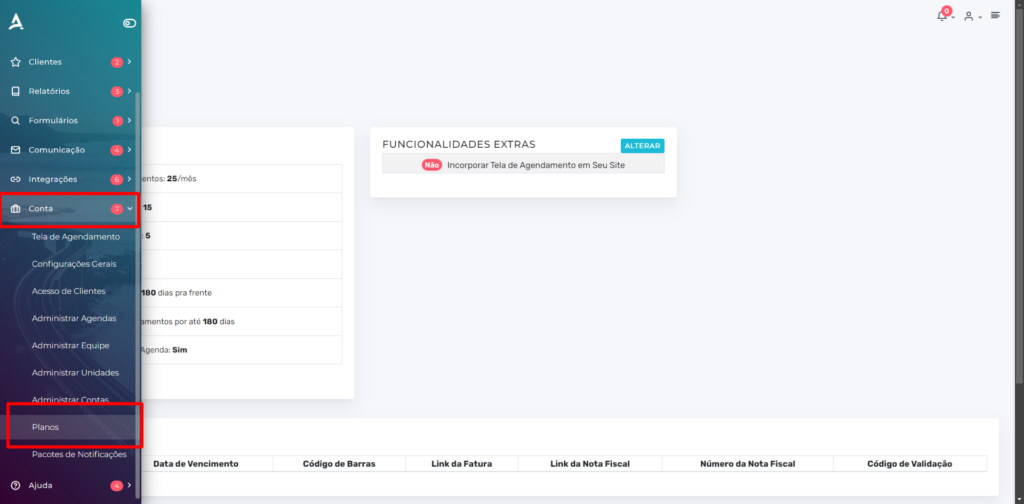
3. To add the feature to your plan, open the Side Menu and click Account → Plans;
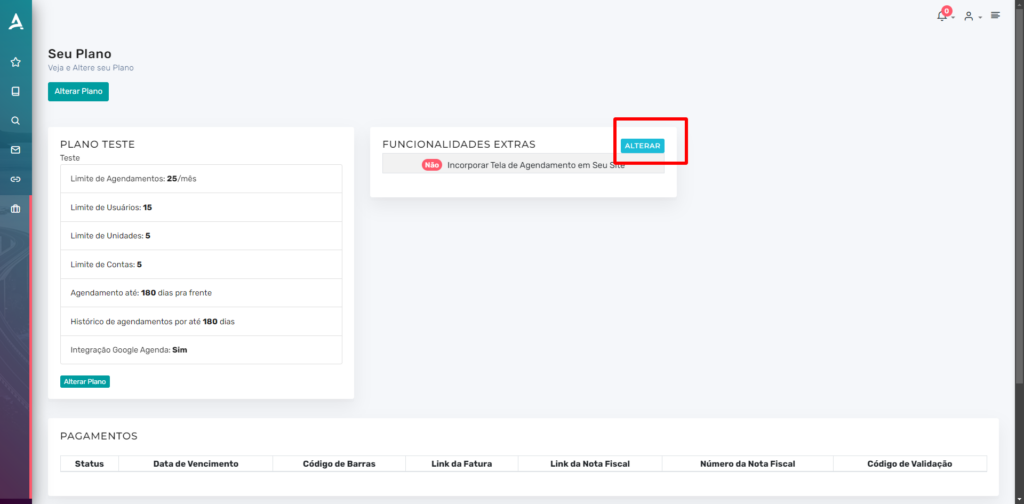
4. On the next screen, next to Extra Features, click Change.
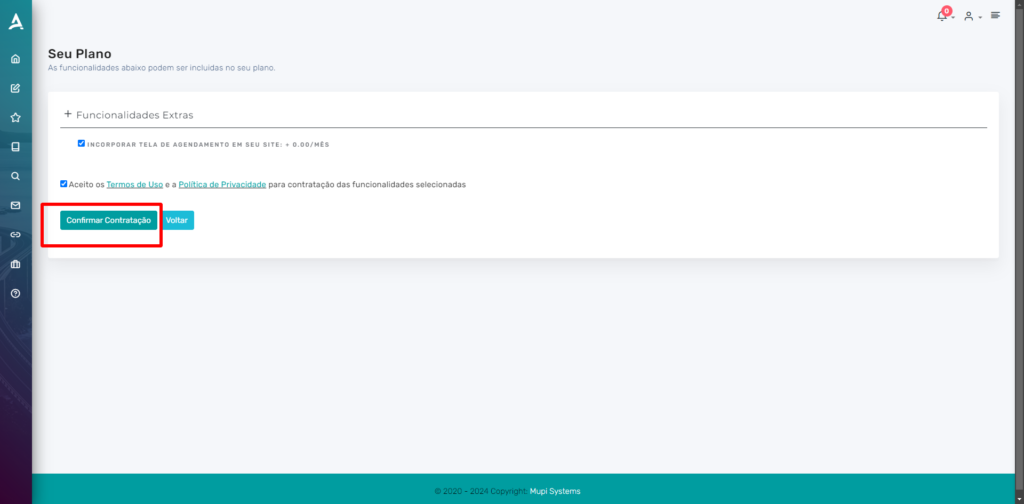
5. Select the embed scheduling screen option, accept the terms and conditions, and click Confirm subscription.
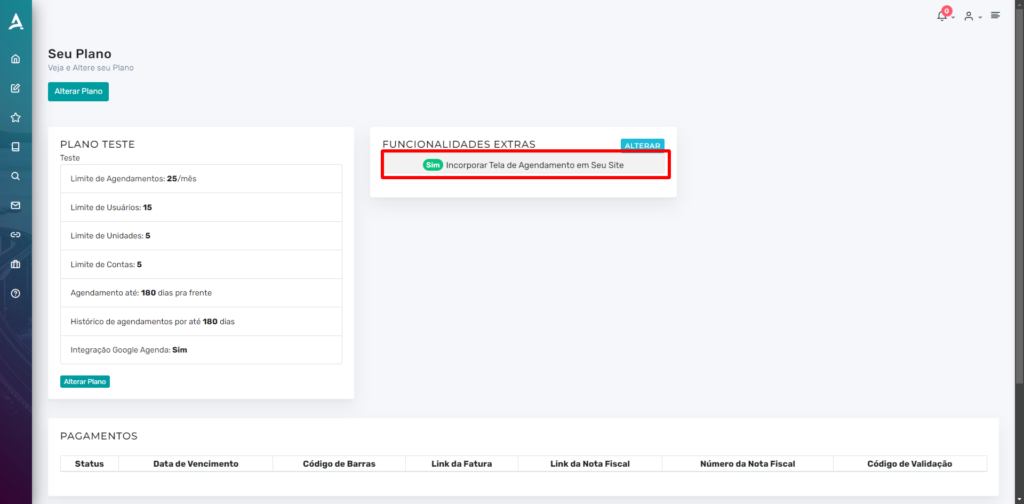
On the following screen, you can verify whether the feature is active.
In summary, in this tutorial you learned how to embed scheduling forms on your website. Feel free to visit our Blog to find answers to other questions, or check out our YouTube channel.
Mupi Systems offers a wide range of technology solutions for all types of businesses. Discover our platforms that bring innovation to the market.