How to Integrate with Microsoft Teams and Outlook
The eAgenda and Minha Agenda Virtual platforms offer full integration with Microsoft Outlook and Microsoft Teams, providing greater convenience and organization for managing your appointments.
Through this integration, whenever a new appointment is scheduled, you will automatically receive a notification via Outlook, ensuring that no appointment is missed. Additionally, if the session is conducted via video conference, the system will automatically generate a unique Microsoft Teams meeting link, which will be added directly to the calendar event.
This feature simplifies schedule management, optimizes your time, and reduces the chance of errors or oversights, delivering a more efficient experience for both the person scheduling and the person providing the service.
Step by Step: Microsoft Teams Integration
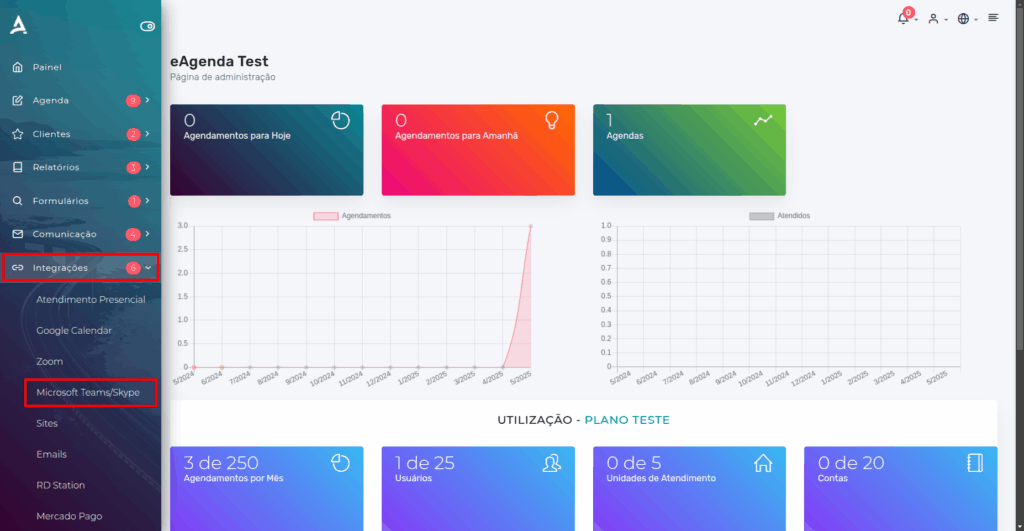
In the side menu, click Integrations → Microsoft Teams.
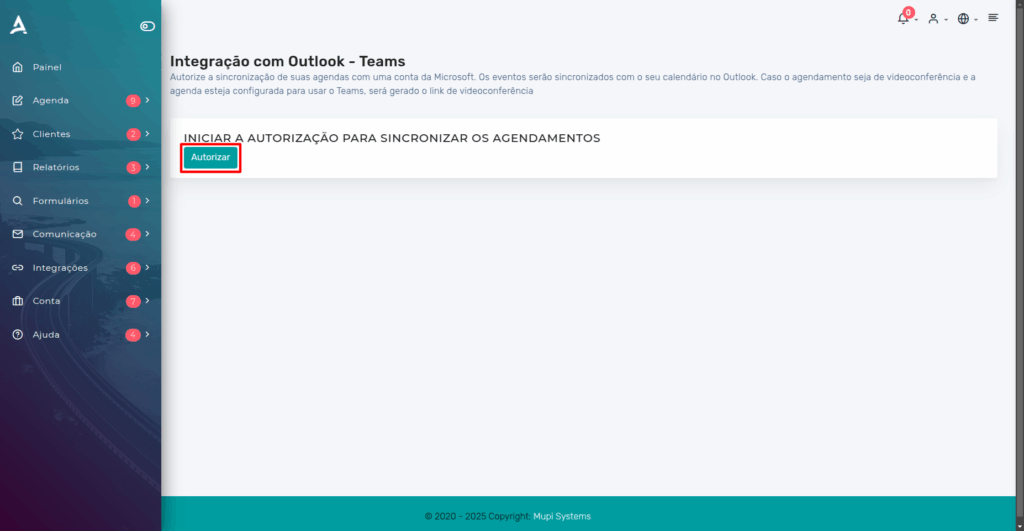
Next, click the “Authorize” icon, as indicated in red in the image.
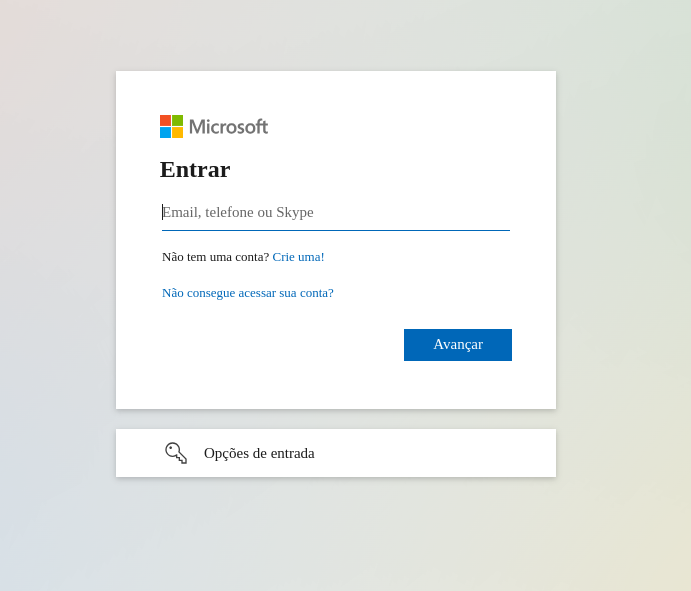
You will be redirected to a page where you must log in with the Microsoft account you wish to use for the integration. Simply access the desired account or, if you prefer, create a new one.
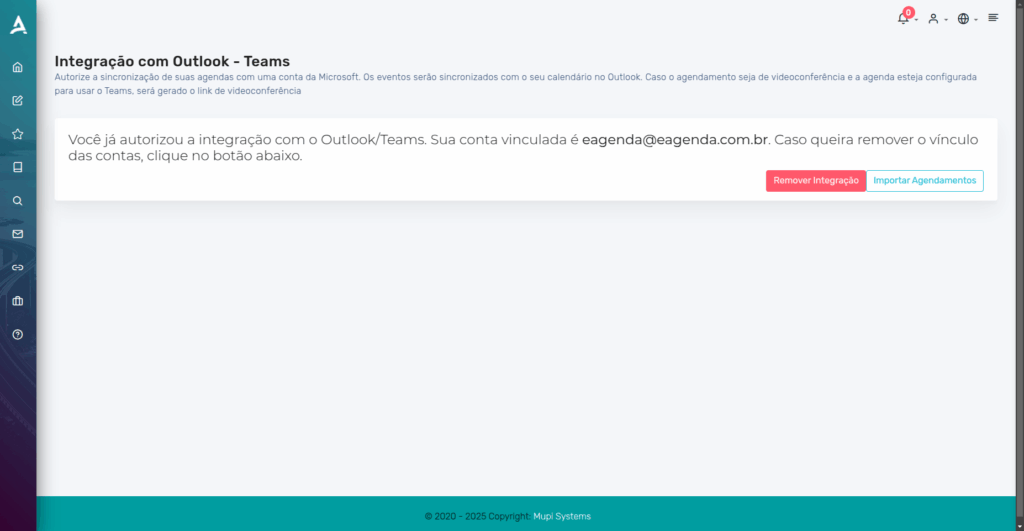
After completing the previous steps, you will see the following screen, confirming that the Microsoft Teams integration was completed successfully.
Video Conference Appointments
To configure your schedule and enable automatic link generation for video conference appointments, go to: Schedule → Settings.
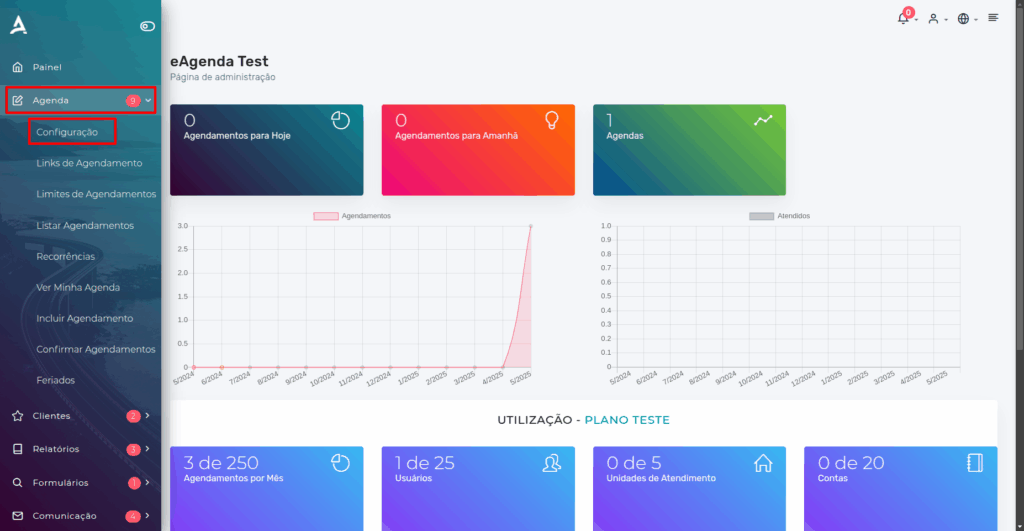
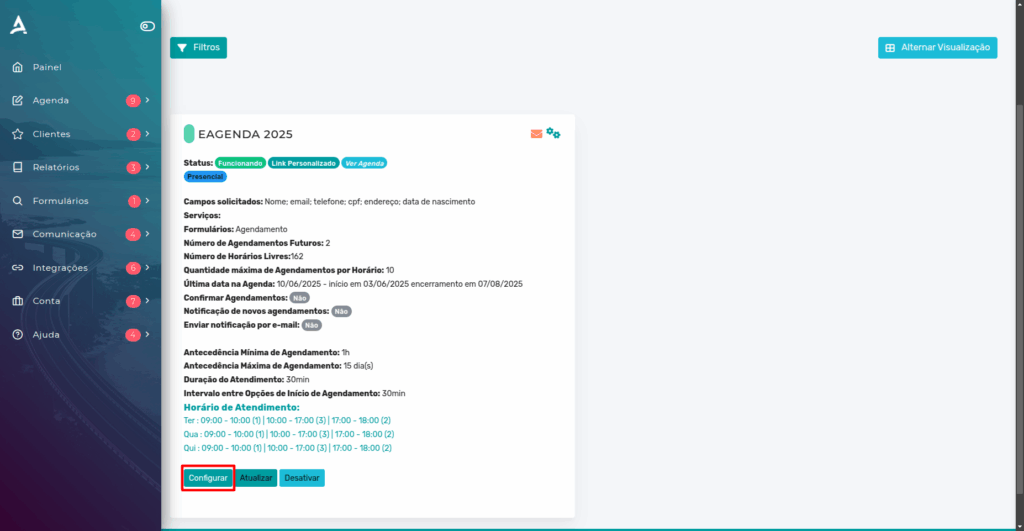
You will then be redirected to the Schedule Settings screen. Find the desired schedule and click “Configure” to proceed.
In your schedule settings, go to the “Basic Settings” tab, enable the “Video Conference Appointments” option, and select the “Microsoft Teams” platform.
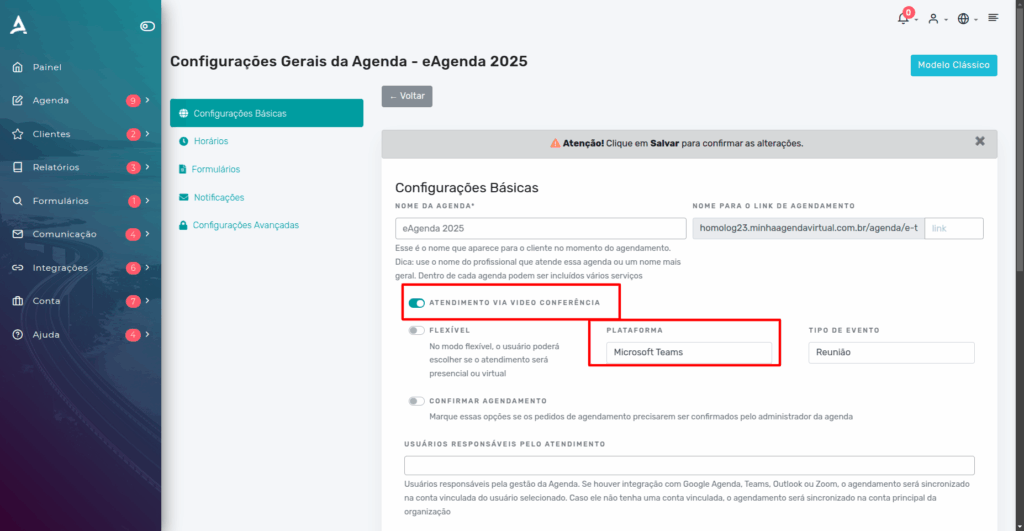
Done! Your schedule is now configured to automatically generate a video conference link whenever an appointment is booked.
Conclusion
In this post, we explained how to set up and integrate your Microsoft account with eAgenda and Minha Agenda Virtual. This setup can be used both to streamline your daily routine and to conduct appointments via video conference. As we have seen, it is a simple process designed for specific scheduling purposes.
Feel free to visit our Blog to find answers to other questions, or check out our YouTube channel for more content and tutorials!
We hope this post was helpful and we are available to answer any questions!
Mupi Systems offers a wide range of technology solutions for all types of businesses. Discover our platforms that bring innovation to the market.